How a department or site tag applied through Intune becomes an Entra dynamic device group — and why Defender-side groups can't do it alone
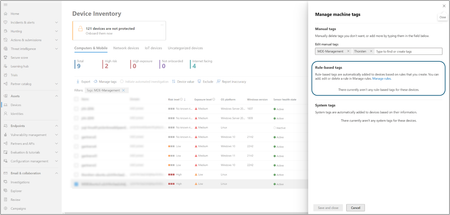
If you manage a Microsoft Defender for Endpoint (MDE) estate through Intune, you've probably reached for the DeviceTagging/Group OMA-URI setting to apply device tags at scale. A common use is segmenting devices by department, business unit, or site — tagging endpoints as Finance, Engineering, or Retail-POS — to support triage prioritisation, alert routing, and delegated visibility. It's simple, MDM-native, and works well for tagging devices inside the Defender portal.
Here's the limitation that catches most teams off guard: Defender's own-device groups — the ones built from these tags — exist solely for portal RBAC. They are not a valid assignment target for Intune Endpoint Security policy. Antivirus policies and Attack Surface Reduction (ASR) rules can only be assigned to Microsoft Entra device groups — Microsoft's own documentation is explicit that these policies target Entra device objects, not user groups, and, just as importantly, not Defender-native device groups.
So the moment you want to differentiate policy by department — a stricter ASR ruleset for Finance devices handling sensitive data, different AV exclusions for an Engineering build-server fleet, a separate baseline for point-of-sale devices — the Defender-side department groups can't be the assignment target. There is no way to scope an Intune policy to "devices tagged Finance" directly off the MDE tag. The Defender-side group simply isn't an option in Intune's assignment picker.
That's what turns an Entra sync into a hard requirement rather than a nice-to-have: it's the only way to convert the department tag into something Intune's policy engine — and Entra's dynamic group engine — can actually consume. The instinct is to write an Entra dynamic group membership rule that filters directly on the MDE tag. That's where things stop working — and the reason isn't obvious unless you've already hit it.
One more constraint shapes the whole design: the DeviceTagging/Group registry value holds a single string. A device can carry exactly one MDE tag through this mechanism — there's no way to layer a second, independent tag alongside the department value without overwriting it. For this scenario, the department/site value is the only thing that tag needs to carry, which keeps the design straightforward: one tag, one department, one downstream Entra group.
No CSP writes to an Entra directory attribute, and no way for Entra's dynamic membership engine to read a value that only exists in Defender's telemetry. To get a per-department Entra dynamic group, the department value has to be mirrored into an extensionAttribute deliberately — the two configurations don't stay in sync on their own.
Bridging the tag to an Entra extensionAttribute
Since there's no CSP for this, the bridge has to be an explicit script or job that reads the department tag from MDE and writes it to Entra via Graph. There are two reasonable shapes for this:
Option A — per-device script. An Intune Proactive Remediation runs as SYSTEM on every device, reads the local DeviceTagging registry value, resolves the device's own Entra device ID, and calls Graph directly.
Option B — centralised job. A single scheduled process (Logic App), running under one governed identity, pulls all device tags in bulk from the MDE machine list API, maps each device to its Entra object, and issues the PATCH requests centrally.
Each department gets its own dynamic device group using this pattern, with the value changed per group — Finance, Engineering, Retail-POS, and so on. Devices join and leave automatically as their extension attribute value changes, without any manual group membership edits.
(device.extensionAttributes.extensionAttribute1 -eq "Finance")
Have you solved this differently — a native connector, a Logic App, something in Security Copilot? I'd love to hear how others have approached the same gap.