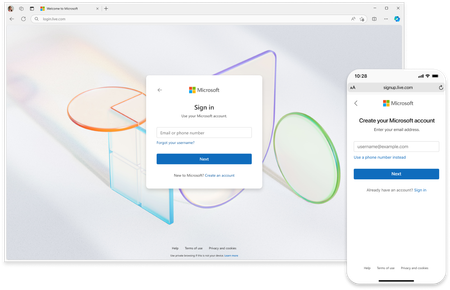
Microsoft is rolling out a new sign in experience for over 1 billion end users. What we learn can help to improve sign-in for all Microsoft customers.
Updated Mar 26, 2025
Version 2.0


Deleted Thanks! Yes, passwords still work for consumer Microsoft accounts that have them.

Restating the question in a different way: Will passwords be available for new accounts after July 1, 2025? Independent users are not necessarily casual users, and account needs are not simplistic. This goes beyond cross platform portability. Timely account access and recovery in the event of a lost device is a fundamental requirement. And I've yet to see microsoft present a reliable recovery method for a proprietary passkey on a proprietary device that is as universal as a password. So far, Microsoft's implementation of secure shell public/private keypairs has been proprietary 1st and reliable 2nd. For example, it sometimes becomes necessary to reset a Windows device and download the OS from the internet. How to recover the account quickly? From where does someone aquire the necessary passkey? The average consumer does not enjoy tech support, or have the expertise to work this through in a timely manner.
Hello friends, appreciate all of the feedback and concerns raised, lots of great questions. I encourage you all to follow the Microsoft announcements and blogs on the topic of Passkeys which we are continuing to publish.
To clarify with regards to the UX changes in this announcement, for Microsoft account users, we still support passwords and other forms of authentication, including two step verification and passwordless authentication with an app. Users may choose. For users who do enroll passkeys on their Microsoft account, our goal is to make it easier for them to sign in by detecting and offering the choice to use that passkey, according to FIDO standards.
The UX changes referred to in this article are about creation of new Microsoft accounts where new customers may use an existing email address, including one they have from Google, Yahoo or another provider. Customers who require new accounts with a new email address may create usernames @outlook.com which will generally also have passwords unless they add other auth methods and later choose to delete the password from their account.