Hello Sadie Henry! I have changed to a more permanent persona for this forum. I have been testing this out more and have found this:
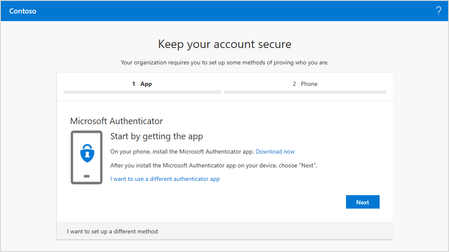
If I require a user to re-enroll MFA, the enrollment for this user breaks with an "An unknown error occurred" error. If I wait to the next day however, the enrollment for the user have self-healed and works again!? This is repeatable over days and the error is consistent.
If I go to the security settings for a user after the enrollment (see point 1), it's broken again and shows just the triangle and exclamation marks and "Unknown error" message.
When I configure the MFA methods in the SSPR area, I have to require two methods to even light up the choice to use the app notifications. I am then for some reason forced to choose three methods when requiring only two. Also, I am offered to configure app codes even if this is not chosen in the SSPR methods but is however allowed in the old portal, is this to be expected?
Why are the settings for MFA methods located in the SSPR settings? If the same settings are for both things, they should be consolidated somewhere more logical. "Where do I configure the MFA settings? In the SSPR area whether SSPR is configured or not! Eh ok?". Also, the fact that MFA settings are available in both the old portal and the new without any clear info on the correlation between the two does not exactly help. A more fine-grained setup would also be great, where you can choose different MFA methods and requirements for different users in a broader framework regarding login security for a user.
Listen, I get that you are trying to simplify this setup for the users which is great. But as of right now, it does not work. If I was to release this in our live environment it would be disaster with the errors that occur. I would be interested in getting this to work properly, do contact me if you want additional feedback.

 Microsoft