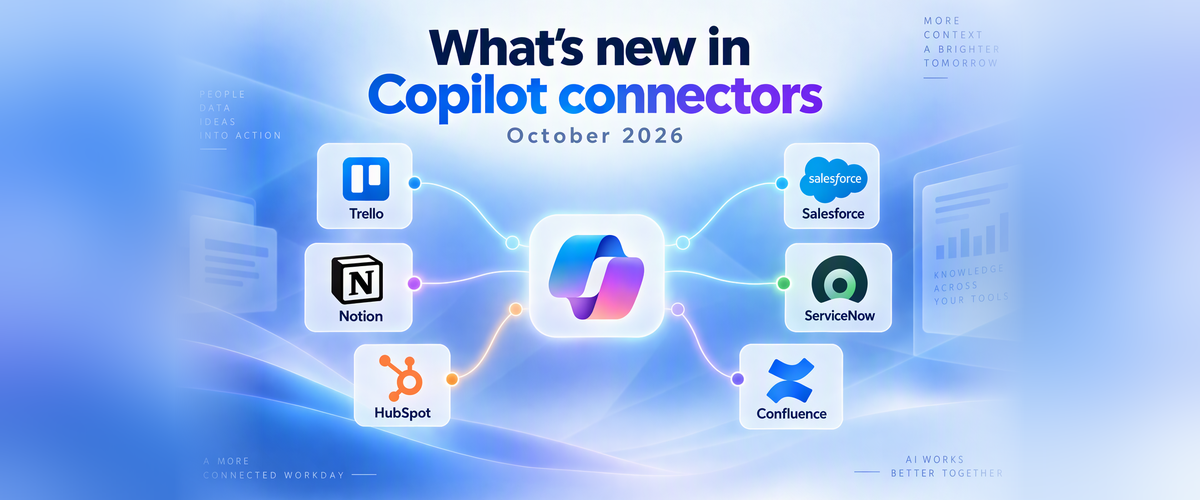
Your organization's knowledge doesn't live in one place. It's spread across project boards, CRM records, knowledge bases, wikis and specialist research. Microsoft Copilot Connectors bring all of it into Microsoft Copilot, so people get answers grounded in the content that matters to them, with the permissions they already have.
This month, we're expanding where connectors work, adding new domains, making answers from your most-used systems richer, and taking the friction out of managing connections. Here's what's new.
September at a glance
- Comprehensive Connectors Catalogue: All connectors now appear in one unified catalog across Microsoft Copilot Chat, Word, Excel, PowerPoint and Researcher like FactSet, Hubspot, Moody’s SalesForce CRM etc. View the entire catalogue here - link.
- Explore new connectors: Trello Enterprise, Galileo for HR insights, and 25+ healthcare and life-sciences connectors spanning research, clinical, regulatory and drug data like PubMed, ClinicalTrials.gov, bioRxiv, ChEMBL etc.
- Skills for Connectors: New connector skills bring app-specific intelligence to Copilot to help users complete workflows within Copilot, starting with HubSpot and Notion, with more connectors coming soon. New Tasks support enables Copilot to run long-running tools from providers such as LexisNexis, Bloomberg, and Thomson Reuters.
- Get more relevant responses with grounding: Choose one or more sources with Source Filter, discover and connect sources from Settings, and bring omitted connector content into an answer with one click—so Copilot uses the right context with less noise.
We’re Listening, You asked and we delivered!
- Richer, more secure answers from Salesforce, ServiceNow, and Confluence: Salesforce expands coverage with custom fields and additional objects; ServiceNow supports longer property names and knowledge-based attachments up to 64 MB; Confluence adds page comments, attachments, metadata, and more accurate identity matching to improve response quality.
- Manage connections easily: Admins get tailored connector recommendations relevant to their organization, Published connections can be edited, Improved connection diagnostics, Progress indicator on every full crawl and proactive lifecycle emails.
Bring more of your work into Copilot
Comprehensive connectors catalog, available on every Copilot surface
All connectors are now part of the shared plugin registry, powering one unified catalogue across Copilot experiences. People get one place to discover and use approved connectors, skills and business data. And because everything follows one consistent trust and control model, there's no separate catalog to manage for each product.
Most importantly, users now see the same consistent connector catalog across Microsoft Copilot surfaces. All Connectors work in Microsoft Copilot Chat, Word, Excel, PowerPoint and Researcher. Wherever users work, they can discover and use connectors through a familiar experience, while sign-in, consent, connection management and sign-in recovery work the same way across authentication stacks—with consistent reliability and performance. View the entire catalogue here - link.
New domains unlocked: HR, life sciences and project work
· Trello Enterprise
Find and use Trello boards, cards and project context in Microsoft Copilot and Search, with less app switching. It's a production-supported connector built for the enterprise, and users only see what their Trello access allows.
· Many new Healthcare & Life Sciences connectors
Researchers, clinical and regulatory teams can now ground Copilot in key biomedical, clinical, regulatory and life-sciences sources without leaving their workflow. The set includes Microsoft-built and partner built connectors. PubMed, ClinicalTrials.gov, bioRxiv, ChEMBL, Open Targets, MedlinePlus, RxNorm & Drug Classes, ICD-10, CMS Coverage, CMS NPI Registry, Drug Pricing (CMS/Medicaid), FDA Safety (openFDA). Article Galaxy, Scite, Consensus, NyquistAI, PopHIVE, SciLeads, Cortellis Regulatory Intelligence, smarts.bio, BioRender, Amass, CAS Connections, DrugBank, Sage Bionetworks.
· Galileo by The Josh Bersin Company
Our first data-provider connector brings research-backed HR insights from The Josh Bersin Company directly into Microsoft Copilot. HR teams and managers can make informed decisions and quickly create research-backed strategies, policies, presentations, and employee communications.
Skills for connectors: from answers to completing workflows
Connector skills go beyond returning answers based on user queries. Skills for Connectors apply app-specific know-how to reason over enterprise knowledge, producing answers that fit the way people actually work, with no complex prompts needed. They're easy to find in the plugin experience and deployed consistently with governed access and validated quality. Currently, live for Notion and HubSpot, expanding to more soon.
Long-running connector actions with Tasks
Some of the most valuable work takes more than a few seconds. With Tasks, Copilot can now run federated connector tools that take minutes, not seconds, and show progress while it works, so long operations complete without feeling slow. Built on the latest MCP spec with backward compatibility, Tasks unblock connectors such as LexisNexis, Power BI, Fabric, Bloomberg, Wolters Kluwer and Thomson Reuters.
Ground it your way
Getting the right answer starts with the right sources. This month's updates give people more control over where Copilot looks, and keep them in the flow.
Source Filter: answers grounded in the source(s) you choose
Scope a Copilot question to one or more specific sources for more relevant, less noisy results. Built-in search makes it fast to find the right source.
Sources menu in Settings
All your sources in one place. Search, review and connect the data sources available to Copilot from one list in Settings, even as the catalog grows.
Contextual connector suggestion
Don't miss relevant connector content. When Copilot finds connector results that don't make it into the answer, a one-click suggestion brings them back, with no need to rephrase.
Inline ReAuth for Federated connectors
Stay in the flow. When a session expires, Copilot recovers silently or with a quick inline sign-in, so you keep your work and context instead of being sent to a separate sign-in page.
Richer, more secure answers from Salesforce, ServiceNow, and Confluence
The systems your teams use every day now deliver fuller, more accurate answers in Copilot.
Salesforce CRM
Sales and service teams can find relevant Salesforce CRM information within Copilot, with broader coverage and improved performance. The connector now supports custom fields and additional objects and content, including Tasks, Events, Campaigns, Campaign Members, Comments and Attachments. Security is stronger too, with Field-Level Security, record-level access controls, and PKCE security readiness.
ServiceNow Tickets and KB
ServiceNow ticket results are more complete. The connector now handles longer property names, with the 32-character limit removed, so schemas that previously couldn't be represented now work. Expanded ACL field support makes results more accurately permission-aware, and system tags are now stored as collections, better preserving source metadata.
For ServiceNow KB, the attachment limit is now 64 MB, up from 20 MB. Detailed documents, presentations and other large knowledge assets can now be used in Copilot answers without resizing or leaving them out.
Confluence
- Fuller answers: Copilot now draws on Confluence Cloud page comments, attachments and their metadata, so answers reflect the whole conversation around a page.
- The right content for the right people: more accurate identity matching means Copilot respects Confluence permissions more precisely.
- Fewer interruptions: connections stay signed in reliably when access refreshes, so content keeps syncing, even for organizations with large groups.
- Quicker fixes when something goes wrong: clear sign-in and crawl error messages with troubleshooting steps, plus progress tracking on every full crawl for Confluence on-premises.
For admins: friction-free connector management
We've heard from many of you that managing connections should be simpler. Here's what's new for admins.
Connector recommendations tailored to your organization
Admins now see connector recommendations tailored to their organization instead of a fixed list, making it easier to find the connectors most relevant to their users and get them set up quickly.
Edit connections without starting over
Admins can now edit all configurations of a published connection instead of deleting and recreating it. That means no full recrawl of the data source, no loss of the activity signals collected over time, and no new connection ID to break the agents built on that connection. Metadata edits save instantly. Permission (ACL) changes apply automatically with a quick ad hoc crawl. For other changes, you choose the timing: crawl now or apply the change during the next scheduled crawl.
Improved connection diagnostics
When a connection fails, admins now see a clear, contextual error message with suggested next steps instead of a generic failure. Each message explains what went wrong, based on the error information returned by the data source, and suggests how to resolve it, so content flows again sooner. Available across a growing number of connectors, with more being added.
Crawl progress on every full crawl
Crawl progress for a connection's first crawl was already available. Now admins can follow every subsequent scheduled full crawl as it runs, for better manageability and faster diagnostics. Connection details show live progress for items, groups and group memberships, refreshing automatically, so a long crawl never looks stuck and issues can be spotted early.
Stay ahead with proactive email notifications
Admins now get timely emails at key moments in the connector lifecycle:
- Microsoft Graph connector agent (GCA) updates: know as soon as a new GCA release is available, and get a reminder when an upgrade is needed, to plan rollout sooner and keep on-premises connectors current.
- First full crawl complete: know when connector content is ready, so you can start using and validating it right away.
Get started
- Explore the connector catalog in the Microsoft 365 admin center: Link
- Learn more about Copilot connectors: Link
We'd love your feedback
Tell us what you think about these updates and what you'd like to see next. Share your feedback in the comments below to help us know and address your feedback.

 Microsoft