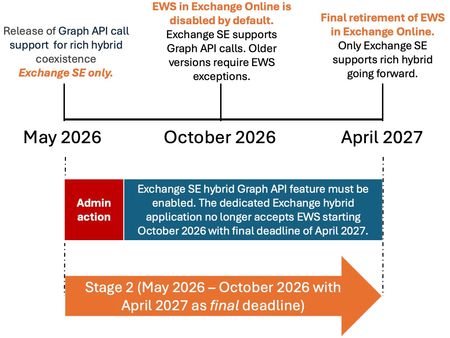
You can check the sign-in logs for the application in Entra. Go to Enterprise apps, search for ExchangeServerApp, then select what's returned. Click Sign-in logs, then switch to the Service principal sign-ins tab. When it's using EWS, the "Resource" shows "Office 365 Exchange Online". When it's using Graph, "Resource" will show "Microsoft Graph".
That being said, I'm testing this in our lab environment, and after switching to Graph, free/busy no longer works. After hours of digging and arguing with Copilot, I found a way to disable the setting override (as opposed to deleting it), and now free/busy works again. About to open a support case ...
Get-SettingOverride -Identity "EnableRouteThroughMSGraphFeature" | Set-SettingOverride -Parameters "Enabled=false" -Confirm:$false