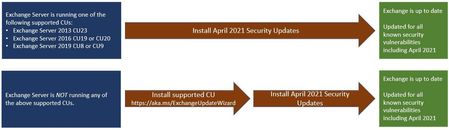
We are using PRTG to monitor our Exchange Servers and it can't do remote powershell with remote exchange management shell with the Exchange server after I installed the April Security update.
I upgraded from CU18 to CU20 successfully (cmd prompt elevated as administrator), monitoring was still fine at that point. Like I have done numerous times for both CUs and security updates. Then when I applied April security update for CU20 (cmd prompt elevated as admin), powershell is failing with this message below:
The sensor was able to connect to the device using Remote PowerShell but could not retrieve access to Remote Exchange Management Shell. Ensure that remote management is enabled on the Exchange Server and the user has sufficient rights. See https://kb.paessler.com/en/topic/54353 for details. The syntax is not supported by this runspace. This can occur if the runspace is in no-language mode.
It has the appropriate permissions, nothing has changed there, confirmed its still good. It was working fine before the security update. I got this same behavior on both my DR exchange servers, so not proceeding with my production ones until I know what's going on or hear from someone at Microsoft. Did the security update change something with remote exchange management shell and that was the vulnerability fix? Perhaps PRTG vendor needs to supply and update and adjust their sensor accordingly if by Microsoft design this was changed?
I've validated all the services automatic are running, test-servicehealth, test-replicationhealth, virtual powershell directory, exchange management shell works fine on server, get-mailboxdatabasecopystatus, reviewed application logs and no issues.
Hope you can help Nino_Bilic The_Exchange_Team or someone?