https://go.microsoft.com/fwlink/p/?linkid=2070717
To open Message center:
You can also use the Microsoft 365 Admin app on your mobile device to view Message center, which is a great way to stay current with push notifications.
Updated June 1, 2022: Based on customer feedback, we have made the decision to provide additional time for organizations to prepare for the change. We have updated the rollout timeline below. Thank you for your feedback.
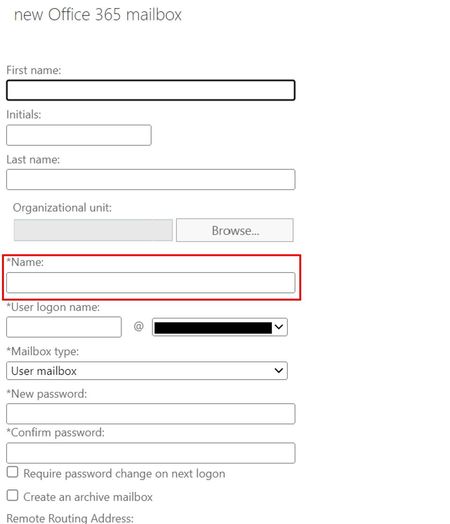
We're making some changes to the way Name parameter is being set in Exchange Online. We will be making a change to utilize unique ExternalDirectoryObjectId (EDOID) in the place of Name parameter in Exchange Online only.
When this will happen:
We will begin rolling this out in late June (previously late May) and expect to complete late August (previously late July).
How this impacts your organization:
After this change administrators may no longer be able to see subsequent CN value change in Exchange on-premises to be reflected in the object’s Name property in Exchange Online.
The updated naming logic would take effect only during new user creation. Existing users won’t get impacted in any way.
Please note that since we will start using EDOID as Name in Exchange Online, we shall stop allowing changes in CN to reflect in Name property in Exchange Online for all users (both new and existing).
What you can do to prepare:
We recommend that Administrators evaluate any scripts or other automation that may rely on the Name property and update them accordingly.
For additional details please refer Change in naming convention of user’s Name parameter.
Update 11/8/2022 ***NOTE***
cmdlets could be used for EXO only users, and there is no way to modify names of directory-synced users on the Exo side.