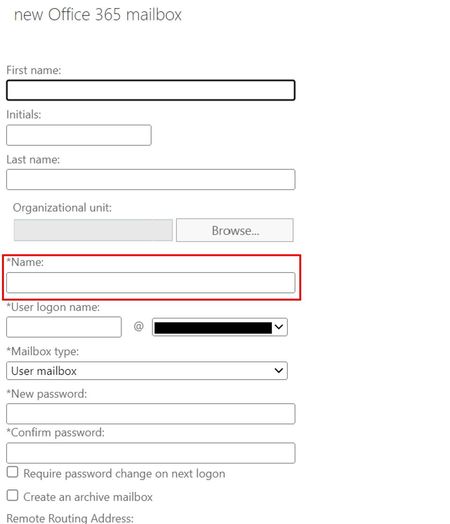
You’re only asking about new user/object creation and to me, it looks like this change impacts more than just the new user/object creation cmdlets. The most significant impact for us is with what I call maintenance scripts, not necessarily new object creation scripts. That’s minor for us, we only have a few scripts for onboarding, and we could probably update/test those in a couple of hours.
We’re Exchange hybrid and AD hybrid, so we sync portions of our on-premises AD with Azure AD and keep an Exchange hybrid on-premises mostly for management and on-premises purposes (admin accounts, service accounts, SMTP, etc.), basically items that we don’t sync with Azure AD for security reasons. We do have AD-only objects, AD-synced objects, and cloud-only objects in play.
To your question about new object onboarding, we still do it old-school and follow old-school best practices for our users, resources, and shared mailboxes. We disable AAD sync (so that a new mailbox doesn’t get created in EOL before one is created locally and the attributes synced to Azure), then we create the new AD user with the needed attributes, assign a local mailbox and set some additional attributes locally, enable AAD sync then initiate a delta sync and then a New-MoveRequest to EOL (all scripted and initiated/fed from input coming in from HR/Recruiting via API’s).
So, where does an attribute like Name come in to play for us and where does this impact us the most? That thing called a pipeline and filtering. Numerous maintenance scripts that we’ve written over the years use the pipeline to filter objects based on the Name attribute (we use that because we have naming standards at the Enterprise level so in many cases, we can leverage our Naming syntaxes for filtering). Many of our automated scripts are 1,000’s of lines of PS code so I can’t post most of the code here or it would take up a lot of space, but we use the attribute Name all over the place.
Some brief examples, first start with a query against on-premises AD to retrieve some AD info into an array (often SearchBase is set to a specific OU, but this example is AD root, represented by a preset string $strADroot:
$arrAllADobjects = @(Get-ADObject -Filter * -SearchBase $strADroot -Properties objectCategory, UserPrincipalName, accountExpires, mail, proxyAddresses)
After some filtering and other stuff, run a For-Each loop against each object in the array to check the EOL mailbox for Legal Hold, forwarding and things like that:
(Get-Mailbox $_.Name) | ? {($_.LitigationHoldEnabled -eq $true)}
After this change, will the above still work for both the old Name attribute and the new EDOID when the array is created from objects queried from an on-premises AD?
Also, for example, if our company name was "ABC" and we prefaced all our shared mailboxes with the company name such as "ABC Human Resources", it sounds like the following will no longer work for newly created shared mailboxes after your change:
Get-Mailbox -ResultSize Unlimited | ? { $_.Name -like "ABC*"}
Will the above still work after your change? Also, does this change impact other cmdlets like:
Get-MailboxPermission $_.Name
To me after reading the article, it appears that these things must all be updated in our scripts when MS makes this change and if it only impacts new objects and not existing objects, then we need to see how it works in action and be able to create pipeline filters based on both the (old) Name and (new) EDOID values (since this will only impact new objects and not existing ones). Otherwise, our PS filters won’t work properly, and we’ll have things like permissions being assigned to mailboxes that aren’t correct, etc. We’ll end up setting an attribute incorrectly based on bad pipeline filters and then the dynamic Azure AD groups won’t update their memberships properly, then licenses won’t be assigned correctly, etc.
And I’d have to find it, but yes, we also use DN’s in one or two places along with the AD attribute legacyExchangeDN, I just don’t remember which scripts use that ATM.
Can you ensure that this change won’t impact the PS pipeline filtering? That’s the largest concern for us and probably impacts most Enterprise-level customers in some way, so if you can guarantee that pipelines will still work as-is after this change, then for me, I’m all in for this change, otherwise:
The_Exchange_Team wrote:Will this change not allow modification of the Name property?
Customers can still use Exchange PowerShell cmdlets (New-MailUser, New-Mailbox, Set-User, Set-MailUser, Set-Mailbox with -Name parameter) to update the Name property in Exchange Online. Since the cmdlets ensure uniqueness, it would allow the operation to succeed only when the passed Name is unique in the tenant.
If MS can’t guarantee that this change won’t impact us, I’m guessing the best and easiest approach for us (based on the above MS statement) would be just to write some more PS code to get all mailboxes with Names that are GUID’s using regex and then use Set-Mailbox to change the Name attribute in Azure/EOL back to what it is (or at least used to be) after MS assigns a GUID to the Name attribute. This whole thing may be an inconvenience to customers like us but at least doing that is easier to do in a few lines of PS code then to sift through dozens of scripts (many with 100’s or 1,000’s of lines of PS code in them) and replace all of the code that filters on the Name attribute.