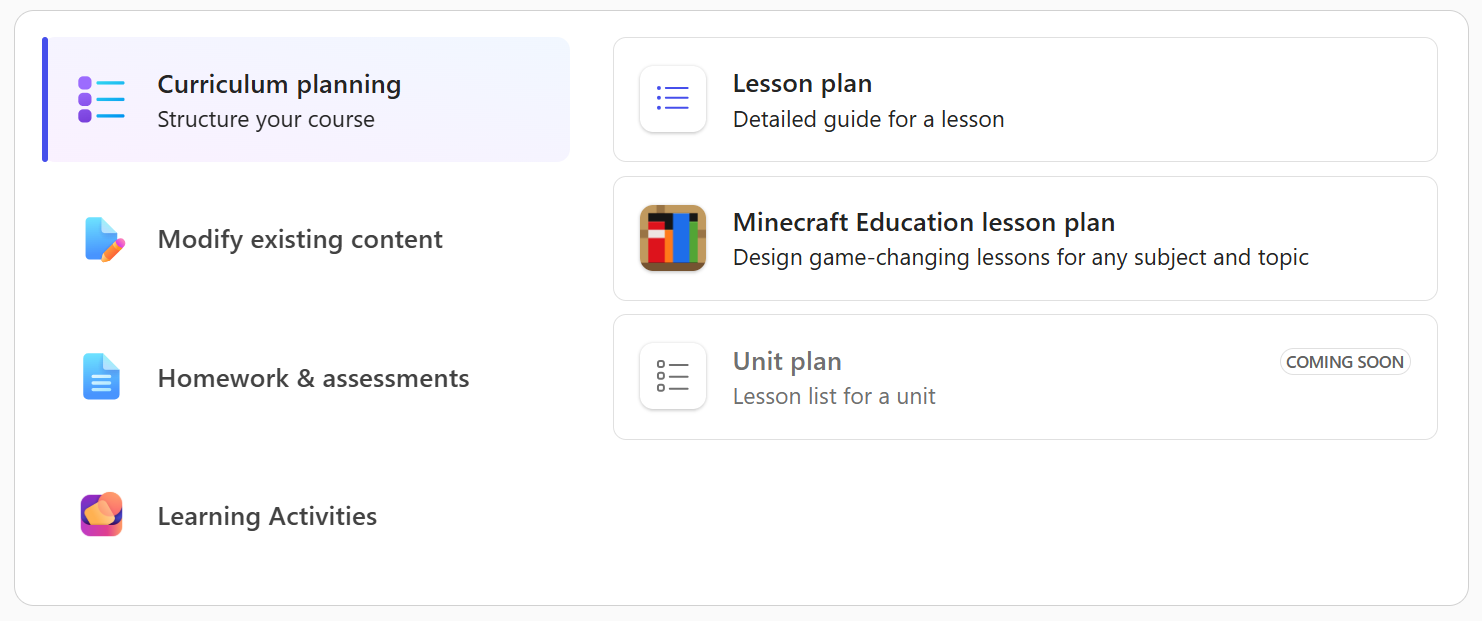
As educators, you've told us that some of your most time-consuming work is adapting lessons for engagement, aligning them to standards, and finding ways to bring immersive experiences into your curriculum. At the same time, Minecraft Education is already one of the most effective learning tools for engaging learners in classrooms around the world, with students lighting up the moment they hear the word "Minecraft."
Today, we're bringing those two things together. Minecraft Education lesson plans are now generally available in Teach.
Describe your topic, pick a grade level and subject, and Teach generates a complete, standards-aligned lesson plan built around Minecraft Education activities, including the specific blocks, materials, and preparation steps you need to run it confidently, even if you've never opened Minecraft Education before. (Minecraft Education is included in most Microsoft 365 software subscriptions for schools, so you also likely have full access.)
What you get
Every generated Minecraft Education lesson plan includes:
- Standards-aligned Minecraft Education activities - Build activities and challenges that reflect your selected standards across subjects like ELA, math, science, social studies, computer science, and more
- Minecraft-specific materials guidance - Recommendations for the exact blocks, items, and in-game tools your students will need, so you don't have to figure it out yourself
- Preparation instructions - Step-by-step setup guidance for educators new to Minecraft Education, so you can walk into the classroom ready to go
- Differentiation and collaboration - Tiered challenge options, collaborative build tasks, and formative checks embedded within gameplay
- A student link - A shareable link to send directly to students so they can join the activity
See it in action
Once your lesson is generated, you can edit any section directly or use Enhance with AI to refine it further: add collaborative build tasks, adjust the length and tone, include accessibility supports, or regenerate with new instructions. When it's ready, save to OneDrive and open it in Word to share with colleagues, or launch the Minecraft Education app directly to set up the lesson experience.
For a full walkthrough of every step, see the support article.
Why this matters
We know many of you already love using Minecraft Education in your classrooms, while others are curious how Minecraft can enhance your teaching to deepen student learning and engagement. Minecraft Education lesson plans in Teach make it easier to create experiences by generating a complete, customized lesson from your topic and standards, with the Minecraft-specific materials, activities, and preparation guidance built in.
Whether you're looking for a fresh lesson idea in a subject you haven't tried with Minecraft Education before, or you want to quickly adapt a concept for a different grade level, this tool gives you a starting point you can make your own. You bring the teaching expertise and your knowledge of your students.
Get started
- Try it now: Minecraft Education lesson plan
- Available to Faculty/Staff with a Microsoft 365 for Education license and Copilot Chat enabled
- Does not require a paid Microsoft 365 Copilot license
- Minecraft Education may already be included with your Microsoft 365 license or can be purchased separately. Check your licensing options.
Helpful Links
- Teach module training on Microsoft Learn, now including training on Minecraft Education lesson generation
- Training courses for Minecraft educators
Have questions or ideas? Drop them in the comments below - We'd love to hear how you plan to use Minecraft Education lesson plans in your classroom!
Share your feedback with us by joining our EDU Insider Program (aka.ms/joinEIP).
Until next time,
Max Fritz · Microsoft Education

 Microsoft