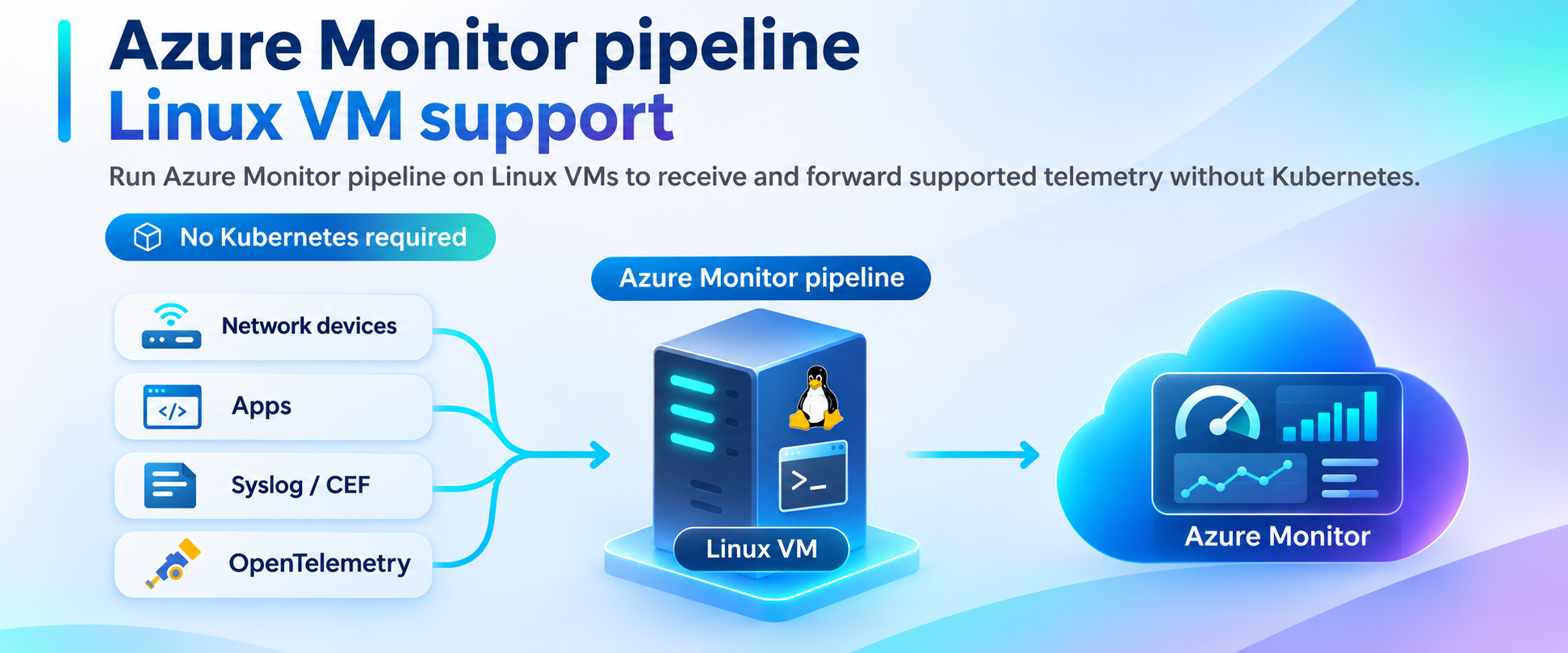
Love the idea of Azure Monitor pipeline but not the idea of running Kubernetes and installing Arc for it? Good news: you can now install the pipeline as an extension on Azure and Arc enabled Linux VMs! This feature is now Public Preview and can get Syslog/CEF/OTEL telemetry flowing to Azure Monitor and Microsoft Sentinel from the servers you already run.
Quick question: how many Kubernetes clusters should it take to forward a syslog message?
If you said “zero, obviously,” we agree with you. But until now, if you wanted to use Azure Monitor pipeline, the honest answer was “at least one.”
So let's fix that. At Microsoft Ignite 2026, Azure Monitor pipeline is coming to Linux virtual machines in public preview. If you run a few Linux servers whose whole job is catching logs from firewalls and appliances and passing them along to Microsoft Sentinel/Azure Monitor, this post is for you. In the next few minutes, we'll walk through what's new, why we built it, and how you can try it today.
Meet the forwarder tier (you probably already have one)
Ask almost any security operations team how their firewall logs reach Sentinel, and somewhere in the answer you'll hear about a handful of Linux VMs. Maybe they're running rsyslog. Maybe there's a load balancer in front. Someone sized them by events per second and they've been quietly doing their job ever since.
It's not the most glamorous part of your security stack. It is, however, the part nobody notices until it falls behind on a busy day, and then everybody notices.
Azure Monitor pipeline was built to be a better engine for exactly this job. It's a high-throughput receiver that sits close to your data sources, accepts Syslog and Common Event Format (CEF) data, shapes it into the tables Azure Monitor and Sentinel already understand, and sends it on securely. There was just one catch: it only ran on Arc-enabled Kubernetes.
What we kept hearing from you
Over the past year, we talked with security teams, managed security service providers, and platform engineers who were excited about the pipeline and then hit the same wall. Their feedback sounded something like this:
“We'd love to use it. We just don't want to run a cluster for it.”
“Our architecture already has a forwarder tier.”
“We need a gateway, not just an agent.”
Message received. (Over TLS, naturally.)
So what's actually new?
Let's be precise, because nobody likes discovering the fine print later:
- New, in public preview: you can install Azure Monitor pipeline as a VM extension on a Linux VM in Azure, or on a Linux server in your datacenter or another cloud that's connected through Azure Arc.
- Not new, still generally available: Azure Monitor pipeline on Arc-enabled Kubernetes. If that's working well for you, you can continue using it.
Same pipeline, new place to run it.
What it feels like on a VM
If you've ever added an extension to a VM, you already know most of the story. You install the pipeline the same way you'd install any other extension, through the Azure CLI, Bicep, or ARM templates, and Azure Arc extension management takes care of servers outside Azure. There's no cluster to build and no new control plane to learn.
From there, everything is driven by data collection rules (DCRs). One rule describes how the pipeline listens, including ports and TLS. Another describes what it accepts and where the data goes. Want to change something? Update the rule, and every forwarder associated with it picks up the change. No reinstalling, no SSH-ing into each box on a Friday afternoon.
Your data lands in the tables you already know: Observability data such as Syslog in Syslog and CEF in CommonSecurityLog. That means the Sentinel analytics rules, workbooks, and hunting queries you've already built keep doing their thing.
And the security story is the one you'd hope for. Listeners support TLS and mutual TLS, the server's managed identity handles authentication to Azure Monitor, and certificates are delivered as files through the process you already trust, such as the Azure Key Vault extension. No secrets tucked away in configuration.
Kubernetes or VM: which one is for me?
Already running the pipeline on Kubernetes and happy with it? Stay right where you are. That option is generally available and fully supported. Have a row of forwarder VMs and no appetite for a cluster? This preview was built with you in mind and you will get similar performance with similar hardware.
Take it for a spin
We put together a step-by-step guide on Microsoft Learn that does most of the heavy lifting for you. It includes a Bicep template that reuses an existing Linux VM and Log Analytics workspace, so you're not building a lab from scratch. Deploy the template, send yourself a test message, and watch it show up in your workspace. When you're ready for real senders, the guide walks you through turning on TLS and adding CEF.
We'd love to hear from you
Ready to give your forwarder tier an upgrade? Start with Configure Azure Monitor pipeline on Linux VMs (preview). If the pipeline is new to you, What is Azure Monitor pipeline? is a great place to get your bearings.
Then tell us how it went. How many events per second are you pushing? Which Linux distributions do you standardize on? What does “highly available” mean for your forwarders? Are we supporting the types of logs you need? Your answers will directly shape what we build on the road to general availability. Tell us how it went at obsedgepm@microsoft.com
Happy forwarding.

 Microsoft