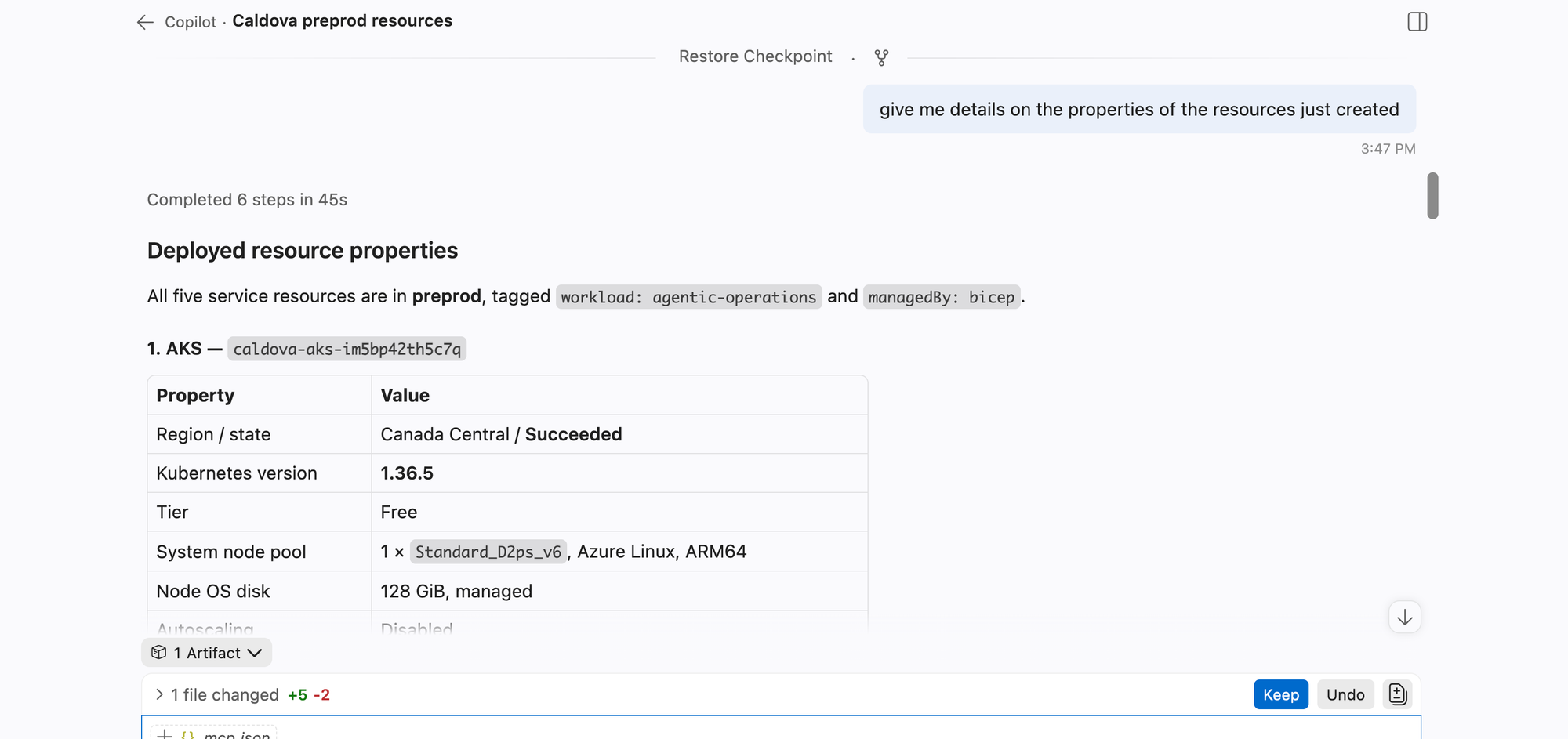
What’s new since launch
At Ignite, we’re announcing a major expansion of the Azure Resource Manager (ARM) MCP server. The initial release (read the blog post here!) introduced the foundation for MCP-based Azure control-plane interaction. This next phase is about operational depth: richer write and action operations, direct single-resource reads, stronger deployment workflows, and an experimental skills experience.
In short: ARM MCP is moving from “query and experiment” to “query, plan, act, and verify” in a single MCP-driven workflow.
For product documentation and setup details, see: https://learn.microsoft.com/en-us/azure/azure-resource-manager/management/azure-resource-manager-mcp-overview
Expanded write operations: create/update
Another major milestone is support for create/update operations through ARM PUT patterns. The server supports direct create_or_update_resource tool for individual resources and create_or_update_resource_group for resource group lifecycle operations. This lets clients move from discovery into controlled infrastructure changes without leaving MCP.
This enables scenarios like:
- creating a new resource group and then deploying into it
- updating specific resources in-place
- applying precise changes when templates aren’t the right tool for the task
Action operations: execute_resource_action
Beyond creation, ARM MCP supports action (otherwise sometimes referred to as POST) operations through execute_resource_action. This enables operation-centric workflows on existing resources, such as restart/start operations, key retrieval actions, validation actions, and other provider-defined POST endpoints. Combined with schema discovery tools, this gives agents a structured path to discover available actions and invoke them with the right payload shape.
Deployment workflow improvements
Deployment tooling introduced in the initial release has been strengthened for real-world automation. The core deployment flow uses ARM templates to start the deployment process, the following tools help you manage larger scale resource deployments:
- whatif_deployment to preview impact,
- create_deployment to execute,
- get_deployment_status for deployment lifecycle tracking,
- cancel_deployment when a running deployment should be stopped.
What you can do is couple the ARM MCP server with the Bicep MCP server (learn more here) to author infrastructure as code in Bicep, build to ARM with the Bicep MCP and then deploy and manage with the ARM MCP server.
Running a WhatIf against a deployment template before actual deployment:
Creating the actual deployment:
Single-resource reads: get_resource
We also added first-class single-resource retrieval via get_resource tool. This is valuable when you already have a resource ID and need authoritative, current ARM state for that exact object, including tracked, proxy, or extension-resource scenarios.
The result is a tighter verification loop:
- discover at scale with Resource Graph
- act with PUT/POST
- verify exact state with get_resource
First-class cost tools and cost breakdowns
We’ve also introduced first-class cost tools so teams can bring FinOps directly into the same MCP workflow as resource operations.
The baseline cost and pricing toolset includes:
- query_costs for core general cost analysis
- query_aks_costs for AKS-focused cost visibility
- get_retail_prices for public price lookups
- start_pricesheet_download and get_pricesheet_status for negotiated billing data workflows.
For breakdown scenarios, query_costs supports grouping and filtering so users can quickly answer questions like “what’s driving month-to-date cost by service, resource group, or other dimensions?” without leaving the ARM MCP experience.
[Experimental] Introducing SKILLS
ARM MCP also includes an experimental feature for returning SKILL.md files via the remote server. Skills are not enabled by default and are subject to change. Available workflows, tool names, and behavior can evolve as the preview progresses.With list_skills, agents discover available workflows. Agents chooses the right skill for the job and will return the full workflow with the get_skill tool.
Currently we have skills for:
- recommend-vm-sku
- azure-optimization
- aks-cost-analysis
- cost-investigation
- pricing-estimate
- assess-machine-configuration-policy-compliance
- query-machine-configuration-inventory
- enroll-essentials-machine-management
- author-azure-policy
- query-azure-resource-graph
- azure-resource-management
- deploy-arm-template
To use skills, clients must opt in by setting the request header x-mcp-toolset: Skills on the ARM MCP server connection. Example opt-in config:
{
	"servers": {
		"Azure Resource Manager MCP Server": {
			"type": "http",
			"url": "https://mcp.management.azure.com",
			"headers": {
                  "x-mcp-toolset": "Skills"
               }
		}
	},
	"inputs": []
}
Here is a demo showing off how you can use these skills and how if your question maps to one of the existing ones, your client LLM will retrive the workflow to use.
You can use this link to install the ARM MCP server with the proper header flags already configured:
https://aka.ms/ARMMCP_Skills (if link doesnt work from clicking, try typing it out in your browser or swtich browsers, it needs VSCode installed too)
What this means for you
ARM MCP now supports an end-to-end operations pattern with stronger structure:
- Discover: generate_query, validate_query, execute_query
- Plan: list_resource_and_action_types, get_resource_type_schema, get_resource_action_schema, whatif_deployment
- Create/Manage: create_or_update_resource_group, create_or_update_resource, execute_resource_action, create_deployment
- Verify: get_resource, get_deployment_status, get_async_operation_status
- Optimize cost: query_costs, query_aks_costs, get_retail_prices, start_pricesheet_download, get_pricesheet_status
Try it now
If you already connected to ARM MCP, start by asking your client to:
- run a core query/deploy/verify flow with default tools,
- run a cost breakdown with query_costs to identify major spend drivers,
- optionally enable x-mcp-toolset: Skills for experimental skill workflows,
- call list_skills, then retrieve a relevant workflow with get_skills.
For step-by-step onboarding and tool reference, use the ARM MCP Learn docs: https://learn.microsoft.com/en-us/azure/azure-resource-manager/management/azure-resource-manager-mcp-overview or use this direct link for VSCode installation https://aka.ms/JoinARMMCP (if this link fails try a different browser or typing it out instead of clicking on the hyper link).
Learn more and share feedback
- ARM MCP documentation.
- Report bugs and submit feature/issues feedback: https://github.com/Azure/Azure-Resource-Manager-MCP/issues \
We are super excited about these latest changes to the ARM MCP server and are excited for more future improvements to come!
Steven Bucher
PM for ARM MCP

 Microsoft