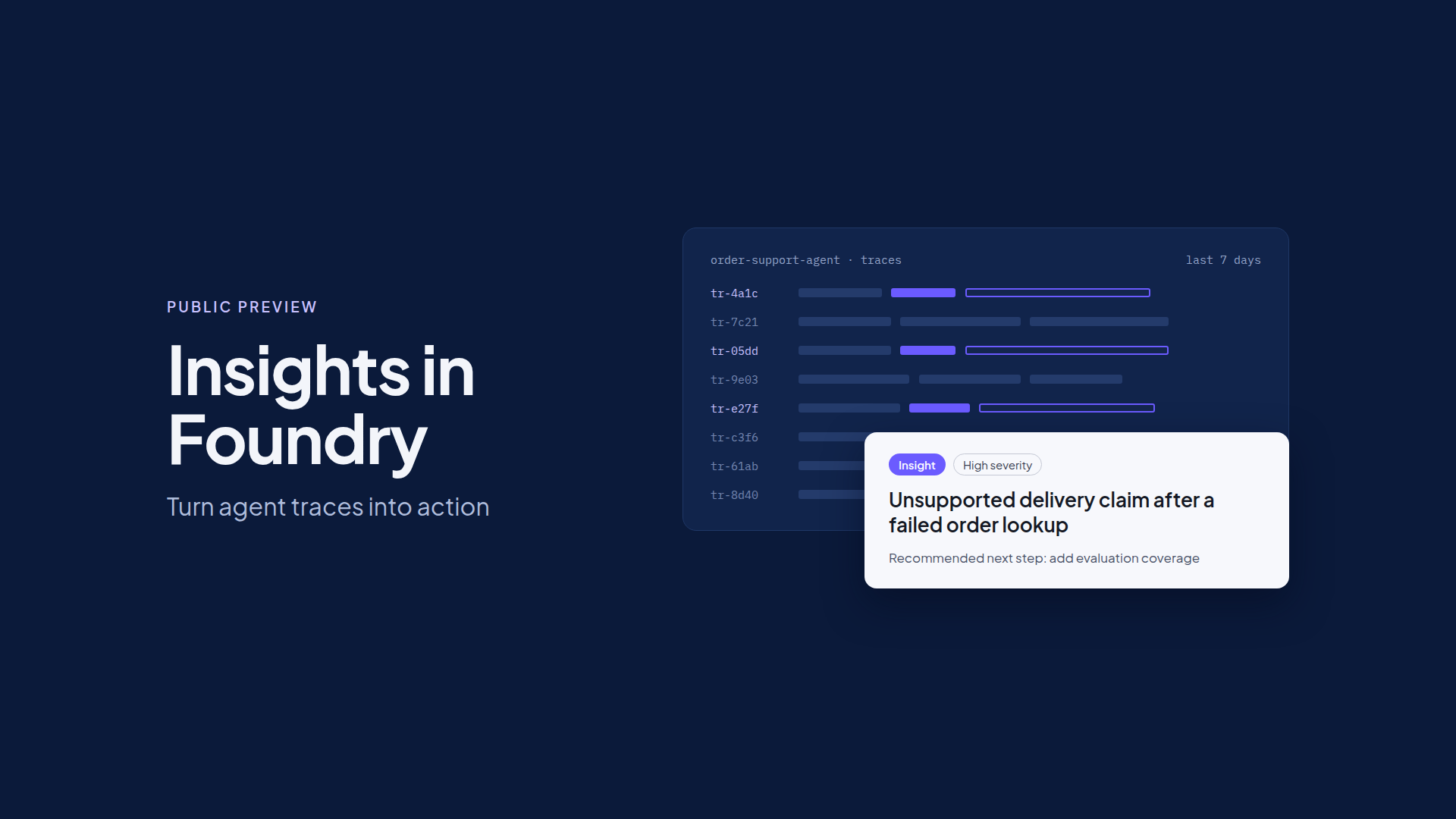
Today, we’re announcing the public preview of Insights in Foundry. Insights analyzes agent traces to surface recurring and previously unknown behavior, explains the likely cause with supporting evidence, and recommends what developers should do next.
If you’ve shipped an agent to production, you’ve probably watched it repeat a mistake that no dashboard flagged and no evaluation caught. A single agent can generate thousands of traces, and predefined evaluations can only detect the problems a team already knew to look for. That leaves developers searching manually for patterns, reconstructing failures, and deciding what deserves attention.
Today, we’re announcing the public preview of Insights in Foundry. Insights analyzes agent traces to surface recurring and previously unknown behavior, explains the likely cause with supporting evidence, and recommends what developers should do next.
Insights builds on the tracing, monitoring, and evaluation capabilities already in Foundry. It helps teams move from observing production activity to understanding where an agent needs attention, and whether the right response is a targeted fix, a new evaluation, or deeper iteration with Agent Optimizer.
Discover behavior you didn’t know to look for
Consider an order-support agent. When an order-status lookup fails, the agent still tells the customer that the order was delivered. The answer sounds confident, and the request appears to have completed. In a single trace, it looks like an isolated mistake. Across hundreds of requests, it becomes a pattern the team needs to understand.
Insights analyzes the agent traces stored in the Azure Monitor Application Insights resource connected to your Foundry project. You don’t need to create an evaluator first. Insights looks across executions for patterns that would be difficult to find by reading traces one at a time.
Depending on the available evidence and configuration, findings can cover tool-call failures, context handling, output quality, reliability, latency, or unnecessary token use. The value isn’t another count of errors. Each finding explains a recurring behavior, shows the evidence behind it, and points to a useful next step.
Insights complements monitoring and evaluation rather than replacing them. Your existing evaluators keep testing the requirements you already know about, while Insights helps identify new behaviors worth investigating and turning into future evaluation coverage.
Understand each finding through its evidence
Each Insight brings a finding and its supporting traces together in one place. It can include a description, category, severity, status, affected agent version, linked traces, representative examples, and a likely cause or recommended action.
In the order-support example, a useful finding goes beyond “the lookup tool failed.” The representative traces show the lookup failure followed by the unsupported delivery claim. A developer can inspect the request, the tool calls and their results, and the final response, then compare them with successful executions.
That distinction matters. An intermediate tool error isn’t automatically a failed task, and a plausible explanation isn’t a confirmed root cause. Insights gives developers a grounded starting point for investigation. The team then validates whether the behavior is real, how it affects the workflow, and who owns the fix.
The quality of the evidence depends on the quality of the telemetry. Missing agent identity, version information, spans, or content can limit the analysis. Infrastructure availability, dependency outages, quotas, and service-level alerts remain with Azure Monitor and the teams that own those systems.
Choose the right action for each finding
A confirmed finding can lead to different responses:
- Make a targeted change. Correct an instruction, tool description, code path, or workflow when the evidence points to a specific problem.
- Add evaluation coverage. Create or update an evaluator or dataset so the behavior becomes an explicit test before and after a change.
- Route the issue to its owner. If a dependency or platform failure is the cause, work with that owner instead of changing an agent that can’t fix the underlying issue.
- Explore alternatives. Use an optimization workflow such as Agent Optimizer when improving the behavior means generating and comparing multiple candidates.
For prompt agents and code-based hosted agents, an Insight can include a proposed prompt or code change. When editable instructions or code aren’t available, the recommendation provides investigation or remediation guidance instead.
Insights proposes evidence-backed recommendations. Developers decide what changes and when. Nothing ships without human review.
Insights doesn’t open pull requests, build evaluators, or deploy fixes on its own. Developers review each proposal and apply it through their normal source-control, evaluation, approval, and deployment processes.
Use Agent Optimizer when the problem calls for iteration
Some findings call for a focused correction. Others raise a broader question: which change will improve this behavior without introducing a regression somewhere else?
Agent Optimizer is built for that question. It generates candidate improvements and evaluates them against the goals you set. A confirmed Insight helps a developer define the behavior to improve, select representative evidence, and decide how to measure success before starting an optimization run. The two capabilities are complementary. Insights discovers and helps diagnose, and Agent Optimizer supports iterative improvement. Not every Insight needs an optimization run, and optimization doesn’t need to begin with an Insight. Moving from one to the other is a developer decision, not an automatic handoff.
In the order-support example, the team might test whether an instruction change prevents unsupported delivery claims while preserving correct answers when the lookup succeeds. Whether they write the change directly or explore options with Agent Optimizer, they validate the result before deployment and review fresh production evidence afterward.
Start with one agent and one finding
Pick one finding your team can validate. Inspect its representative traces, choose the right response, and test whether the change improves the behavior. The first scan reviews the last seven days of traces, and you can run analysis again on demand after that. A scan that returns no findings doesn’t mean an agent is free of problems, so keep your existing monitoring and evaluations in place.
Insights is decision support. It doesn’t replace production monitoring, evaluation, security review, or change management. Before you run a scan, check the preview documentation for supported configurations, limitations, and the model and telemetry costs that analysis can incur.
The goal isn’t more findings to read. It’s a repeatable way to turn production evidence into the next improvement decision, and then confirm that decision with new evidence.
What’s next
Learn more
-
Explore the full set of Microsoft Foundry capabilities announced today for operating agents in production: https://aka.ms/foundrysept2026
Join us for Foundry Friday AMA | September 25, 2026
- Bring your questions. The team behind Agent Optimizer and Insights in Foundry is hosting a live AMA this Friday. Post your questions now or ask them live during the session: https://aka.ms/FoundryFriday-Optimizer-Insights
See it live at Microsoft Ignite
Join us at Microsoft Ignite, November 17–20 in San Francisco, to explore the latest Microsoft Foundry innovations and see AI agents in action. Sessions to check out:

 Microsoft