Hello World!, Daniel here from the Directory Services Support Team...
Updated Dec 01, 2025
Version 1.0
dcascante Microsoft
MicrosoftMicrosoftMicrosoft
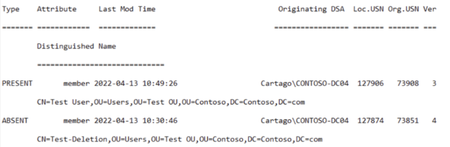
I truly hate having to type out (or finding and copying) a DN for an object, so I generally use some code to compensate for my laziness. Typically something along these lines:
$DomainController = '<SERVER WHERE THE LAST CHANGE WAS DETECTED>'
Get-ADGroup 'Short_pre-Windows2000_GroupName' -Server $DomainController | Get-ADReplicationAttributeMetadata -ShowAllLinkedValues -server $DomainController | Select-Object LastOriginatingDeleteTime, attributevalue | Out-Gridview
Thus, I let Get-ADGroup find the dn and pass it via the Pipe to (above the '\') Get-ADReplicationAttributeMetadata. I also prefer this kind of output going to Gridview, even though it's slower, because I can then further search and sort the results to find what I'm looking for. This is particularly useful when examining groups with a large number of members (or former members).