What is changing, What is available today, and How to transition without losing GOVERNANCE outcomes!
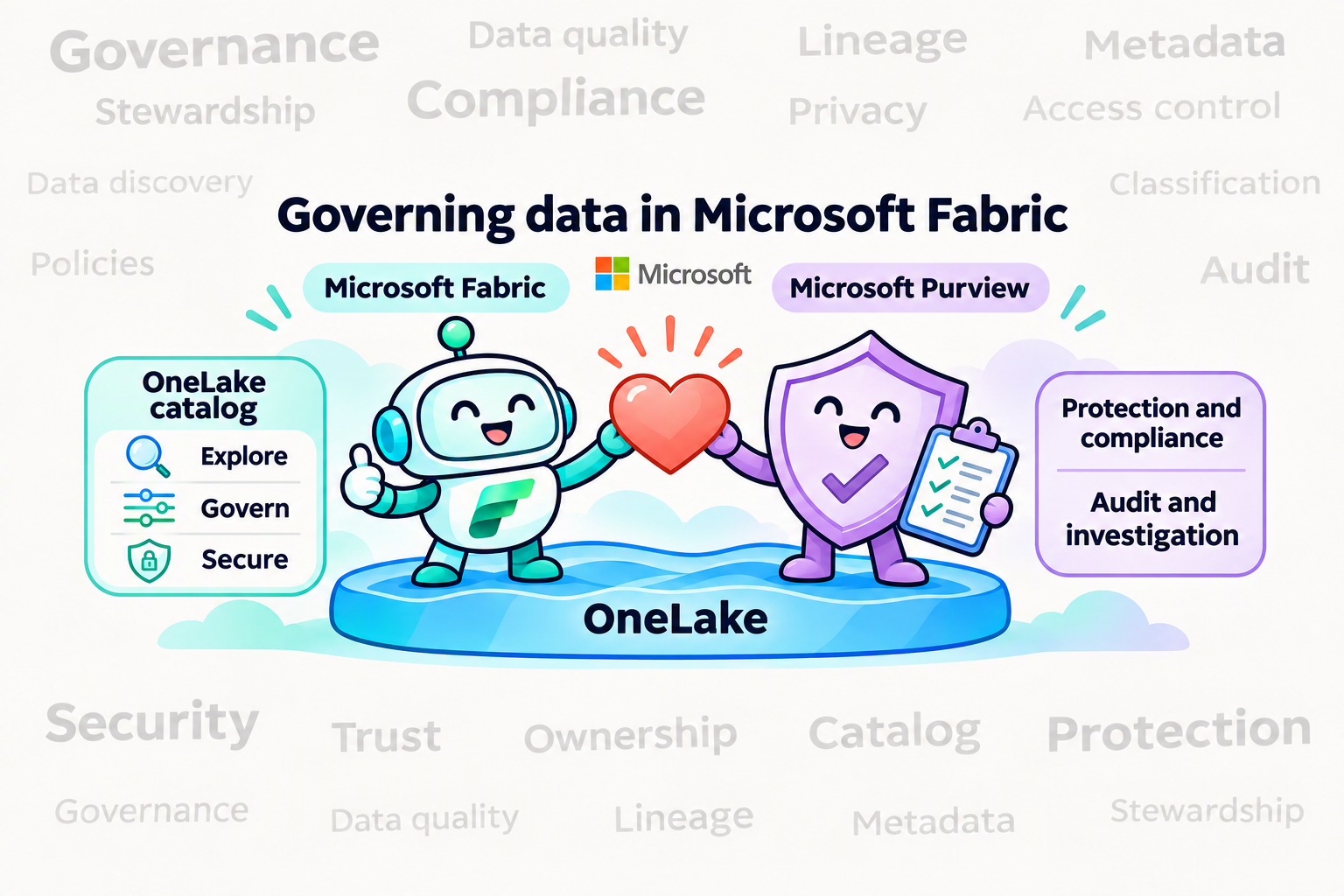
Microsoft's data governance story is moving closer to the data. In Microsoft Fabric, the OneLake catalog is now the primary experience for discovering and governing Fabric data, while Microsoft Purview continues as the security and compliance layer that protects, audits, and monitors it. For teams that built their governance practice around Purview Data Governance, this is more than a change of screens. It is a change in architecture and operating model.
This article explains the shift, what the OneLake catalog offers today, how responsibilities split between Fabric and Purview, and a practical, outcome-first way to transition.
-
The strategic shift: from a separate control plane to governance in the platform
The earlier pattern, often described as a "catalog of catalogs," centered governance on scanning metadata from many systems into a separate control plane. The Fabric approach starts from a lake-first foundation instead: make data available through Fabric and OneLake, whether natively or through supported integration patterns such as shortcuts, mirroring, and sharing. Keep governance context next to that data, and surface governance where owners and consumers already work.
Microsoft's own guidance states the division of labor plainly. The OneLake catalog remains the primary experience for governing Fabric data, and using Purview does not change where Fabric governance lives. Purview adds protection, audit, risk, and compliance coverage where needs extend beyond Fabric.
A simple rule of thumb:
- Use the OneLake catalog to discover, understand, and govern Fabric data.
- Use OneLake security and Fabric controls to enforce access on the actual data path.
- Use Microsoft Purview to classify, protect, monitor, investigate, and demonstrate compliance across supported Fabric experiences.
Data reaches OneLake four ways, the catalog governs it through Explore, Govern, and Secure, and Purview protects and audits the whole path.
-
What the OneLake catalog is
The OneLake catalog is organized into three experiences: Explore, Govern, and Secure. It is reached from the Fabric navigation pane, is embedded in Microsoft Teams, Excel, and Copilot Studio, and can be queried programmatically through the Catalog Search REST API.
Explore: find and understand
Explore is the default tab. It provides an items list with an in-context details view, selectors and filters (including by domain), and the ability to work across workspaces side by side. It is permission-trimmed and focused on Fabric items, so it is not automatically an inventory of every external source.
Govern: understand health and act
Govern is the centralized place to manage and govern the Fabric estate. It combines:
- Governance Insights, which explain where your data stands, and Recommended Actions, which give concrete next steps.
- Two views: All data in Fabric for tenant-wide visibility and My items for the data you own. Both can be scoped to a domain or subdomain.
- Governance capabilities: domains, tags, endorsement, metadata scanning, cross-tenant sharing discovery, and policies.
- Administrative experiences that are moving in from the Admin portal: capacities, workspaces, tenant configuration, Azure connections, workloads, and more.
The estate-level report, reached through View more, is organized into three tabs: manage your data estate, protect/secure/comply (sensitivity label coverage and DLP evaluation), and discover/trust/reuse (freshness, curation, descriptions, endorsement, sharing).
Secure: see and manage access
Secure gives a unified view of workspace roles and OneLake security roles across items, so admins can audit permissions, see who has access to what, and create, edit, or delete security roles from one place.
-
Fabric Policies: a growing foundation
Fabric Policies, managed from the Policies center in Govern, are the newest piece. Administrators define condition-based rules (by workspace, security group, sensitivity label, item type, and similar attributes), activate them for a Tenant or Capacity admin scope, and Fabric records allow/deny decisions in the audit logs. Policies are stored as Fabric items, so they support REST APIs, Git integration, and CI/CD, and they are included with the Fabric license at no extra charge.
Today the capability is deliberately narrow, and it is worth being precise about that:
- The only effect available is Allow. A policy with rules behaves as an allow list: anything that does not match a rule is blocked.
- Three policies are supported: external data sharing (tenant scope), item creation (capacity scope), and workspace settings editing (tenant scope).
- Only one policy can be active per scope, rules are capped (100 at tenant scope, 50 at capacity scope), and changes take effect within about 15 minutes of activation.
- Policies are not currently supported in the West Europe, North Europe, and West US capacity regions.
Treat Fabric Policies as a promising foundation for centralized control, not as evidence of universal policy coverage.
-
Where Purview still matters
Purview is not removed from the picture. Microsoft documents the following integrations as available today:
- Information Protection: sensitivity labels can be set on all Fabric items, and data stays protected when exported through supported paths. This requires additional Purview licensing.
- Data Loss Prevention: policies evaluate labels and sensitive info types for supported structured data (lakehouses, warehouses, databases, semantic models), with policy tips and alerts. This also requires Purview licensing.
- Audit: Fabric user activities are logged in the Purview audit log.
- Insider Risk Management: ready-to-use risk indicators for Fabric activities such as Power BI and lakehouse operations.
- AI governance: risk discovery in prompts and responses, audit coverage for AI interactions, and retention and eDiscovery applicability for AI-generated content in supported Fabric Copilots and agents.
There is one more point that matters for existing customers. Purview's organization-wide governance for Fabric, delivered through its live view, is described in Microsoft's documentation as a preview capability that lets consumers see the Fabric workspaces they can access and lets you run manual scans to make item-level metadata available in Purview. If you rely on Purview as the place where Fabric metadata lands, validate this path against your needs.
-
Mapping Purview Data Governance outcomes to Fabric
The most useful way to plan is by the job to be done, not by the old product menu. The table below gives a defensible current-state mapping. "Partial" means part of the outcome is covered and part is not; it is not a polite way of saying "equivalent."
|
Purview outcome |
Target today |
Transition guidance |
|
Catalog search and browse |
OneLake catalog Explore, item details, filters, Catalog Search API |
Move Fabric discovery now. Keep separate discovery for external sources not represented in Fabric. |
|
Collections, domains, ownership |
Fabric domains and subdomains, workspace assignment, domain admins, owners |
Map organizational boundaries and accountabilities. Keep a responsibility matrix for stewardship duties without a dedicated role. |
|
Glossary, critical data elements, custom context |
Tags, descriptions, endorsement |
Export and preserve terms and ownership. Do not claim full glossary or CDE parity. |
|
Data products and publishing |
Domains, endorsement, sharing, discoverable semantic models |
Define the product contract, owner, health, lifecycle, and access process outside the catalog where needed. |
|
Lineage and impact analysis |
Fabric lineage and impact analysis for supported items |
Move supported paths. Retain another method for cross-system, unsupported-workload, or granular lineage. |
|
Governance health |
Governance Insights and Recommended Actions |
Use as the primary Fabric posture view. Keep business KPIs and issue closure in the systems that own them. |
|
Data quality |
Freshness and curation insights; workload and source tools |
Governance Health is not a rules, profiling, and scoring engine. Validate a documented capability before presenting it as a replacement. |
|
Access requests and workflows |
Item sharing, semantic-model request access, source controls |
Keep the request, approval, expiration, revocation, and evidence process where Fabric does not cover it end to end. |
|
Classification and sensitive-data protection |
Purview sensitivity labels and DLP on supported Fabric items |
Keep Purview here. Validate item types, inheritance, export behavior, and licensing. |
|
Access policy and enforcement |
Fabric Policies (preview); workspace, item, OneLake, and source permissions |
Enforce on the specific data path now. Do not assume universal policy coverage. |
|
External metadata scanning |
Shortcuts, mirroring, external sharing, scanner/admin APIs |
Data connectivity is not enterprise metadata scanning. Define a bridge or partner approach for uncovered sources. |
|
APIs and extensibility |
Catalog Search REST API, Fabric metadata/scanner APIs |
Validate fields, identities, and scale. Do not assume compatibility with existing Purview API integrations. |
|
Audit, risk, compliance |
Purview Audit, DLP, Insider Risk plus Fabric evidence |
Correlate evidence across identity, data, action, and retention. One Fabric report is not universal proof. |
|
AI and agent governance |
OneLake controls, Purview AI controls, Fabric semantic capabilities |
Pilot one end-to-end AI path and verify grounding, permissions, actions, and retained evidence. |
-
Governing data, access, and AI as layers
No single catalog entry, label, or role governs every path. Microsoft's Cloud Adoption Framework guidance offers a helpful way to think about the layers that need to line up:
- Workspace access. Use workspace roles when someone needs broad capability across a workspace, assign them to Microsoft Entra security groups rather than individuals, and restrict the Admin and Member roles because they can manage and share content.
- Item access. Use item permissions when someone needs one data product without the rest of the workspace. Sharing an item does not necessarily grant permission to query the underlying OneLake data.
- Data access. Use OneLake security or an experience-specific control when different audiences need to see different tables or records from the same data product.
- Workspace isolation. Create separate workspaces when administration, deployment, or network requirements truly differ, not merely to reproduce boundaries that item permissions or OneLake security can enforce.
The practical consequence is that control-plane and data-plane permissions are separate. A role that lets someone manage an item is not the same as one that lets them read its data, so test the actual compute and query path.
The highlighted layer is the one that governs the data itself; the others govern who can manage, share, or isolate content.
For Copilot and agent scenarios, document and test six things for each use case: identity (whose permissions are used), grounding (what items it can retrieve), context (which definitions, labels, and lineage shape answers), action (answer only, or write, share, and trigger), protection (labels, DLP, tenant and network controls), and evidence (which prompts, responses, and actions are audited and retained).
-
A practical transition method
The goal is not to copy every Purview object across. It is to preserve each governance outcome, its owner, its control, and its evidence, while taking advantage of Fabric-native capabilities. Move in waves.
Step 1: Inventory the current footprint. Capture registered sources, scans and network runtimes, collections and domains, owners and stewards, glossary terms and CDEs, custom attributes, data products, lineage, quality rules, workflows, access policies, APIs, reports, licenses, and evidence-retention requirements.
Step 2: Classify every requirement. Place each job in one of four buckets: move now to a documented Fabric capability; coexist temporarily; bridge with an operating process or partner; or redesign because a one-to-one replacement is neither available nor desirable.
Step 3: Design the target operating model. Decide on Fabric domains and subdomains, workspace and capacity topology, delegated administrators, item owners, who may certify, the tag taxonomy, OneLake roles, any Fabric Policies you will use, and the handoff to Purview for security and compliance. The Cloud Adoption Framework advises that domain design is led by business and enterprise architects, with Fabric admins implementing it and a center of excellence involved, because carefully defined domains and workspace-to-domain mapping are what make the catalog useful.
Step 4: Pilot one end-to-end scenario. Choose one business domain, one critical asset, one producer, one consumer, one denied identity, and one analytics or AI use case. Test discovery, context, lineage, access, labels, DLP, audit evidence, and remediation. The denied identity matters: proving that access is blocked is as important as proving it works.
Step 5: Migrate in waves and verify. Move supported metadata and ownership, train users, and run old and new processes in parallel only as long as necessary. Retire a Purview dependency only after documented acceptance criteria pass.
Questions to settle early
- Which governance outcomes are business- or regulatory-critical, and which are convenience features?
- Which data is already in Fabric, and which sources can be brought in through shortcuts, mirroring, or supported sharing?
- Which Purview objects or APIs are embedded in production processes?
- Where is stewardship a formal role, and where can item ownership and domain administration cover the responsibility?
- Which use cases need a business glossary, CDEs, custom metadata, broad workflows, or cross-estate lineage?
- Which labels, DLP policies, audit records, retention rules, and investigations must continue unbroken?
- Which analytics and AI experiences will consume the data, and what actions can they take?
Conclusion
The move from Purview Data Governance to the OneLake catalog is best understood as governance becoming a property of the platform rather than a layer scanned on top of it. For Fabric data, the catalog already delivers real value in discovery, domains, endorsement, lineage, governance health, and centralized access views. Purview remains essential for labels, DLP, audit, insider risk, and AI protection. The gaps are equally real: external metadata scanning, glossary and CDE depth, data quality workflows, and broad policy coverage are not one-to-one replacements today.
The organizations that will transition best are the ones that start from outcomes, state honestly what is available versus in preview, pilot a single end-to-end path, and retire old tooling only when the evidence says it is safe.
Sources

 Microsoft