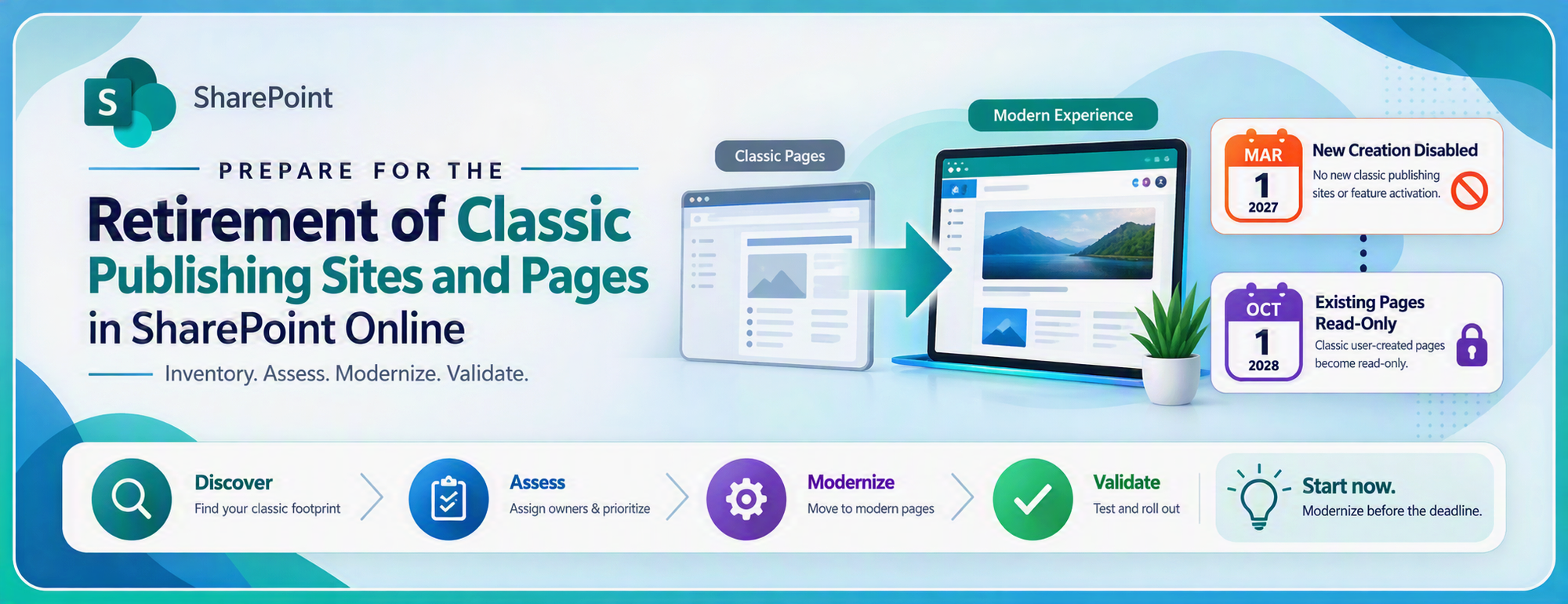
SharePoint Online customers now have a defined timeline for modernizing classic publishing sites, classic user-created pages, and legacy customizations. MC1117115 introduced controls for custom scripting and classic publishing site creation. MC1464926 establishes the broader retirement path: new classic publishing capabilities are disabled beginning March 1, 2027, and existing classic user-created pages become read-only beginning October 1, 2028.
How customers can prepare for MC1117115 and MC1464926
SharePoint Online customers now have a defined timeline for modernizing classic publishing sites, classic user-created pages, and legacy customizations. MC1117115 introduced controls for custom scripting and classic publishing site creation. MC1464926 establishes the broader retirement path: new classic publishing capabilities are disabled beginning March 1, 2027, and existing classic user-created pages become read-only beginning October 1, 2028.
Key dates: Beginning March 1, 2027, customers can no longer create new classic publishing sites or activate publishing features. Beginning October 1, 2028, existing classic user-created pages become read-only. Start now by inventorying active classic pages, assigning business owners, prioritizing pages that must remain editable, and validating repeatable modernization patterns before scaling.
Treat this retirement as a modernization program, not a last-minute page migration. Start by discovering the full classic footprint and identifying business owners. Prioritize pages by business value, usage, and required editability. Prove repeatable transformation and validation patterns before moving content in controlled waves.
The two Message center posts address related but distinct control areas. Custom-script governance controls whether administrators can add or update legacy customizations. Classic-page retirement controls whether customers can create or edit affected sites and pages. A customer may therefore have both a customization dependency and a page-modernization dependency to address.
Roadmap overview from Microsoft planning materials: announcement in Q3 2026, enforcement beginning in Q1 2027, and full rollout in Q3 2028.
What is changing, and when?
MC1117115 introduced governance controls for classic publishing and custom scripting: default blocking of custom scripting for specified templates, restrictions on creating classic publishing site collections and activating publishing features, and a method for managing property bag values without enabling custom scripting. MC1464926 defines the broader retirement timeline. Use MC1117115 to understand the earlier governance controls, and anchor current modernization planning on MC1464926.
|
Milestone |
Source |
What changes |
Customer focus |
|
September 15, 2025 |
MC1117115 |
Announced start of expanded custom-script governance and restrictions on new classic publishing site creation and publishing feature activation. |
Identify dependent sites, inform owners, and reduce reliance on legacy customizations. |
|
March 15, 2026 |
MC1117115 |
Scheduled retirement of the tenant-wide delay switch for classic publishing custom-script enforcement; site-specific exceptions remained temporary and approval-based. |
Remove standing exceptions and establish a controlled break-glass process. |
|
March 1, 2027 |
MC1464926 |
New classic publishing sites and publishing feature activation are disabled for all tenants. New tenants also cannot create classic pages or add or update custom scripts by default. |
Stop designing new classic solutions and ensure migration projects target modern destinations. |
|
October 1, 2028 |
MC1464926 |
Classic user-created pages become read-only for existing tenants, and custom-script enforcement extends to all tenants. Existing content remains viewable. |
Modernize every page that must remain editable after the deadline. |
Manage site property bag values without enabling custom scripting
Before beginning page inventory and modernization, administrators should address the immediate governance question raised by MC1117115. Approved solutions can continue updating site property bag values without reopening broader custom-script capabilities.
MC1117115 adds a separate control that allows SharePoint site property bag values to be updated while DenyAddAndCustomizePages remains enabled. Administrators no longer need to set DenyAddAndCustomizePages to $false or 0 to manage property bag values.
Use AllowWebPropertyBagUpdateWhenDenyAddAndCustomizePagesIsEnabled at the site level for a targeted exception, or at the tenant level when property bag management is an approved organization-wide requirement.
|
Scope |
PowerShell example |
Use when |
|
Tenant-wide |
Set-SPOTenant -AllowWebPropertyBagUpdateWhenDenyAddAndCustomizePagesIsEnabled $true |
Property bag management is an approved requirement across the organization. |
|
Site-specific |
Set-SPOSite -Identity https://contoso.sharepoint.com/sites/Example -AllowWebPropertyBagUpdateWhenDenyAddAndCustomizePagesIsEnabled $true |
Only an identified site or controlled set of sites requires property bag updates. |
This control permits property bag updates only; it does not enable Script Editor Web Parts, custom master pages, custom page layouts, or other capabilities governed by DenyAddAndCustomizePages. Keep the broader custom-script restriction enabled. When property bag updates are required, prefer the site-level setting, document the business purpose, and periodically confirm that the exception is still needed.
Rollout dates vary by cloud. Before setting project milestones, verify the MC1117115 and MC1464926 dates shown in your tenant’s Microsoft 365 Message center, especially in GCC, GCC High, DoD, air-gapped, and 21Vianet environments. Because one publicly archived GCC entry for MC1464926 appears inconsistent with its publication date, treat the tenant-specific Message center entry as authoritative for planning.
What is in scope?
Use the next sections in sequence: confirm the retirement scope and dates, establish the classic footprint, choose a disposition and target pattern, prove representative transformations, and scale through validated migration waves.
|
Category |
Actions |
|
Blocked |
New / Create Page, Edit Page, Save / Save As Draft, Check Out / Check In, Publish / Republish |
|
Allowed |
Upload, Discard Check Out, Unpublish, Approve / Reject, Delete Page, Rename Page / Move Page, Copy / Save As Template, Edit Page Properties (Title, Description, etc.), Versioning / Restore Version, Modify Page Permissions |
Affected pages: User-created wiki pages, Web Part pages, blog pages, publishing pages, and custom ASPX pages created with SharePoint Designer or third-party solutions.
Content availability: Microsoft will not delete existing content; users can continue to view it.
Not included: Classic list and library views and list form pages are outside the current page read-only scope.
Scripting caveat: Custom scripts in those excluded experiences can still be affected by scripting controls.
The business risks of waiting
|
Risk |
What it can look like |
Mitigation |
|
Loss of editability |
Business-critical pages remain viewable after October 1, 2028 but owners can no longer update them. |
Modernize pages that support active processes, communications, policies, or operational guidance. |
|
Broken modernization assumptions |
A page reports a high mapping percentage but still transforms with missing content, links, or layout. |
Validate representative pages by pattern; do not treat assessment scores as proof of fidelity. |
|
Unsupported customizations |
Script Editor Web Parts, custom master pages, page layouts, custom HTML, and third-party components lack direct modern equivalents. |
Inventory dependencies early and decide whether to replace, redesign, retire, or manually rebuild. |
|
Migration schedule expansion |
Classic publishing portals cannot simply be recreated as equivalent modern sites, and complex pages require design work. |
Add modernization analysis, information architecture, branding, testing, and adoption activities to migration plans. |
|
Permissions or compliance drift |
Cross-site moves and group-connected sites can change permissions, ownership, and governance behavior. |
Document the source security model, test permissions, and involve compliance and records stakeholders. |
|
Owner and adoption gaps |
Technical conversion succeeds, but content owners do not validate or adopt the modern experience. |
Assign validation owners, publish acceptance criteria, provide training, and run office hours. |
Discovery: establish the real classic footprint
Build the inventory around four questions: Where does classic content exist? Is it still used? How difficult will it be to modernize? Who owns the business decision? Assessment reports, audit data, and owner review answer different parts of the picture; no single report is sufficient.
- Run the Microsoft 365 Assessment tool's Classic Pages module. It inventories Web Part, wiki, blog, and publishing pages; extracts Web Parts; calculates modernization readiness; identifies unmapped Web Parts; detects layouts and home pages; and captures usage statistics.
https://pnp.github.io/pnpassessment/index.html
As of version 1.15.0 the Microsoft 365 Assessment tool supports the full classic page scan functionality of the Modernization Scanner – classic page discovery and typing (Web Part, Wiki, Blog and Publishing pages), live web-part extraction, modernization readiness scoring, page-layout detection, usage statistics, and the per-web / per-site-collection summaries. The ported capability has been validated field-for-field against the legacy scanner on a live tenant across all four classic page types, with significantly better performance and scale. The Modernization Scanner should only be used if a needed module is not yet available as part of the Microsoft 365 Assessment tool.
The Microsoft 365 Assessment Tool helps inventory and analyze classic pages before modernization.
- Use Microsoft Purview Audit with the SharePoint Classic Activities category and the ClassicPageCreated, ClassicPageEdited, and ClassicPageViewed events to identify current activity.
Purview Audit can surface classic page viewed, edited, and created activity.
- Identify owners, business purpose, required editability, regulatory value, audience, and replacement deadline for each active site or page.
- Classify pages by transformation pattern: page type, layout, ordered Web Part signature, mapping result, target approach, and special handling such as home pages or publishing layouts.
- Create separate queues for unsupported or high-touch scenarios, including publishing pages, blog pages, home pages, pages outside the default SitePages library, zero-Web-Part pages, custom page layouts, custom HTML, and unresolved mappings.
Treat a 100 percent mapping score as a planning signal, not proof of a successful transformation. A converted page can still have missing content, an incorrect layout, broken links, or unavailable functionality. Discovery is complete only when each item has a business owner, usage evidence, a disposition, and an agreed validation path.
Mitigation: a practical modernization plan
Customer modernization journey: Discover the classic footprint and usage, transform supported pages to modern experiences, and bridge remaining dependencies with controlled read-only enforcement and continuity planning.
The following timeline is a recommended planning model, not a Microsoft rollout schedule. Adjust it for tenant size, regulatory requirements, resource availability, and the number of complex publishing portals.
|
Recommended window |
Objective |
Key actions |
Exit criteria |
|
Now through December 2026 |
Mobilize and discover |
Name an executive sponsor and program owner; run assessment and audit discovery; stop approving new classic designs; establish risk and disposition categories. |
Inventory coverage is understood, owners are assigned, and new classic demand is governed. |
|
January through February 2027 |
Triage before Phase 1 |
Prioritize migration projects and new-site requests that still assume classic publishing; define modern target patterns and exceptions. |
No planned solution depends on creating a classic publishing site after March 1, 2027. |
|
March through June 2027 |
Prove transformation patterns |
Select representative pages by page type, layout, and Web Part signature; transform with source-preserving defaults; validate every result. |
Each included pattern has at least one approved representative page and a documented remediation path. |
|
July through December 2027 |
Scale repeatable waves |
Expand only from passed representative patterns; track failures, owner sign-off, links, permissions, metadata, and publication state. |
High-value and frequently edited pages are modernized or scheduled with funded owners. |
|
January through June 2028 |
Address complex and long-tail content |
Redesign publishing portals, custom layouts, Script Editor solutions, third-party dependencies, home pages, and cross-site transformations. |
Every page that must remain editable has a modern destination and committed completion date. |
|
July through September 2028 |
Readiness and cutover |
Complete validation, communications, training, redirects, operational handoff, and exception review before October 1. |
No business-critical editing process depends on a classic user-created page. |
For many classic team sites, evaluate in-place modernization first because it keeps links, lists, files, users, and taxonomy closer to the source. For classic publishing portals, plan for a new communication site and a deliberate cross-site redesign rather than a simple group connection or one-to-one conversion.
Introducing the (Preview) Page Modernization Agent
The Page Modernization Agent analyzes a classic page, maps its content and components, creates a modern experience, and supports iterative comparison and refinement.
The open-source (Preview) Page Modernization Agent provides an AI-assisted path for migrating classic SharePoint wiki, Web Part, and publishing pages to modern SharePoint pages. An MCP-capable AI host—such as GitHub Copilot or another compatible host—drives a local Model Context Protocol server that reads the source page, creates a modern equivalent, compares the two experiences, and refines the result with human review.
Use the agent as a complementary option rather than a wholesale replacement for deterministic PnP page transformation. The established PnP pipeline remains the better fit for repeatable bulk migrations and scenarios requiring an officially supported approach. Consider the agent for one-off or high-fidelity pages containing custom HTML, Script Editor content, unusual layouts, or other elements that require judgment and page-by-page review.
- Extract and understand: Read the classic page and represent its content and structure in an internal model.
- Transform and create: Map source content to the closest available modern Web Parts and create the target modern page.
- Compare and refine: Open the source and target pages, assess fidelity, and iterate to improve the result.
- Migrate a site: Apply the workflow across classic pages in a site while retaining human review and validation.
The preview requires Node.js 20 or later, an MCP-capable AI host, Chrome or Edge for Playwright-based browser authentication, and SharePoint permissions to read the classic source and create modern pages on the target site. Because this is a preview, open-source project, validate it in a non-production environment first, review every generated page, preserve the source page until acceptance, and confirm that its support model meets organizational requirements. Setup and current guidance are available in the Page Modernization Agent repository.
See Demo here: Deprecation of Classic SharePoint Pages - SharePoint in Microsoft 365 | Microsoft Learn
Safe transformation practices
Begin with a completed assessment and verify that the scan covered the sites and page libraries in scope. Select the first representative wave only from pages the assessment processed successfully. Group candidates by page type, layout, ordered Web Part signature, mapping result, and target approach. Defer home pages and pages with unresolved mappings until the transformation and validation process has been proven on lower-risk examples.
- Use a tenant-owned Microsoft Entra application and a separate transformation application from the read-only assessment application. Apply the least privilege needed for the chosen permissions behavior.
- For the first wave, retain the classic source and create a draft modern page with a Migrated_ prefix. Do not rename the source, overwrite an existing target, or replace the home page until approval and rollback plans exist.
- Run a read-only preflight and stop on the first unexpected failure or content mismatch. Preserve the wave manifest, transformation logs, target URL, validation owner, and outcome.
- Validate the generated page against the source for visible content, Web Parts, layout, links, images, metadata, permissions, and publication state. Opening without an error is not sufficient.
- Expand only when every representative pattern has a passed example. Route publishing pages, blog pages, custom Web Part mappings, home pages, cross-site targets, and SharePoint Server sources through separately reviewed procedures.
Customer Q&A
Does MC1464926 replace MC1117115?
MC1464926 broadens and updates the planning horizon. MC1117115 remains useful for understanding the earlier custom-script governance controls, property bag setting changes, and classic publishing restrictions. For current program milestones, anchor the roadmap on the March 1, 2027 and October 1, 2028 dates in MC1464926 and confirm tenant-specific Message center details.
Will Microsoft delete classic sites or pages?
No. Existing classic content remains available for viewing. The critical impact is loss of creation and editing capabilities when the applicable phase takes effect.
Are all classic SharePoint experiences becoming read-only?
No. The current page read-only scope is limited to user-created wiki, Web Part, blog, publishing, and custom ASPX pages. Classic list and library views and list form pages are not in the current page retirement scope, although script controls can still affect customizations in those experiences.
Will existing scripts stop running immediately?
MC1117115 states that disabling custom scripting does not stop scripts that were already added from executing. However, adding or updating custom scripts becomes restricted. Customers should still test business-critical customizations because dependencies, permissions, and surrounding page behavior may change during modernization.
Do property bag updates still require custom scripting to be enabled?
No. Administrators can enable AllowWebPropertyBagUpdateWhenDenyAddAndCustomizePagesIsEnabled at the tenant or site level and keep DenyAddAndCustomizePages set to $true. Prefer the site-level control for limited requirements and the tenant-level control only when the capability is intentionally approved across the organization.
Can the Microsoft 365 Assessment tool migrate pages?
No. The Assessment tool is a read-only discovery and analysis tool. Use its output to select and approve migration waves, then use page transformation tooling such as PnP PowerShell for supported scenarios.
Can page transformation be fully automated?
Not every page can be transformed through a fully automated process. Standard wiki and Web Part pages can often be handled in repeatable transformation waves. Publishing pages, custom layouts, custom HTML, Script Editor content, third-party Web Parts, and cross-site dependencies commonly require redesign or manual remediation. PnP page-transformation components and migration agents are open-source tools and do not include a Microsoft support service-level agreement.
Which pages should customers modernize first?
Modernize first the pages that are frequently edited and must remain editable after October 1, 2028. Next, prioritize content that is heavily viewed, business-critical, compliance-relevant, or required for active operations. Use activity and modification dates to sequence the backlog while ensuring that each distinct transformation pattern is validated before it is scaled.
What customers should do in the next 30 days
A proven operating model: Central IT plans and identifies sites by business criticality, applies controlled lockdown, leads centralized modernization for priority sites, enables site-owner fan-out for repeatable work, and sustains the program through governance, archiving, and cleanup.
- Confirm the latest MC1117115 and MC1464926 entries in your tenant's Microsoft 365 Message center, including cloud-specific rollout dates.
- Run or refresh the Classic Pages assessment and confirm scan coverage before using the results for planning.
- Pull recent SharePoint Classic Activities audit events to separate active business content from dormant inventory.
- Create a prioritized backlog with an owner, business disposition, target experience, complexity rating, validation owner, and required completion date.
- Select a small representative wave and document the acceptance criteria before transforming any page.
- Update migration, governance, support, and adoption plans so no new project depends on classic publishing capabilities.
The modernization opportunity
The deadlines create urgency, but modernization also reduces the operational burden and security exposure of legacy customizations. Modern experiences improve mobile access, governance, maintainability, and readiness for current and future Microsoft 365 capabilities. Customers that build an evidence-based inventory, validate representative patterns, and modernize in controlled waves can avoid a rushed remediation effort in 2028.
Start now: inventory the classic footprint, assign owners and dispositions, prove modern target patterns, and move every page that must remain editable before October 1, 2028.
References
- Microsoft Learn: Upcoming changes to classic publishing sites, classic pages, and custom scripting in SharePoint Online — https://learn.microsoft.com/en-us/sharepoint/classic-user-created-page-deprecation
- Microsoft Learn: Modernize your classic SharePoint sites — https://learn.microsoft.com/en-us/sharepoint/dev/transform/modernize-classic-sites
- Microsoft Learn: Transform classic SharePoint pages to modern pages — https://learn.microsoft.com/en-us/sharepoint/dev/transform/modernize-userinterface-site-pages
- Microsoft Learn: Transform selected classic pages with PnP PowerShell — https://learn.microsoft.com/en-us/sharepoint/dev/transform/modernize-userinterface-site-pages-powershell
- Microsoft 365 Assessment Tool: Classic Pages Modernization assessment — https://pnp.github.io/pnpassessment/index.html
- Microsoft Learn: Set-SPOSite parameter reference for AllowWebPropertyBagUpdateWhenDenyAddAndCustomizePagesIsEnabled — Set-SPOSite documentation
- Microsoft Learn: Set-SPOTenant parameter reference for AllowWebPropertyBagUpdateWhenDenyAddAndCustomizePagesIsEnabled — Set-SPOTenant documentation
- Microsoft 365 Message Center archive: MC1464926 — https://admin.cloud.microsoft/?ref=MessageCenter/:/messages/MC1464926
- Microsoft 365 Message Center archive: MC1117115 — https://admin.cloud.microsoft/?ref=MessageCenter/:/messages/MC1117115
- (Preview) Page Modernization Agent: https://github.com/pnp/SharePointPageModernizationAgent
Document Contributors: Mike Lee | Mariel Williams

 Microsoft