Forum Discussion

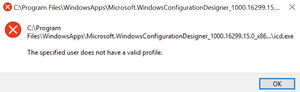
"The specified user does not have a valid profile" error on apps downloaded from Microsoft Store
 May 22, 2018
I solved the problem by moving the folder with the install files from the WindowsApps (which is hidden by default) into a user folder (e.g. Documents) and start the executable from there.
WindowsApps directory seems to have insufficient permissions for standard users after the OS Release in April . At least ubuntu is now running again without any problem. I am using 1803 Build 17134.1

Hope this will help.
Try with the below
Go to your task bar and find "cloud-paging player" (maybe hide in the arrow their) right click on it and exit. After this every thing will work correctly.
This worked for me
I have a feeling this was the issue I was seeing too. I no longer use CloudPaging Player, and I also no longer have the problem. I suspect you're right that this is the problem. Thanks for the post!