User Profile

RichardBradley
Brass Contributor
Joined 5 years ago


User Widgets
Recent Discussions
Re: How can I See calendar of my team member in Microsoft Teams, as outlook?
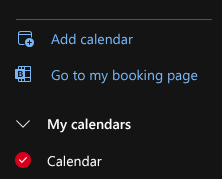
I'm not sure whether the calendar functionality in Teams has been updated since Leon posted his answer, but it is no longer correct. The following uses the browser version of Outlook and Teams... Navigate to your Outlook view of your calendar (https://outlook.office.com/calendar) and use the "Add calendar" feature to add someone else's calendar. Depending on the permissions they have extended to you, their calendar will be visible alongside your own. (Repeat to add more co-workers' calendars, resource calendars, group calendars &etc.) Navigate to your Teams view of your calendar (https://teams.microsoft.com) and under "People's calendars" you can select those that you would like to see alongside your own. Why the Teams calendar view doesn't have the "Add calendar" feature is a mystery - but at least there is a viable workaround until the Teams product development team consider fully harmonising the user interfaces for Calendar in both Teams and Outlook. Best regards, Richard Bradley. P.S. I've just checked, and the Teams desktop app (Windows) also shows colleagues calendars that have been added via Outlook - though I am not seeing an obvious way to view other people's calendars in the Android Mobile version of Teams. As I am not a fan of Outlook for Windows, I'll let someone else test it there and update us.30Views0likes0CommentsRe: Recording meeting doesn't work with animations
My experience in a Teams Webinar is that the attendees also do not see PowerPoint Live animations - the problem extends to more than just the recording. This issue doesn't appear to be documented anywhere. I note that Town Halls do not yet support PowerPoint Live. Perhaps the above issues might be resolved when PowerPoint Live is supported in Town Halls!229Views0likes0CommentsRe: Using the Outlook Booking with Me Feature
I've spent some time investigating why the calendar owner is not notified of the intent, or otherwise, of the person booking the meeting to attend when the RSVP. The reason seems to be simply that when the Book With Me system sends the ICS file, the flag ISRESPONSEREQUESTED is set to FALSE. The result of this is that any status set in the calendar of the person requesting the meeting is not sent to the calendar of the person whose time was booked. This means that: the person who advertised their booking page does not know if the person who made the booking intends to join the meeting if the person booking the meeting changes their mind and declines the meeting, they believe that they have notified the other party and feel upset when the other party questions why they didn't join the meeting the person who advertised their booking page is left waiting for a number of minutes before abandoning a no-show meeting The meeting slot could have been freed up when the declined RSVP was spotted by the calendar owner, thus allowing another person to book that time-slot (improving efficiency) After investigating this with Microsoft 1st line support, I have been informed that this is "by design". It feels like it is actually "by omission" and it would be great if the developers could make a change to set the flag to TRUE.23KViews1like0CommentsRe: Copying/Moving forms from OneDrive to SharePoint
P.S. Before anyone points out that blocking and account is not possible in all situations. I agree, that is why I have written authorisation from the person's manager, the head of HR and another member of the senior leadership team before the person's account was temporarily blocked. I have everything I need for an audit! I also, by request of the person's manager, sent a full explanation of the actions being take to the email address of the person who is on long-term sick so that when they return to work they have knowledge of what was done.6.8KViews0likes0CommentsRe: Copying/Moving forms from OneDrive to SharePoint
gsolorzano - I have a partial solution. The scenario here is that a person who created several important Forms is on long-term sick. Before they left, they added a number of collaborators who have been happily managing the Forms. As time has passed, one or more of the collaborators have moved on and those back-filling the roles are not collaborators and no one but the owner can add collaborators. Following https://learn.microsoft.com/en-gb/microsoft-forms/admin-information#form-ownership-transfer, (having first blocked the sign-in to the account of the person on long-term sick) I was given the option to move each of the Forms to either reside in "My forms" or one of "My groups". Unfortunately, the only groups that were offered were associated with Teams (none of which were appropriate destinations for the Forms). None of the traditional SharePoint Online Communication sites to which I was hoping to move the Forms were offered as destinations. For now, my admin account "owns" the Forms and I have been able to add relevant collaborators. (Short-term fix.) If I cannot work out how to to move the forms to a SharePoint Communications site, then I will have to convince the relevant departmental Head to maintain an appropriately secured Teams site (which, by nature, has an associated Group) so that I can transfer ownership to the Group. If anyone can help with moving an existing Form into a SharePoint Communications site, it would be much appreciated. (None of the discussion threads that I have come across that claim to have solved this problem have actually addressed the need expressed in this thread.)6.8KViews0likes1CommentRe: Copy a Microsoft Teams channel chat to another Microsoft Teams channel conversation
CMD_KEEN - thanks. I had already posted it in another channel and saved it. The problem was I needed to switch to the other channel first and edit it from there in order to remove the post from the original channel.27KViews0likes2CommentsRe: Copy a Microsoft Teams channel chat to another Microsoft Teams channel conversation
I've found what I was doing wrong!!! If I edit the message from one of the other channels then I can remove it from the "General" channel. The above approach works - I just need to remember that I must be editing the message in a channel that needs to keep it so that I can drop it from the other(s).27KViews1like0CommentsRe: Copy a Microsoft Teams channel chat to another Microsoft Teams channel conversation
CMD_KEEN wrote: ... you can use multi-channel posts as a workaround: https://support.microsoft.com/en-us/office/cross-post-a-channel-conversation-in-teams-9c1252a3-67ef-498e-a7c1-dd7147b3d295 Just edit any post you need to copy and include the target channel, then remove the original one. I just ran into an unexpected problem with this approach. The https://support.microsoft.com/en-us/office/cross-post-a-channel-conversation-in-teams-9c1252a3-67ef-498e-a7c1-dd7147b3d295 states that when editing a cross-post message that "you can remove channels from the list" - but fails to say that it is not possible to remove it from the original channel in which the message was posted. The screen-shot below shows that I can add new channels and remove the message from the "Internal IT" private channel and/or the non-private "Test channel", but I cannot remove it from the "General" channel. This limitation seems to make it impossible to actually move a message from one place to another. Any ideas?27KViews0likes5CommentsRe: Change the gender of an existing Auto Attendant
Does anyone know why the English US voice gender is male for Auto Attendants and female for Call Queues? Or more importantly, how might we change this default behaviour for all future call flows? Do we really need to resort to PowerShell for each and every US English call flow to create consistency?6KViews1like0CommentsRe: Default calendar sharing permissions for all users in internal organization
I am so surprised to find that I can control the default sharing experience of calendars with people outside the organization but not *within* the organization. This means that if I have two organizations working closely together then I can set the default to be 'Can view titles and locations' and each organisation can see this level of detail in each other's calenders - but the co-workers in the same organization will only see free-busy. Unless, that is, each person manually changes the 'Inside your organization' sharing permission - or we have a PowerShell script run on a periodic basis to change people's internal sharing permission (with the attendant complexity of those people who have a legitimate reason to be excluded from the script making the change). It seems like a significant oversign in the abilities of the Exchange Admin Center and sharing permissions. Does anyone know whether this is on the roadmap? (I wasn't finding many useful hits when I searched for the answer - which is why I've ended up here.)23KViews3likes1CommentRe: Teams error "We ran into a problem. Reconnecting..."
Just to be clear, the 'Teams disconnected' error messages are not specific to operating on this or any other Chromebook. I've seen the same problem running Teams in browsers on other operating systems using different hardware. My colleagues and I have also noticed over the last few weeks a new type of Teams disconnected issue - this time in multiparty video meetings. We're all distributed, so there is no commonality with the internet connections, LANs or firewalls, some are using Teams app on Windows 10, some are using Teams in browser on Windows 10 and some on Chromebook. Periodical, one of us will freeze in the eyes of everyone else. The frozen person can continue to see and hear the others. After a number of seconds, the frozen person's Teams session will identify an issue, fully disconnect from the Teams meeting and automatically reconnect - until it happens again. PS. The same diverse group of users has no issues when using Zoom or Google in Meet in exactly the same type of meeting.40KViews0likes1CommentRe: Teams error "We ran into a problem. Reconnecting..."
rohitpalsaniya987, Whilst I appreciate your suggestions, msconfig really doesn't help those of us using Teams in a pure browser environment on a non-Microsoft operating system. In my case the issue is evident in Chrome on Chromebook. The symptoms are odd - in one browser window I can be quite happily having a successfully bi-directional video Teams meeting and in another browser window, the document I am viewing/editing in Teams (on a second monitor) will shift downwards to show the error message at the top saying it cannot connect to Teams (some time later the document will shift back up when the error message goes away) - all the time my Teams meeting remains fully functional.40KViews0likes3CommentsRe: Forms: Math Option not displayed
I have the same problem - but only in some forms. In a form my colleague created (and shared with me for edit) I can modify an existing question and can add the maths feature to it from the ... In my colleague's Form, I can add a new question and the maths feature is there. However, in Forms I create, I am unable to add the maths feature to any question. Has anyone found an explanation?2.9KViews0likes0CommentsRe: Teams error "We ran into a problem. Reconnecting..."
Has anyone heard from Microsoft with a real root cause analysis and an ETA on a fix? I'm getting the "We ran into a problem. Reconnecting…" message regularly appearing at the top of a browser Teams session on a Chromebook which has direct Internet access. It occurs for both wired and wireless connectivity. While the message is on the screen I am still able to navigate around the Teams environment, compose and send messages, and I'm fairly sure I have had an active call (which was unaffected). This is mostly a cosmetic nuisance for me (the chat compose window shifts down and up when the message appears / disappears). But I am concerned that there may be a problem behind the scenes and it just may impact a call or a meeting one day. I keep meaning to set up a network tap and grab a wireshark trace of it doing it - but I doubt anyone at Microsoft would be interested so it doesn't seem worth the effort.59KViews0likes5Comments

Recent Blog Articles
No content to show