User Profile

JPerryman88
Copper Contributor
Joined 5 years ago


User Widgets
Recent Discussions
Re: Embed Stream videos in LMS
rozhall the following worked for me: create a folder in your SharePoint site, which you are happy with everyone to access (I called mine LMS Videos) Right click on the folder and select manage access Select Groups Press manage access (icon with a person and +) Type in a group that applies to all of your users (if in doubt speak to IT as there is usually a azure group which you can select). We have 'all users' which I use Untick notify people and click grant access When you go to the video, using the embed code now works (see my post above) but you need to cut certain bits off. Hope that works for you2.2KViews0likes1CommentRe: Embed Stream videos in LMS
TrevorHunt I created a folder in SharePoint which was shared with the whole organisation. I then used the embed code I then grabbed the URL section after the src=" until I got to &embed Example: https://mydomain.sharepoint.com/teams/My/_layouts/15/embed.aspx?UniqueId=1234567-891011-12134-1562-11111111&embed that worked for me but was an absolute pain in comparison to the old Stream feature2.3KViews1like2CommentsRe: API access to Stream videos and transcripts
asanzgiri I have just read this in the comparison document: The Stream API will just be the Microsoft Graph Files API. Therefore many APIs for video files already exist. As we add new video specific features to video files in ODB and SPO, we will add extra functionality to the existing Graph Files API. For example the following are already available: Overview - https://docs.microsoft.com/graph/api/resources/onedrive Get embed code for a video - https://docs.microsoft.com/graph/api/driveitem-preview Get thumbnail - https://docs.microsoft.com/graph/api/driveitem-list-thumbnails Get view count & analytics - https://docs.microsoft.com/graph/api/itemanalytics-get Search for files including videos - https://docs.microsoft.com/graph/api/resources/search-api-overview This seems to be the only ones at the moment8.6KViews0likes2CommentsEmbed Stream videos in LMS
I am new to Stream (on SharePoint) after making the jump from Stream Classic. Myself and my team share videos within our organisation on our Learning Management System (LMS). Example below: Because the link allows for this video to be embedded, it automatically adds its as a viewable video in our LMS. Example below where the following link allows for embed calls: There is no need to add the &embed tag at the end and because its been shared with the whole organisation and published, it means it's viewable by everyone who has permission. Example of current settings in Stream Classic Fast forwarding to Stream on SharePoint, I was shocked that a lot of the features seem to be missing and I am struggling to get the file to embed and shared with the whole organisation, which is a simple easy solution like it was in Stream classic. Whilst I get the whole security side of SharePoint will allow for files to be more secure, it does seem very different and would appreciate if anyone has a solution. One way of potentially sorting this would be to have a SharePoint site which is accessible by everyone; but realistically means duplicating files, which otherwise could be managed by a system like stream. The reason for using stream in our LMS to enable us to have both autotranscription and forms that popup in the videos. Thanks for reviewing and look forward to your responses3.3KViews2likes7CommentsStream - Interactivity Forms Not loading in embeded website
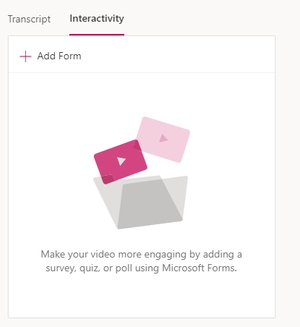
Similar to the post: https://techcommunity.microsoft.com/t5/microsoft-stream-forum/embedded-quiz-form-interactivity-intermittent-and-buggy/m-p/1048996/page/3 I am struggling to get Forms to load in a embeded version when I share it on 3rd party hosted website which is meant for internal people only. Instead, a loading screen just appears and no option/message allows me to click launch form. It worked on the same website maybe 2 weeks ago, so wonder if any code changes may have thrown this out? I have checked the version number of stream Version 1.0.2531.11 I have logged into forms to make sure this isn't the reason why the form isn't loading I have closed all tabs down to check to see if it is another version of MS forms conflicting with the request. I have tried chrome and edge to make sure it isn't browser specific. Any help would be appreciated

Recent Blog Articles
No content to show