User Profile

rsmereka
Copper Contributor
Joined 5 years ago


User Widgets
Recent Discussions
Attempting to Create Shared Contact Groups
I have been working on this for 2-3 months now. Objective: Create a series of shared contact groups with some users read/write and some users read only. Note that all users are internal (part of the same Office 365 business community/domain). First Try: After reading some Microsoft articles, my first attempt was to create a shared mailbox. The permissions on the shared mailbox do not including read-only. After many attempts to try to get this to work, I called MS tech support who suggested that I use web Outlook to specify the permissions. After I did this, the read only users could not even see the shared mailbox. I reported this back to tech support but got no response. Second Try: This method involves creating a shared contact group by one of the 'owners' of the group, setting the permissions and sending out invites. Once again, I am having problems with the read-only users. When the owner attempts to send an invite to a read-only user, we get the error: "Folder sharing is not available with the following entries because of permission settings on your network" An article I read recommended sending the invite from web Outlook but web Outlook cannot even 'see' the contact group. TIA7.7KViews0likes15CommentsRe: Attempting to Create Shared Contact Groups
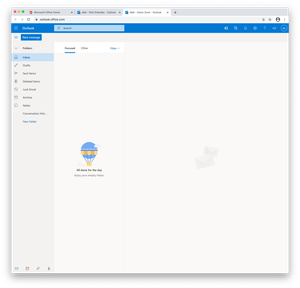
VasilMichev Yes, I have created a shared mailbox. It is the only one available in the Exchange Admin Center->receipts->shared. I am adding the shared mailbox from OWA by clicking on avator and choosing Open another mailbox. After opening the shared mailbox in OWA, I took a screen shot, where is the contact folder?6.6KViews0likes2CommentsRe: Attempting to Create Shared Contact Groups
VasilMichev There is no contact folder as part of the shared mailbox either in the mail view or the people/contact view. Is there not a default contact folder which is part of every mailbox? Do I need to manually create a contract folder by opening the shared mailbox.6.7KViews0likes4CommentsRe: Attempting to Create Shared Contact Groups
VasilMichev By opening the shared mailbox in Outlook for web, I can set the permissions on shared mailbox folders but 'contacts' in the shared mailbox do not respond to a right-click. There is no way to apply permissions on the contact folder in the shared mailbox.6.8KViews0likes6CommentsRe: Attempting to Create Shared Contact Groups
VasilMichev I re-created the shared mailbox from scratch once again and made sure that 'FolderVisable' is present at every level. Note however that no permissions can be applied to the contact folder (and this is what I am using the shared mailbox for). This made no difference, the read-only users still cannot even see the contact folder.6.8KViews0likes8CommentsRe: Attempting to Create Shared Contact Groups
VasilMichev Thanks for the suggestion. When the advice from MS tech support did not work (recommended was to apply the permissions at the mailbox level), I also tried to apply the permissions at the mailbox folder level and that also did not work. The issue with this experiment was that the read-only users could not 'see' the shared mailbox or the contact group within the shared mailbox7KViews0likes10CommentsRe: Attempting to Create Shared Contact Groups
John_OHalloran Neither. The shared mailbox was just one option (if it worked) to allow me to create a shared contact group. Distribution lists maybe an additional feature once the shared contact group with read-write and read-only users has been established.7KViews0likes0Comments
Recent Blog Articles
No content to show