User Profile

CHARBELNEMNOM
MCT
Joined 10 years ago


User Widgets
Recent Discussions
Re: need to create monitoring queries to track the health status of data connectors
Here is another approach to detect significant anomalies in data ingestion volume for specific billable tables listed in a watchlist. It analyzes X number of days of historical data, builds a baseline, and flags sharp increases or decreases in ingestion over the past day using anomaly scores and thresholds. 1) Health Check for Microsoft Data Connectors using `series_decompose_anomalies` function. 2) Effective Solution to Monitor Data Connectors in Microsoft Sentinel using Azure Monitor and Logic Apps. Hope it helps others!48Views0likes0CommentsRe: How to find who invited 'guest' users to our tenant?
Hello ZNJ3026, beyond 30 days, you need to enable Diagnostic Settings in Microsoft Entra ID and send the logs to Azure Monitor (Log Analytics workspace) with the desired data retention range set at the Log Analytics workspace level or at the Table level (AuditLogs). You can find more info documented in this guide. If you already have Microsoft Sentinel enabled, you could receive 90 days of log retention for free. Hope it helps!522Views1like0CommentsRe: Study Material for the Exam AZ-305 : Designing Microsoft Azure Infrastructure Solutions
Hello @Salman, While preparing for the exam myself, I have gathered all the resource materials available to prepare for the upcoming beta exam AZ-305. Please check the full study guide here: https://charbelnemnom.com/az-305-exam-study-guide-azure-solutions-architect/ Hope this helps and good luck with your preparation. Thanks!12KViews2likes4CommentsAutomate Backup For Azure File Shares Using PowerShell For Azure Backup
Azure File storage offers shared storage for applications using the standard SMB 3.0 protocol. Microsoft Azure virtual machines and cloud services can share file data across application components via mounted shares, and on-premises applications can access file data in a share via the File storage API. Microsoft also introduced Azure File Sync service which is a new service that will allow you to centralize your file shares in Azure Files, whilst maintaining the compatibility of an on-premises file server with all the flexibility and performance benefits that provide. Any protocol installed on the Windows Server can access the Azure file share, including SMB, NFS, and FTPS. With the integration of Azure Backup service, you can protect your data in the cloud without worrying about on-premises backup solutions. This is a great solution for the hybrid cloud! In this blog, I will share with you how to automate the backup for Azure File Shares using PowerShell so you can schedule it to take snapshots at regular intervals every week, month, or year for long term retention. How To Automate Backup For Azure File Shares Using PowerShell For Azure BackupJust Released! Microsoft System Center Data Protection Manager Cookbook #AzureBackup
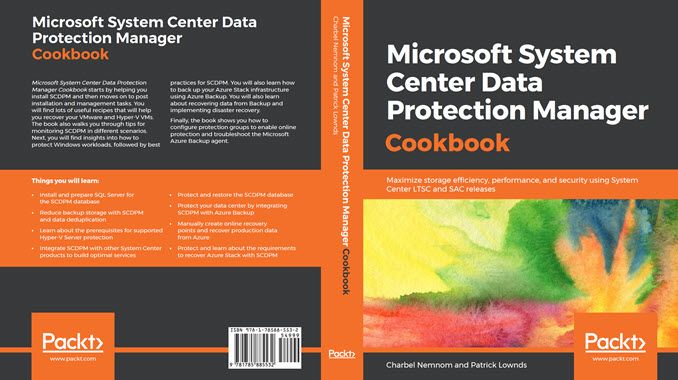
System Center Data Protection Manager (SCDPM) is a robust enterprise backup and recovery system that contributes to your Business Continuity and Disaster Recovery (BCDR) strategy by facilitating the backup and recovery of enterprise data. With an increase in data recovery and protection problems faced in organizations, it has become important to keep data safe and recoverable. This book contains recipes that will help you upgrade to SCDPM and it covers the advanced features and functionality of SCDPM. This book starts by helping you install SCDPM and then moves on to post-installation and management tasks. You will come across a lot of useful recipes that will help you recover your Hyper-V and VMware VMs. It will also walk you through tips for monitoring SCDPM in different scenarios. Next, the book will also offer insights into protecting windows workloads followed by best practices on SCDPM. You will also learn to back up your Azure Stack Infrastructure layer as well as the Tenant layer using SCDPM. You will also learn about recovering data from backup and implementing disaster recovery. Lastly, the book will show you how to integrate SCDPM with Azure Backup service as well as how to enable protection groups for online protection, and finally how to centralize reports and monitor your backups using Power BI and Log Analytics. Learn more about what this book covers in this blog post.1.5KViews0likes0CommentsJust Released! Microsoft System Center Data Protection Manager Cookbook
System Center Data Protection Manager (SCDPM) is a robust enterprise backup and recovery system that contributes to your Business Continuity and Disaster Recovery (BCDR) strategy by facilitating the backup and recovery of enterprise data. With an increase in data recovery and protection problems faced in organizations, it has become important to keep data safe and recoverable. This book contains recipes that will help you upgrade to SCDPM and it covers the advanced features and functionality of SCDPM. This book starts by helping you install SCDPM and then moves on to post-installation and management tasks. You will come across a lot of useful recipes that will help you recover your Hyper-V and VMware VMs. It will also walk you through tips for monitoring SCDPM in different scenarios. Next, the book will also offer insights into protecting windows workloads followed by best practices on SCDPM. You will also learn to back up your Azure Stack Infrastructure layer as well as the Tenant layer using SCDPM. You will also learn about recovering data from backup and implementing disaster recovery. Lastly, the book will show you how to integrate SCDPM with Azure Backup service as well as how to enable protection groups for online protection, and finally how to centralize reports and monitor your backups using Power BI and Log Analytics. Learn more about what this book covers in this blog post.1.1KViews0likes0CommentsJust Released! Microsoft System Center Data Protection Manager Cookbook
System Center Data Protection Manager (SCDPM) is a robust enterprise backup and recovery system that contributes to your Business Continuity and Disaster Recovery (BCDR) strategy by facilitating the backup and recovery of enterprise data. With an increase in data recovery and protection problems faced in organizations, it has become important to keep data safe and recoverable. This book contains recipes that will help you upgrade to SCDPM and it covers the advanced features and functionality of SCDPM. This book starts by helping you install SCDPM and then moves on to post-installation and management tasks. You will come across a lot of useful recipes that will help you recover your Hyper-V and VMware VMs. It will also walk you through tips for monitoring SCDPM in different scenarios. Next, the book will also offer insights into protecting windows workloads followed by best practices on SCDPM. You will also learn to back up your Azure Stack Infrastructure layer as well as the Tenant layer using SCDPM. You will also learn about recovering data from backup and implementing disaster recovery. Lastly, the book will show you how to integrate SCDPM with Azure Backup service as well as how to enable protection groups for online protection, and finally how to centralize reports and monitor your backups using Power BI and Log Analytics. Learn more about what this book covers in this blog post.940Views1like0Comments
Recent Blog Articles
No content to show