User Profile

GatesLover
Brass Contributor
Joined 6 years ago


User Widgets
Recent Discussions
Word instant email and Word instant publish
1. Add a mail box on the Edge Word so that we can check our emails in Word 2. Add a contact button so that we can input a contact to email anyone with all the stuff edited in Word 3. Add a publish button and paste the link you want to publish and directly publish what you edited on Word 4. Imported Word extensions: when you edit a textbox just enable the Word extension and all the Word functions will be imported immediately I think Word cannot spare the blog market! Word should take advantage of the billons of the world users to cover up the blog market with the Word instant publishing function! Maybe a Word Corner or something486Views0likes0CommentsSpeech search speech!
Traditionally, search engine search a text from a text. I wonder that why not we search speech in a voice(audio or video) from the speech from the user? What is speech search speech use for? There are more than 6000 languages all over the world. Most of them don't have a writing system. It might not that useful to search from text to text. For instance, if a native American speak an word in their language. Someone else speak the same word exactly in another video. The speech to speech will work in this situation. How to realize speech search speech? ①Detect and collect all the voice in videos and audios in all webpage all over the world ②Speech Analyze all the voice into spectrogram and IPA with timeline. ③Analyze the users speech ④Match and rank the user's speech with the target counterpart from other pages5.8KViews2likes24CommentsBilingual Mode
When we set up our native language and open the Edge bilingual mode. The page will be demonstrated in bilingual text sentence by sentence. And each text form an audio so that we can hear the speech when we click the reading button like this: https://www.ldoceonline.com/dictionary/tackle How realize the bilingual mode? 1.Sentence the whole page with punctuation marks like ".""!""?"";"":" 2.Import the Bing translation to form the translation text of each sentence 3.Import Azure TTS to form an audio for both original sentence and the translation sentence so that we can use TTS to read the both text by click of mouse as many times as we can.937Views0likes0CommentsTurn text to subs/video/audio in Edge
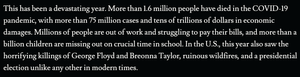
In the era of information explosion, expression in text are shelved! People tend to watch videos instead of reading books. Why not turn various articles and classical books into videos for our children to watch with the assistance of Edge? It also helps those columnists to influence public opinion and lobby the government for their policy by attracting more audience "watching" their articles! Sometimes people are lazy and just want to watch a long article on website or sometimes the article are written in a totally alien foreign language. Turn text to video (subs indeed) automatically will help in this situation! And Edge is the best one to do this job! Why? Edge could apply the world best Azure TTS; Edge have one of world best auto translator; Edge is browser and it helps when we want to turn an article into video after we publish it; Edge can customize the format and font of MS office; Export video will benefit the MS video and Bing search engine to generate more traffic income to rival YouTube and Google. How to realize the Text to video function on Edge? It takes 3 steps: STEP ONE: Text editor in Edge STEP TWO: Import translation layer and phonetic layer STEP THREE: Edit each sound tracts STEP FOUR: Setting the format of each sub tracts text box and the background color STEP FIVE: Export into the following 4 format to any links STEP ONE: Text editor in Edge: Turn a webpage into Text like the TTS immerse reader did. And make it possible to edit the content of the text. Once you finish your editing. The system will sentence the article with punctuations! For example: This has been a devastating year. More than 1.6 million people have died in the COVID-19 pandemic, with more than 75 million cases and tens of trillions of dollars in economic damages. Millions of people are out of work and struggling to pay their bills, and more than a billion children are missing out on crucial time in school. In the U.S., this year also saw the horrifying killings of George Floyd and Breonna Taylor, ruinous wildfires, and a presidential election unlike any other in modern times. In this process an article turn into varies of sublines! There might be some rule in it like how many characters a line of sub would have. 13 or something? Like in Chinese, no punctuation will be allowed in a sub. Some sub line will have context relations because they are actually one sentence cut into different subline by ","; while some sub lines are not, for they are not in the same sentence. STEP TWO: Import translation layer and phonetic layer The translation layer might include: ①The translation of the complete sentence or maybe a clause(each subline) being read now; ②The translation of the word or phrases being read now. There will be a pre-step of dividing words for a writing system without space between words like Chinese and Japanese The phonetic layer is the phonemic transcription for the subline being read now. Some language have standard phonemic transcription for instance: Kenyon and Knott for American English; Pinyin for Mandarin Chinese; and Rōmaji for Japanese. STEP THREE: Edit each sound tracts: 1.Divide your sublines into different characters. In some scripts for drama and interviews, the name of each actor or speaker will appear in front of a natural paragraph. Text to video function will figure out a way to collect all the text that appears after each person's name at the beginning of a paragraph into a specific character. 2.Set up each character's sound tract with the following: ①Choosing a specific reader of Azure TTS; ②Setting the tone of speech: Sad, excited, or happy. ③Setting up the speed of speech;(0.2~5 times 0.1 times per degree) ④Setting up the pitch of the speech without changing the speed. ⑤Volume of speech Sometimes the sound tracts are not in the language of the original text. It apply to the translation layer! I call it dubbing tracts. And a dubbing tracts could also have different layers. 3.Set up the non-speech sound tracts like background music/video tracts with the following: Volume; speed; pitch. STEP FOUR: Setting the format of each sub tracts text box and the background color How many sub tracts a video might have? At least 7! 1.Subline being read now; 2.Translation of the subline being read now; 3.Translation of the word or phrases being read now; 4.Phonetic transcription being read now; 5.Sublines that have been read; 6.Sublines that is going to be read; 7.Title and subtitle. Different mode employ different layers. It could be customized by users in advance so that it could be adopted immediately to convert text to video. I made some models (take English speaker and Chinese speaker for example and it could also be adopted into any other two languages): For English speaker: 1.General mode(reading an English article) 2.General mode when reading a article in foreign language(dubbed in English; take Chinese as example) 3.Language learning mode(dubbed in the target language; take Chinese as example) For a Chinese speaker: 1.General mode:(reading an article in Chinese) 2.General mode when reading an article in foreign language (dubbed in Chinese; take English as example): 3.Language learning mode(dubbed in the target language; take English as example) 4.Children mode (with phonetic assistance) 5.Chinese classic mode (Reading Chinese classics) This vertical mode could be adopted in Edge cellphone APP like Tik Tok. Chinese, Japanese, Korean scripts write from up to down then right to left; Mongolian scripts write from up to down then left to right; Uyghur scripts write from right to left then up to down. This should also be taken into consideration in the text to subs. Each sub tract is actually a text box. So how many format of the 7 sub tracts above could the users customize: 1.font: 2.paragragh 4.Formats 4.position of each sub tracts 5.Animations of each sub tracts: 6.Sound effect of each sub tracts: And the background should be set up either like a pure color or a picture or a video. STEP FIVE: Export into the following 4 format to any links The text will finally being exported into 4 different format: 1.Fixed CC sub in the picture with the background filling color and sound tracts: First it is a CC text sub with text and timeline that could be edited after being published; Then additional to the text and timeline, it contains all the format above which a normal CC sub don't have; Thirdly, there are more than one sub tracts and each sub tract have its own position and writing direction; Finally, it's a fixed sub with the picture which means the sub always follow the size and position with the video. And the sub will remain fixed no matter the mouse over, click or drag any of the sub tracts which could make the dictionary extension accessible when we click the sub. 2.Full screen CC sub with sound tracts: The full screen CC sub have the ① to ③ features above; but could be drag and shut down. It could also be used in backstage when we work on other tab or the screen locked 3.Video Someone like to export into a video; 4.Audio Someone who don't like video could export into audio2.2KViews0likes0CommentsRe: Speech search speech!
Rae_Rae There are more than 6000 languages and millions of dialects all over the world. Though most of them are on the way of dying out. But most of these dialects don't have a writing system. It more useful and universal to search from speech to speech China has 250 languages and thousands dialects; US has thousands of languages and dialects. They are the silent majority3.8KViews0likes3CommentsSearch the text in subs!
There are several sub tracts in all the videos and audios in a page. Other than the added sub there are 2 kinds of subs in a video/audio: 1. Speech recognition subs 2. OCR subs See more click here: Speech recognition sub extension; OCR sub extension on Edge; Dictate sub - Microsoft Tech Community Bing could search the CC subs in text sub to improve your searching. That is Tik Tok already do!408Views0likes0CommentsOffice public document project
What is the Office public document project is? It's a document authenticated by a specific natural person or legal person and published in Office Public Document which has legal effect and can be used as evidence of dispute. The document could be: 1.Volation Tickets by administration 2.military orders 3.contracts by both sides 4.agreements by varies sides 5.bills issued by congress 6.Check, promissory note, draft 6.international trade documents, 7.judgments, 8.accounting statements 9.Labor contract everything! Biological authentication: Each side agree the document must be biological authenticated. If a company want to sign a document online, managers of both side will have a biological authentication to confirm the contract. The biological authentication include: 1.Facial recognition; 2.Finger/palm print authentication. 3.Voice print and speech password: some specific person speak a specific pass instruction sentence And a non-biological authentication like Time limited password to your mobile phone Which and how many authentications should be taken depends on how important the document is! Once the document was authenticated and signed by both sides it will be sealed and unable to edit by both side! Public documents could be accessible to any people like a administrative decree. And private documents could only be viewed when you input the password or biologically authenticated. When both parties have arbitration or litigation, the court has the right to access public documents for inspection as court evidence. At this time, office public documents could charge the parties for its credibility!735Views0likes1CommentOffice public document project
What is the Office public document project is? It's a document authenticated by a specific natural person or legal person and published in Office Public Document which has legal effect and can be used as evidence of dispute. The document could be: 1.Volation Tickets by administration 2.military orders 3.contracts by both sides 4.agreements by varies sides 5.bills issued by congress 6.Check, promissory note, draft 6.international trade documents, 7.judgments, 8.accounting statements 9.Labor contract everything! Biological authentication: Each side agree the document must be biological authenticated. If a company want to sign a document online, managers of both side will have a biological authentication to confirm the contract. The biological authentication include: 1.Facial recognition; 2.Finger/palm print authentication. 3.Voice print and speech password: some specific person speak a specific pass instruction sentence And a non-biological authentication like Time limited password to your mobile phone Which and how many authentications should be taken depends on how important the document is! Once the document was authenticated and signed by both sides it will be sealed and unable to edit by both side! Public documents could be accessible to any people like a administrative decree. And private documents could only be viewed when you input the password or biologically authenticated. When both parties have arbitration or litigation, the court has the right to access public documents for inspection as court evidence. At this time, office public documents could charge the parties for its credibility!459Views0likes0Comments- 1.1KViews0likes1Comment
Re: Word mode
HotCakeX I mean that no matter which page we read on Edge, for instance an article like this: https://www.gatesnotes.com/About-Bill-Gates/Year-in-Review-2020 if you click the Word mode, all the pages became a Word document so that we can edit the page to our need1.2KViews0likes3CommentsVideo clip on Edge
Why not clip the video cache playing on edge without download or load the complete video? Because although the video are not completely load yet the timeline and all the sub tracts and sound tracts have been loaded. That will make the video editable. We can generate the new video in the export page during exporting without completely loading it. Here are some basic functions we can add in the Edge video clip: 1.Cut the video into specific pieces. The CC sub tract will match the timeline of each pieces either 2.Accelerate the video (from 0.2 to 5 times without changing the pitch); the sub tracts will accelerate either to match the timeline of the video; 3.Crop the video into specific size; 4.Add, edit, and delete all the fixed CC text sub tracts with speech recognition, OCR and dictation; 5.Customize the format of all the fixed CC text sub tracts: font, color, size, bold, position, alignment, animation; 6.Add sound tracts and adjust the volume of each sound tracts 7.Export video to any URL1.2KViews0likes1Comment

Recent Blog Articles
No content to show