User Profile

SouravChoudhary
Brass Contributor
Joined 6 years ago


User Widgets
Recent Discussions
Re: Exchange Online mail spammed
Hey BFOFANA, can you please explain in detail what do you mean by emails are spammed ? Are their emails are landing in recipients' Spam folder ? Also what is your Outbound mailflow like ? Have you added SPF record for Exchange online in your Public DNS ? You can ask the recipient for the original email and then check the email header in message analyser, i prefer this one https://mha.azurewebsites.net/654Views0likes0CommentsRe: Teams issue on huawei phone
few workarounds you can try:- - Check if you are able to install Google Play on your device https://www.xda-developers.com/how-to-install-google-play-on-huawei/ - Install a custom ROM on your device https://gearallnews.com/how-to-install-lineage-os-17-gsi-for-huawei-y5-android-10/ - I'm not sure if Huawei's new OS supports apk packages, if it does you can get the apk for teams and try to install it. Please note that i'm not an android expert and use above links at your own risk as it may void your device's warranty or may make your devices unusable altogether. And lastly this is an huawei issue and not a teams issue so I doubt if you will get satisfactory support here or from MS on this issue.30KViews1like0CommentsRe: Gmail to Exchange Online Migration Mailbox limit
Hey Dhillan Kalyan O365 supports 100 GB primary mailbox only. However you can enable archive and inject data into it and technically for Exchange Online Plan 2, you should be able to inject unlimited data into archive mailbox. Hope this helps !!!2.4KViews0likes0CommentsRe: hybrid email flow
hello leslie, you can try CBR to force emails to use a connector, for example for O365 to your cloud email security provider, you can create a transport rule to route all emails to the connector if sender is inside the org and recipient is outside the org , this should force all external emails to go through the connector you want it to. thanks999Views0likes0CommentsRe: So who's the wise*** who put a "wrong password" button on the ribbon in Outlook 365 today?
Hello wolfman6, This does not seems to be an O365 or Outlook issue but rather a iCloud add-in issue, users reported this in Outlook version of 2010, see below:- https://answers.microsoft.com/en-us/msoffice/forum/all/icloud-addin-wrong-password-message-in-outlook/e8e1cfa7-a373-445c-a4ef-4b240221bfff If this would have been an O365 side issue, half the world would be on fire. Thanks Sourav1.5KViews0likes0CommentsRe: Password reset for work and school account
Hello taruntuli If you are logged in using 'Chrome' browser you can easily retrieve the password using below :- To check your saved passwords: On your computer, open Chrome. At the top, click More and then Settings. Select Passwords and then Check passwords. https://support.google.com/chrome/answer/95606?co=GENIE.Platform%3DDesktop&hl=en If you are using another browser from which passwords can not be retrieved, try logging in to 'https://portal.office.com' and if you are able to login then go to 'https://admin.microsoft.com/Adminportal/Home?source=applauncher#/users' and find your user and reset the password. If all else fails you can reach MS support and ask them the info about your admin and reach your admin. Thanks, Sourav29KViews0likes1CommentRe: disable Cci in outlook o365
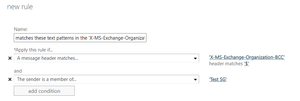
If you are looking to disable the BCC button in Outlook, you should do that using a GPO like the one mentioned in below, Outlook 2016 and 2019 may have a different registry entry :-https://social.technet.microsoft.com/Forums/exchange/en-US/8041c6b6-8854-4837-b2b4-05619466a402/how-to-disable-bcc-option-for-outlook?forum=winserverGP However if you want to block the emails using a transport rule you can use below :- https://www.signorellidenis.com/en/prevent-users-from-sending-to-bcc-using-transport-rule/ This will block email for all the recipients of the email not just the BCC ones.2.5KViews1like3Comments

Recent Blog Articles
No content to show