User Profile

Diane_Poremsky_MVP
MVP
Joined 10 years ago


User Widgets
Recent Discussions
Re: I need to return to my classic Outlook. I need to turn off new toggle. I can't. Help
That can mean classic is not installed. Do you have outlook.exe under your office install? C:\Program Files\Microsoft Office\root\Office16\OUTLOOK.EXE or C:\Program Files (x86))\Microsoft Office\root\Office16\OUTLOOK.EXE if you have 32bit If it is there, open the Run command using Windows key + R and paste the following into the box. reg add "HKCU\Software\Microsoft\Office\16.0\Outlook\Preferences" /v UseNewOutlook /t REG_DWORD /d 00000000 /f If outlook.exe was not installed (and you have an office suite that includes it), you need to download and install - Microsoft has the link to the installation in this article: Install or reinstall classic Outlook on a Windows PC - Microsoft Support The above is from my articles at Slipstick.com: Use Classic Outlook, not New Outlook Classic Outlook Missing from Computers2.6KViews0likes0CommentsRe: Email Signatures vanishing - New Outlook
This should be fixed - you will need to restart new Outlook to see the correct signatures dialog. (I forgot to try sending a new message to see if signatures were working before restarting outlook.) If it's not fixed for you yet, wait a couple of hours then restart new Outlook then check again.6.6KViews0likes0CommentsRe: Email Signatures vanishing - New Outlook
It's a bug. Microsoft is aware but I don't have an ETA yet. They said it was intermittent. It may be limited to users on targeted release, but I can't confirm. (I'm on targeted release.) New Outlook stores signatures in the cloud. Classic Outlook also stores in the cloud (if you have at least one Exchange mailbox), but you can disable synced signatures. Classic can also access locally stored signatures. They will be on the Insert > signature menu or in the signature editor at the very end, under Signatures on this device, but you cannot add new ones there.4.3KViews2likes2CommentsRe: Email Signatures vanishing - New Outlook
It's a bug. Microsoft is aware but I don't have an ETA yet. They said it was intermittent. It may be limited to users on targeted release, but I can't confirm. (I'm on targeted release.) New Outlook stores signatures in the cloud. Classic Outlook also stores in the cloud (if you have at least one Exchange mailbox), but you can disable synced signatures. Classic can also access locally stored signatures. They will be on the Insert > signature menu or in the signature editor at the very end, under Signatures on this device, but you cannot add new ones there.3.6KViews0likes1CommentRe: Multiple unsuccessful login attempts on hotmail
You need to get into the account to do that. If the hackers took over your account, you may not be able to get into it. You can try the forms, but if they are actively using the account, they are likely to block it or delete your address. To recover your account: https://support.microsoft.com/help/17875/microsoft-account-reset-or-recover-password If you no longer have your security accounts, you need to use this guided recovery form: https://go.microsoft.com/fwlink/?linkid=2242650 You need to fill out the form twice a day, every day, until you get it back. Only you can reset your password and make security changes to your account. Support is unable to assist.89Views0likes0CommentsRe: I need to return to my classic Outlook. I need to turn off new toggle. I can't. Help
Is classic Outlook installed? If you type Outlook on the start menu, do you see two Outlooks, with different icons? Classic Outlook Missing from Computers Use Classic Outlook, not New Outlook919Views0likes0CommentsRe: I have removed my hotmail account accidentally, how can i restore this?
Once deleted, addresses cannot be added back or used to create a new account. Sorry. The addresses weren't in separate accounts that were linked. They were both are aliases of the same account. They need a remove button for people who want to remove an alias from their account (you can have up to 10 addresses on an account.) I would like to see a delay in permanently removing it - in a lot of cases, twenty four hours would be enough. But would want at least seven days. or use the same as the minimum for closing an account - 30 days.5.6KViews0likes0CommentsRe: Calendar Items Deleted impossible Restore
Ah, that works too. Still, shouldn't have to change the view or settings (although trying to find recently deleted events is difficult because it sorts by created time) - so you should leave feedback. (I reported it, but more feedback is better.)118Views1like0CommentsRe: Calendar Items Deleted impossible Restore
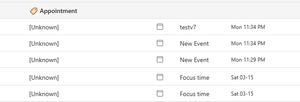
Actually, it looks like there are there, if you can find them. I deleted some in classic, added a category then sorted by Category in new. Now, it's possible they didn't show before I added the category - They are listed as from [unknown] and the date is the created date. In a second test, cleaned up the deleted folder in classic (to make it easier to find things) and deleted a newly created appt. It still does not show up in a sort by date view - but is there if sort by category (in the none group). ETA: cannot find them using search either.79Views1like1CommentRe: I have removed my hotmail account accidentally, how can i restore this?
Did you delete the address from the account? If so, it is gone and cannot be recovered. But all mail in the mailbox is safe. Log into outlook.com using an address or phone number still on the account. The only way the mail would be deleted is if you deleted it or you closed the account. (You have 30 - 60 days to reopen the account.7.5KViews0likes0CommentsRe: Aliasses not showing up in Outlook (classic)
If the alias is enabled for sending in Outlook on the web (Settings > Mail > Compose & Reply), it will show up in classic but you need to restart outlook. Note: there are some sync issues between the settings in new Outlook and Outlook on the web - the changes I made in web are not showing in new Outlook but synced to classic after restarting it. If you are using an older build, you may need to remove the account from Outlook and add it back.380Views0likes0CommentsRe: Using New Outlook with an iCloud Account
That usually indicates a problem with the sync. Remove the account - then confirm in icloud.com that the contacts are not messed up there before adding it back to outlook. If they are messed up online, iCloud keeps 10 backups - restore an older one before adding the account back to outlook.284Views1like0Comments
Recent Blog Articles
No content to show