User Profile

DivineKataroshie
Copper Contributor
Joined 6 years ago


User Widgets
Recent Discussions
Switching from OpenOffice to Word, Problems with document, spacing, comments and tracking changes :)
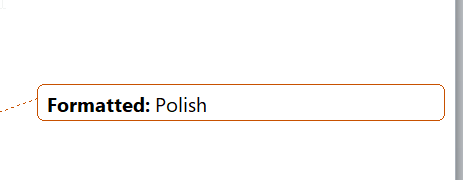
So, I'm currently writing my BA thesis, and I was thinking about switching from OpenOffice to Word, since it would make work with my professor much smoother. For this exact purpose I created the work in docx file, compatible with Microsoft Word, but when I open my document I have a huge gray space on the right side, all changes and text I wrote are in a different color, and some fonts/size are changed. Also, because the work is in both Polish and English I see notes like "formatted: Polish" I would like to allow anybody to make comments on the document and see all of them, and allow any changes, but I don't want it to be tracked and color-coded in the text itself. I also would like to remove all these types of notifications/notes about the Language itself. Is it possible, or is it not worth changing programs now and there would be too much cleanup?1.9KViews0likes2CommentsRe: Switching from OpenOffice to Word, Problems with document, spacing, comments and tracking changes :)
Lisa_Wilke-Thissen Thank you! But another issue appeared. There is a gray area on the right side of my document, probably because I still would like to see comments and something my professor selected for future edit. Is there any way for me to have a view like in OpenOffice? where I see the comments, but I can see them on the right side of the document AND the document with original spacing/text size etc? So in other words, I can see the document itself like it would look like for printing/at someone else's computer, and the comments? for now, the way Microsoft Word displays the comments interferes with the space of the document itself.1.8KViews0likes0Comments
Recent Blog Articles
No content to show