User Profile

Deepansh0711
Copper Contributor
Joined 6 years ago


User Widgets
Recent Discussions
Check-in Check-out SharePoint online
I have SharePoint XML form library. Old documents in this library are checked out by System Account. How to check-in these records? I am getting error while checking-in I have full control on xml form library Please advice how can I do this? Thanks!410Views0likes0CommentsSharePoint Document Library built on XML form Library
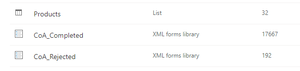
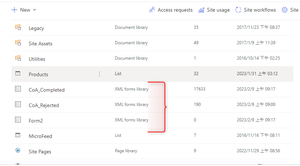
My InfoPath form is built on SharePoint XML Form Library. My records which are XML files have data in them. I updated design of InfoPath from and added new fields. I deployed this .xsn file to different existing SharePoint XML Form Library so both the forms have same design. After doing deployment the XML files which were in destination document library stopped showing me values in document library columns. When I open XML and close it columns are populated with values. There is large volume of records which need to be refreshed so that document library column shows values. Please advice how can I do this with some automation. Thank You. I am attaching images to clarify my question. Images: 1. SharePoint Document Library is built on XML Form Library 2. Forms are built on InfoPath 3. After deploying .xsn template from one document library to another, XMLs present in destination library stopped showing column values. 4. When I open XML and close it values show up2.8KViews0likes0CommentsTarget Audience not working for Modern UI
Hi, I read a post from Martin Kleynhans on Uncompiled Audience Target on Modern SharePoint View - when we add Audience Target on a navigation link then changes takes place after a week: https://techcommunity.microsoft.com/t5/sharepoint/sharepoint-online-modern-ui-target-audience/m-p/1462827#M42231 Following it I added Target Audience to left hand side navigation menu last Monday 8-Jun-2020 12:00 PM IST. When I checked today link visibility was behaving as it did 1 week earlier. I will explain you my steps and please let me know what mistake I am making. My Requirement: Out of 5 left hand side navigation menus there are 3 links which should be visible to only application administrators. My Problem: When I set Target audience in navigation menu the link became hidden from me and after 1 week also link is hidden. Group that I added to Target Audience I am owner of that group. Steps involved in setting up Target Audience: 1) I enabled Target Audience feature on the List. 2) Set it to open in Modern view by default. 3) Created and Office 365 group in Outlook, made myself and one more user as Owner of the group - attachment O365 Group. 4) In my Outlook I can see this new group - attachment Outlook Groups. 5) I went to the SharePoint site and enabled Target Audience in the menu. 6) I then set the Target Audience to the group which I created in Outlook - attachment Setting Up Target Audience. 7) After 1 week still I am not seeing the link in which I set up the Target Audience - attachment Links Missing. Thanks, Deepansh Saxena5.2KViews0likes2CommentsRe: SharePoint Online - Modern UI Target audience
Martin Kleynhans Hi Martin, I read your post on Uncompiled Audience Target on Modern SharePoint View - when we add Audience Target on a navigation link then changes takes place after a week. Following it I added Target Audience to left hand side navigation menu last Monday 8-Jun-2020 12:00 PM IST. When I checked today link visibility was behaving as it did 1 week earlier. I will explain you my steps and please let me know what mistake I am making. My Requirement: Out of 5 left hand side navigation menus there are 3 links which should be visible to only application administrators. My Problem: When I set Target audience in navigation menu the link became hidden from me and after 1 week also link is hidden. Group that I added to Target Audience I am owner of that group. Steps involved in setting up Target Audience: 1) I enabled Target Audience feature on the List. 2) Set it to open in Modern view by default. 3) Created and Office 365 group in Outlook, made myself and one more user as Owner of the group - attachment O365 Group. 4) In my Outlook I can see this new group - attachment Outlook Groups. 5) I went to the SharePoint site and enabled Target Audience in the menu. 6) I then set the Target Audience to the group which I created in Outlook - attachment Setting Up Target Audience. 7) After 1 week still I am not seeing the link in which I set up the Target Audience - attachment Links Missing. Thanks, Deepansh Saxena9.5KViews0likes0Comments
Recent Blog Articles
No content to show