User Profile

Sigmarsson
Brass Contributor
Joined 6 years ago


User Widgets
Recent Discussions
Re: MSIX -> Local Activation permission for COM
TIMOTHY_MANGAN Hello Sir, What exactly do you mean by old and new code, which I intend to push to the limits inside the MSIX box ? This must be feasible somehow. There is a WPF splash attempts to launch another WPF both are based on the common TFM .NET 4.7. The first WPF ought to launch the second as a trusted process harnessing this MSIX package extension infrastructure. Pro boostrapper mechanism. If my take on is right. I believe it is the right way to keep going what you prompted but either it is even now yet missing a puzzle or ... I do not know. What discussion board do I ought to swing over ? This ain't a pacage bundle, so what architecture is my package actually targeting ? I always compile Any CPU. Is there a checklist I could go through to ensure compatibility ? Actually what you are suspecting.3.9KViews0likes0CommentsRe: MSIX -> Local Activation permission for COM
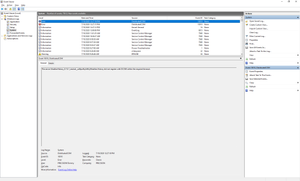
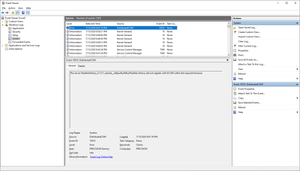
Hi TIMOTHY_MANGAN I followed through what you advised but to no avail. 1. I altered the AppxManifest.xml (format and namespace its a bit different, it has been serialized by a CI tool) as <?xml version="1.0" encoding="utf-8"?> <Package xmlns:xsi="http://www.w3.org/2001/XMLSchema-instance" xmlns:xsd="http://www.w3.org/2001/XMLSchema" xmlns="http://schemas.microsoft.com/appx/manifest/foundation/windows10"> <Identity Name="WeatherHistory" Version="0.7.0.2" Publisher="CN=Contoso Software, O=Contoso Corporation, C=US" /> <Properties> <DisplayName>Weather History</DisplayName> <PublisherDisplayName>Cosmic ray</PublisherDisplayName> <Logo>Images/satelite.png</Logo> </Properties> <Dependencies> <TargetDeviceFamily Name="Windows.Universal" MinVersion="10.0.17763.0" MaxVersionTested="10.0.18363.0" /> <TargetDeviceFamily Name="Windows.Desktop" MinVersion="10.0.17763.0" MaxVersionTested="10.0.18363.0" /> </Dependencies> <Resources> <Resource Language="en-us" /> </Resources> <Applications> <Application Id="Weather.History" Executable="Weather.History.Splash.exe" EntryPoint="Weather.History.Splash"> <VisualElements DisplayName="Weather History" Description="Frontend" Square150x150Logo="Images/satelite.png" Square44x44Logo="Images/satelite.png" BackgroundColor="yellow" xmlns="http://schemas.microsoft.com/appx/manifest/uap/windows10" /> <Extensions> <Extension Category="windows.fullTrustProcess" Executable="Weather.History.Stylet.exe" xmlns="http://schemas.microsoft.com/appx/manifest/desktop/windows10" /> </Extensions> </Application> </Applications> <Capabilities> <Capability Name="runFullTrust" xmlns="http://schemas.microsoft.com/appx/manifest/foundation/windows10/restrictedcapabilities" /> <Capability Name="internetClient" /> </Capabilities> </Package> 2. Added code to the bootstrapper ap as *Splash.exe as private async void LaunchProduct() { try { if (ApiInformation.IsApiContractPresent("Windows.ApplicationModel.FullTrustAppContract", 1, 0)) { await FullTrustProcessLauncher.LaunchFullTrustProcessForCurrentAppAsync(); } else { Exit($"Your Windows version is not supported."); } } catch (Exception e) { Exit("Failed to launch Weather History", e); } } I witness the same errors in the Event Viewer as earler. For some reason the Splash.exe is not even starting, hence it has no chance to launch the proc I specified as fullTrustProcess. None of these are UWP. WPF. I referenced further assemblies as: C:\Program Files (x86)\Windows Kits\10\UnionMetadata\10.0.18362.0\Windows.winmd C:\Program Files (x86)\Reference Assemblies\Microsoft\Framework\.NETCore\v4.5\System.Runtime.WindowsRuntime.dll The package itself has already the capabilities you advised to include:3.9KViews0likes6CommentsRe: MSIX -> Local Activation permission for COM
Btw what yet strange is that upon app start it shows an empty window for a while until it gives up that daft DCOM action. But thats window is not supposed to be the entry point exe just judging by the window dimensions. Im launching a 240x240 window and that is much bigger.4KViews0likes0CommentsRe: MSIX -> Local Activation permission for COM
As the next step I fabricate a mapping file so that the dir layout exhibits some order. The last invocations are : makeappx.exe pack /v /o /f mapping.map /m Appxmanifest.xml /p ./Weather.History.msix SignTool.exe sign /fd SHA256 /a /f devcert.pfx /p certpwd ./Weather.History.msix Maybe the devcert puts a crimp on the exe launch...4KViews0likes1CommentRe: MSIX -> Local Activation permission for COM
Thanks Timothy for engaging. I strived to compose a minimalist AppxManifest.xml before package compilation, which I wish to share with you for a quick review. <Package xmlns:xsi="http://www.w3.org/2001/XMLSchema-instance" xmlns:xsd="http://www.w3.org/2001/XMLSchema" xmlns="http://schemas.microsoft.com/appx/manifest/foundation/windows10"> <Identity Name="WeatherHistory" Version="0.7.0.1" Publisher="CN=Contoso Software, O=Contoso Corporation, C=US"/> <Properties> <DisplayName>Weather History</DisplayName> <PublisherDisplayName>Tommy</PublisherDisplayName> <Logo>Images/satelite.png</Logo> </Properties> <Dependencies> <TargetDeviceFamily Name="Windows.Universal" MinVersion="10.0.17763.0" MaxVersionTested="10.0.18363.0"/> <TargetDeviceFamily Name="Windows.Desktop" MinVersion="10.0.17763.0" MaxVersionTested="10.0.18363.0"/> </Dependencies> <Resources> <Resource Language="en-us"/> </Resources> <Applications> <Application Id="Weather.History" Executable="Weather.History.Splash.exe" EntryPoint="Weather.History.Splash.Bootstrapper"> <VisualElements xmlns="http://schemas.microsoft.com/appx/manifest/uap/windows10" DisplayName="Weather History" Description="Frontend" Square150x150Logo="Images/satelite.png" Square44x44Logo="Images/satelite.png" BackgroundColor="yellow"/> </Application> </Applications> </Package>4KViews0likes10Comments- 4KViews0likes0Comments
Re: MSIX -> Local Activation permission for COM
Has any1 succeeded granting permission with this PS module ? https://gallery.technet.microsoft.com/Grant-Revoke-Get-DCOM-22da5b96?redir=0 Import-Module .\DCOMPermissions Grant-DCOMPermission -ApplicationID "{9CA88EE3-ACB7-47C8-AFC4-AB702511C276}" -Account "SYSTEM" -Type Launch -Permissions LocalLaunch,LocalActivation -OverrideConfigurationPermissions Why does a WPF application requires DCOM in 2020 ?? That is insane !4KViews0likes0CommentsMSIX -> Local Activation permission for COM
Hi, My package is installed in sideloaded way and keeps encountering the app-specific permission error. Yes many suggest to alter permissions and owners manully in regedit and Component Services. My app is actually missing in the DCOM Config under the Component Services (DCOMCNFG, DCOMCNFG -32). I see neither errors in the proc monitor nor warnings. How can I grant permissions in this case and why isn't this specific task accomplished by the MSIX installer ? The application-specific permission settings do not grant Local Activation permission for the COM Server application with CLSID {2593F8B9-4EAF-457C-B68A-50F6B8EA6B54} and APPID {15C20B67-12E7-4BB6-92BB-7AFF07997402} to the user PRECISION\Tommy SID (S-1-5-21-3771326467-2290839719-591499861-1001) from address LocalHost (Using LRPC) running in the application container Unavailable SID (Unavailable). This security permission can be modified using the Component Services administrative tool.Solved4.6KViews0likes15CommentsRe: Manually creating MSIX packages using Packaging Layout
Hello Andy Liu Is it fixed now ? I keep encounter a perplexing error message such : MakeAppx : error: Error info: error 80080204: App manifest validation error: Line 2, Column 2, Reason: A <Resource> element is required for packages targeting OS version 10.0.16299.0 or earlier. What is your take on of this ?1.6KViews0likes0Comments

Recent Blog Articles
No content to show