User Profile

osamamansoor
Brass Contributor
Joined 6 years ago


User Widgets
Recent Discussions
Microsoft Copilot Adoption
Hi, For our organization (medium-sized business), we are exploring the deployment of Microsoft Copilot agents. We currently hold multiple licenses for Microsoft 365, including Office 365 Business Basic, Business Standard, and E3. We have a few questions regarding the licensing and capabilities of Copilot agents: License Requirement To develop agents and allow usage for internal users only, is it correct that we require Microsoft Copilot Studio, which costs approximately $200/month for the entire tenant? Capabilities of Microsoft Copilot Agents Knowledgebase and Visualization If we create a bot with a knowledge base that includes sales data in tabular format (e.g., Excel columns and rows), can the agent generate visualizations, such as bar charts, based on the data? Can the agent present other forms of data, such as images or graphs, beyond just textual responses? Database Integration and Actions If we have a leave system with customized data stored in Oracle DB 19c or MySQL, can the bot connect to the database to perform actions? For example, can the agent answer user queries such as "How many leaves are in my bucket?" or execute tasks like applying a leave based on user instructions? We would appreciate detailed guidance on these capabilities and licensing requirements to help us plan our deployment effectively. Thank you!255Views0likes2CommentsRe: SharePoint Online - Restricted View - Sorry, you don't have access.
BarryGoblon Sorry for late reply. Below are my responses against your each comments To begin, the crux of the issue seems to be PDF files not opening properly when a user has "Restricted View" permissions on a SharePoint Online folder. A potential culprit could be the PDF file viewer settings. First thing to try - head to the library settings, then under "Advanced Settings", locate the "Opening Documents in the Browser" option. For .pdf files, change this to open in the client application rather than the browser viewer. It was on "open in the client application" and for troubleshooting. i select "open in the browser." Another plausible reason stems from limited web browser controls. Some organizations configure browsers with restricted functionality when opening files directly. This limited mode might clash with the PDF viewer's ability to open files under "Restricted View" permissions. Test this theory by opening the PDF in an incognito/private session or a different browser without such constraint No specific permission / restriction on browser While you mentioned setting "Restricted View" permissions, it's worth double-checking the specific permissions assigned to the PDF files themselves. Confirm the user has at least that "Restricted View" access explicitly granted on those PDFs too. As mentioned two different files word and pdf having same restricted permission but permission in only working for other file rather than pdf3.2KViews0likes0CommentsSharePoint Online - Restricted View - Sorry, you don't have access.
Hi, We have SharePoint Online sites in which we have documents and having multiple folders. We are facing an issue that we give "Restricted View" Permission to one user on a folder to only read file and restrict downloading. but i came to known that permissions are work fine for word file and word file is opening with not to download restrictions but pdf file is not opening and prompt "Sorry, you don't have access. " if i ask for permission from admin and admin provide restricted permission the same behavior occurs. As per my troubleshooting steps on library settings under advance setting change opening document in the browser but not working. All screen shots are attached.4.5KViews0likes5CommentsWindows Explorer Crashes / Microsoft Team
Hi Experts / Community Members, We are facing very annoying issue from past three weeks on our company windows systems. Issue Description: When user is working on multiple applications like word, outlook, excel and Microsoft Team the screen goes black and white abruptly. I have found that Windows Explorer restarted. Restarting application or service 'Windows Explorer'. Event ID: 10003 Further i have found that issue is causing due to an error. Product: Microsoft Teams Meeting Add-in for Microsoft Office -- Error 1321. The Installer has insufficient privileges to modify this file: C:\Windows\SysWOW64\vcruntime140.dll. System Error 5. Event ID: 11321 Steps Taken: To troubleshoot this i have taken following steps. 1. Give Administrator Privilege to User 2. Minimize User Account Control Settings 3. Uninstall Microsoft Team (New) 4. Remove Microsoft Team Add-in from Outlook 4. Uninstall Visual Studio VC++ and install latest from Web (vc_redist.x64 file) 5. Replace msvcp140.dll from (C:\Windows\SysWOW64) The issues occurred on Windows 10 or Windows 11 having. Microsoft Office 2016 (MSI Version). Logs Uploaded / Placed on following Link https://crescentpk-my.sharepoint.com/:u:/g/personal/osama_mansoor_crescent_com_pk/ESDz_-snOkVMoedkHDblcCUBh5tGiXMFLMtAO05cJ6x4vQ?e=Fu50tu3.6KViews0likes9CommentsAuto Responder on Distribution Group
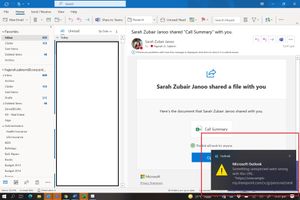
Hi Experts, I have a question. We have some distribution groups use for different purpose like mention on websites and different users are members of these groups. Now we have a requirement to send auto responder when someone from outside the organization send email to group email address like "Thank you so much for you email ... etc" I have google it and found one way which is as follows. Remove the existing distribution group say for example named Group1 Create a new shared mailbox call Group1 Set the auto reply on the shared mailbox as required Create a new distribution group something else say for example Group1dist and set all the members as required ... hide from from the GAL On the shared mailbox setup mail forwarding to forward all mail to Group1dist Note you don't need to add any members to the shared mailbox as it is just used to auto reply and forward Unfortunately, all above mention steps are working fine except for auto responder from shared mailbox. i have tried to enable auto responder from both ways admin portal and user settings but none of them is working. I also tried to achieve through PowerShell method mention on below link https://www.youtube.com/watch?v=ClUAPl3TcA4&t=181s But on PowerShell side when use "set" command it generates error. (Error attached) Please guide me is there any other way to achieve requirement.722Views0likes1CommentPoor Call Quality
I want to know why the call quality dashboard is showing Poor quality in one of the meetings. "Poor call quality was caused by the network. " The average round-trip time is 182 ms The Issue is causing due to the Average jitter which is 42 ms. I do not understand how can I make jitter down for good quality of call as Bandwidth is enough and other participants on the same network has no issues.1.1KViews0likes0CommentsPassword Challenges in Microsoft Team
Hi Experts, We are using the Office 365 Business Essentials Service for the last 7 Years. We have the following Setup. Office 365 is connected with Azure AD for Sync User Name and Password of Local Active Directory with Office 365 Azure. (Pass-through Authentication) We have Domain Controller with Single Forest and Multiple Domain Controller Users are Configured with Multifactor Authentication Problem : Some users are not happy when their local AD Password changes after 30 Days (As Per Organizational Policy) the Microsoft Challenges them to re-enter newly change AD Password in some cases and MFA prompt however Microsoft Outlook 2013 (Desktop Version) does not ask to re-enter password the reason could be we had to save Application Password (App Password). Also, One Drive Sync Client also asks for a re-authentication like Microsoft Team Question : Is there any way so we can bypass this password prompt / MFA prompt once a user changes the local AD Password.Microsoft Authentication App Configuration is Failing onGalaxy S21 Ultra 5G Device
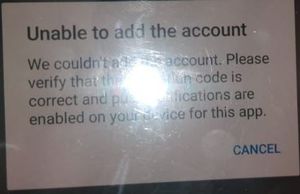
Hi Experts, We have a Mobile model: Galaxy S21 Ultra 5G. We are trying to Configure Microsoft Authenticator App on it but unfortunately when scanning the QR Code it fails with following message "We couldn't add the account. Please verify the activation code is correct and push notifications are enabled on your device for this app." Although we have "Push Notifications" enabled and verification code is correct too We have tried un-installing and re-installing the Microsoft Authenticator App Multiple times but the issue did not get resolved. Kindly help me out in this regard.Unable to Delete File from Shared Folder
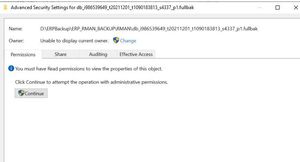
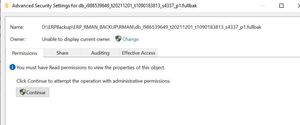
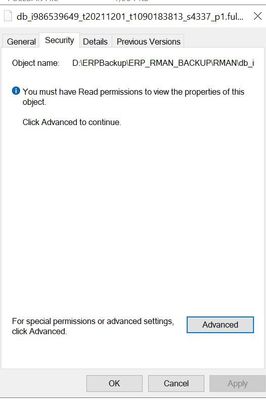
Hi, I have a shared folder on which data is created from Linux machine and it's shared and we daily deleted files from this shared folder to maintain free space but one file is unable to delete as it appears that its ownership is missing and having trouble.19KViews0likes14CommentsUnderstand MS Team Room License
Currently, we have Microsoft 365 Business Basic License for Emails/OneDrive and Other MS365 Applications. We are purchasing Logitech Rally Plus with TAP which requires Team Room License (**As per logitech vendor) (https://www.logitech.com/en-us/products/video-conferencing/room-solutions/tap.939-001950.html) Do we need a separate Microsoft Logitech Room License (https://www.microsoft.com/en-ww/microsoft-teams/microsoft-teams-rooms/compare-rooms-plans?market=pk)? Can we use the existing MS 365 Basic License with Logitech Rally Plus TAP Is Trial of MS Team Room Available Vendor is quoted us below SKU "Microsoft Teams Rooms Standard without Audio Conferencing (12 Month Subscription)" so without audio conf means that we can not make a call from PSTN network ?6.2KViews0likes1Comment
Recent Blog Articles
No content to show