User Profile

forderud_ge
Copper Contributor
Joined 6 years ago


User Widgets
Recent Discussions
Company Portal without login?
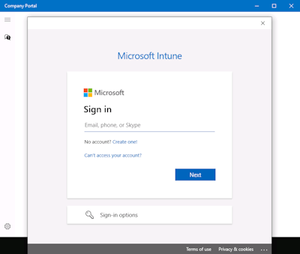
I'm working on a project where I want to make certain SW applications optionally available to groups of Windows 10/11 computers through InTune. I understand that I then need to use Company Portal, since the InTune Management Extension (IME) only delivers required SW applications and not optional apps. My problem then is that Company Portal seem to require manual user-login on first startup. This is problematic, since the computers are running in "kiosk"-mode with auto-login to a custom application. This means end-users doesn't have the password to their windows account. User context should furthermore be unnecessary, since all apps are assigned to groups of computers, and not users. The IME service is able to deliver SW apps without any manual user-login, so it should be technically feasible for Company Portal to do the same. QUESTION: Is it possible to start Company Portal without having to log in on the first startup, like the IME service?2.6KViews0likes1CommentInstall & restart notifications when using custom shell?
I'm working on an embedded product where Windows boots directly to a custom shell application without admin privileges. This means that explorer.exe is not running, and as a consequence of that toast notifications for app install & system restart does not seem to be displayed. This is probably ok in many situations, but can also lead to unexpected slowdown for app installation in the background and problematic sudden restarts without any heads-up message. Are there any best-practice on how to manage embedded products using a custom shell with InTune, so that at least the problem of sudden restarts are avoided? Is it e.g. possible to defer app installations until the next reboot, or possibly develop custom display of toast notifications by integrating against some form of Windows API(?)Solved1.3KViews0likes2CommentsRe: InTune management extension SecureChannelFailure (Could not create SSL/TLS secure channel)
SSL package inspection was temporarily disabled for "manage.microsoft.com" and "*.manage.microsoft.com" during testing. However, InTune management extension still reported the same "SecureChannelFailure" in the log and failed to report "Discovered apps" back to the server.9.2KViews0likes5CommentsRe: InTune management extension SecureChannelFailure (Could not create SSL/TLS secure channel)
I'm experiencing some issues with disabling of SSL package inspection to get rid of "SecureChannelFailure" errors from InTune management extension. Are you sure that "manage.microsoft.com" is the only endpoint where SSL inspection isn't supported, or does the limitation also apply to subdomains (*.manage.microsoft.com) and/or other domains mentioned on https://docs.microsoft.com/en-us/mem/intune/fundamentals/intune-endpoints ?9.3KViews0likes8CommentsRe: InTune management extension SecureChannelFailure (Could not create SSL/TLS secure channel)
I've already verified that InTune management extension seem to work fine when deploying from a public network. I'm therefore quite sure that this problem is tied to proxy and/or SSL inspection restrictions on the company network in question. This still leaves me with the problem of more accurately pin-pointing the concrete problem. I'll need to know exactly what/how the management extension is failing in order to submit a change request for the company network infrastructure setup. Preferable with a minimal reproducer. Is this something you can help me with?9.6KViews0likes10CommentsRe: InTune management extension SecureChannelFailure (Could not create SSL/TLS secure channel)
Thanks for the tip Harm. I have a feeling that my problems are related to the "The inspection of SSL traffic is not supported to 'manage.microsoft.com' endpoint." note, since the network in question uses a custom root certificate to inspect SSL traffic. Is there a way to verify that assumption by enabling more verbose logging or similar?9.8KViews0likes12CommentsInTune management extension SecureChannelFailure (Could not create SSL/TLS secure channel)
I'm experiencing networking problem when Microsoft Endpoint manager is trying to deploy InTune management extension from https://endpoint.microsoft.com/ to a Win10 device within a company network. Extract from C:\ProgramData\Microsoft\IntuneManagementExtension\Logs\IntuneManagementExtension.log: <![LOG[starting impersonation, session id = 2]LOG]!><time="10:12:27.0961922" date="4-16-2022" component="IntuneManagementExtension" context="" type="1" thread="4" file=""> <![LOG[ After impersonation: DESKTOP-SEFFEL8\AdminAccount]LOG]!><time="10:12:27.0961922" date="4-16-2022" component="IntuneManagementExtension" context="" type="1" thread="4" file=""> ... <![LOG[Current proxy is http://company-proxy-url/]LOG]!><time="10:12:27.0961922" date="4-16-2022" component="IntuneManagementExtension" context="" type="1" thread="4" file=""> ... <![LOG[[IsWebExceptionRetryable] web exception status = SecureChannelFailure]LOG]!><time="10:12:27.2368570" date="4-16-2022" component="IntuneManagementExtension" context="" type="1" thread="4" file=""> <![LOG[WebException occurs, and it's not retryable exception, exception is System.Net.WebException: The request was aborted: Could not create SSL/TLS secure channel. at System.Net.HttpWebRequest.GetRequestStream(TransportContext& context) at System.Net.HttpWebRequest.GetRequestStream() at Microsoft.Management.Services.IntuneWindowsAgent.AgentCommon.EmsServiceBase.<SendWebRequestWithProxy>d__20.MoveNext()]LOG]!><time="10:12:27.2368570" date="4-16-2022" component="IntuneManagementExtension" context="" type="3" thread="4" file=""> The network in question relies on a "AutoConfigURL" registry setting for proxy auto-configuration script and a custom root certificate added to "Trusted Root Certificate Authorities" in certificate manager. I've already configured these settings for all interactive users and internet connectivity is tested to work from Microsoft Edge and C# code using System.Net.WebRequest and System.Net.HttpClient to access HTTPS content. The Win10 device is listed as connected on https://endpoint.microsoft.com/ , so the connectivity problem seem to be limited to just the InTune management extension. IntuneManagementExtension.log furthermore indicate that the agent is able to impersonate the logged-in admin account and use the correct proxy server, so I'm struggling to understand the reason for the networking problems. Computer details: Windows 10 IoT LTSC 2021 (x64). InTune management extension 1.53.204.0.11KViews0likes15CommentsRe: How to query COM class Version for packaged COM extension points?
Thanks for the in-depth explanation Aditi_Narvekar. The Version entry is used for early compatibility checking for additional company-specific COM interfaces that have evolved over the years. It's nice to be able to filter out incompatible controls before instantiating them with CoCreateInstance. However, I can probably squeeze in the same information in "Implemented Categories" instead that still appear to be available. The InprocServer32/LocalServer32 fields are similarly used for filtering out "broken" COM/OLE controls that have been registered but the EXE or DLL have since gone missing. This is not uncommon for developers who are building, registering & testing locally without going through a proper installer.1.4KViews0likes0CommentsHow to query COM class Version for packaged COM extension points?
I work on a plugin-based application that is currently scanning the Windows registry for compatible COM servers that expose certain "Implemented Categories" entries. This works well for "regular" COM servers installed through MSI installers. However, I'm now facing a problem with COM servers installed through MSIX installers that expose COM extension points through the "Packaged COM" catalog as described in https://blogs.windows.com/windowsdeveloper/2017/04/13/com-server-ole-document-support-desktop-bridge. I've already begun to replace the registry search with https://docs.microsoft.com/en-us/windows/win32/api/comcat/nf-comcat-icatinformation-enumclassesofcategories that also scans the "Packaged COM" catalog. This seem to work nicely. However, I also need to access the COM class https://docs.microsoft.com/en-us/windows/win32/com/version for compatibility checking. Are there any Windows APIs for determining COM class Version that I can use instead of reading it directly from the registry?Solved1.6KViews0likes2CommentsRe: How to query for installed packaged COM extension points?
Thanks a lot Aditi! This was exactly what I'm looking for. 🙂 Do you know if there are also APIs for querying registry metadata for a COM class like Version, InprocServer32/LocalServer32 paths etc. that will include the Packaged COM catalog?2.1KViews0likes1Comment
Recent Blog Articles
No content to show