User Profile

benamada
Copper Contributor
Joined 6 years ago


User Widgets
Recent Discussions
Re: How to Apply EOP / Defender protections to All Users?
Thanks Joe, it's good to know that's a "normal" approach, I wasn't sure how people go about this. I also found I have a company wide distribution group of active users that I think can be used for this. I ended up going a different direction and decided to use the Configuration Analyzer to get recommendations on policy updates, and making individual updates rather than using the Preset Security Policies. This allows us to deviate a bit on a couple of policies that we're prefer not to use under the Preset Security policies. One other question that came to mind, but again I don't need an answer for since I won't be using the Preset Security Policies, is whether you need to select users for EOP protection if you'll be adding all users to Defender protection. I believe EOP is standard protection where Defender protection builds on top of EOP. If I didn't select anyone to apply EOP Protection to, but added everyone to Defender Protection, does that mean those users will all receiving EOP Protection too. Or do I need to add all users to both EOP and Defender protection. Again, I no longer need to know this, but it'd be nice if the UI made this clearer. Maybe it does once you go through the setup process. Thanks again for responding.2.8KViews0likes2CommentsHow to Apply EOP / Defender protections to All Users?
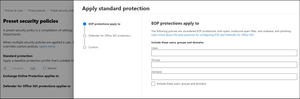
When enabling a preset security policy, I'm prompted to choose who to apply EOP Protections to and who to apply Defender Protections to (screenshot below). For either of these, how do I select "all users" or "everyone"? I could possibly do it by domain, but I have about 15 domains I'd need to enter, which I can do but I'm wondering if there are aliases I can enter that represent all users.Solved3KViews0likes4CommentsExchange Mailbox Rule Editor Broken for Adding User Properties (only works in Internet Explorer)
The Office 365 Exchange Online Mailbox Rule editor isn't working correctly when trying to add a User Properties condition, e.g. "Sender has specific properties include any of these words" or "Sender has specific properties matching these text patterns". There's a UI glitch where the "Select User Properties" pop-up doesn't allow you to enter in words or patterns. Verified this problem in both the old and new Exchange admin centers. Discovered in this 2015 thread that it only works in Internet Explorer, which is still the case today -- https://answers.microsoft.com/en-us/msoffice/forum/all/unable-to-add-a-property-rule-to-the-recipient-in/121e0652-1a3a-4d31-a0b3-80f6fc489381. A YouTube video from that post showing the problem https://www.youtube.com/watch?v=IT4jyWbBmYQ. I was able to add the rule using IE11, however the new admin Exchange center doesn't support IE11, so hopefully this problem will be fixed soon.679Views0likes0Comments
Recent Blog Articles
No content to show