User Profile

Evan_Bolin
Former Employee
Joined 7 years ago


User Widgets
Recent Discussions
Dictation available in more languages
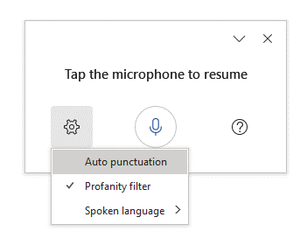
Hello Office Insiders, Emily Tran, a Program Manager on the Office Voice team is excited to share that the Dictation feature now supported more languages. You can now use the speech-to-text feature in Hindi, Russian, Polish, Portuguese (Portugal), Korean, Thai, and Chinese (Taiwan). In our latest blog post, see how to use the Dictation toolbar, auto punctuation, and the profanity filter. Read More> Cheers, Evan Office Insider Community Manager Become an Office Insider and gaining exclusive access to new features and help shape the future of Office. Join Now: Windows | Mac | iOS | Android6.5KViews0likes0CommentsAccess Word, PowerPoint cloud files offline on iOS
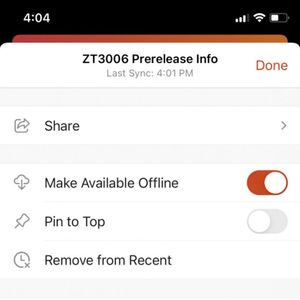
Hello Office Insiders, Have you ever need to view/edit a Word or PowerPoint file that was stored on the cloud but you had little to no data service? If so, Sammy from the Office team has some great news for you. In our latest blog post, Sammy shows how you can now make Word and PowerPoint cloud files available offline in the Office Mobile app for iOS. Learn more> Cheers, Evan Office Insider Community Manager Become an Office Insider and gaining exclusive access to new features and help shape the future of Office. Join Now: Windows | Mac | iOS | Android678Views0likes0CommentsTry mouse, trackpad context menus on iPad
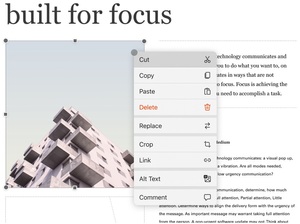
Hello Office Insiders, Do you use a mouse of trackpad when you use Office on iPad? If so, Sammy from the Office team has some awesome news for you. We've optimized context menus so you can quickly access commands when using either a mouse or a trackpad. Just perform a secondary click when working with your files and you'll notice a vertical context menu along with updates list commands. Read More > Cheers, Evan Office Insider Community Manager Become an Office Insider and gaining exclusive access to new features and help shape the future of Office. Join Now: Windows | Mac | iOS | Android560Views0likes0CommentsRevisiting data types in Excel/We want to hear from you!
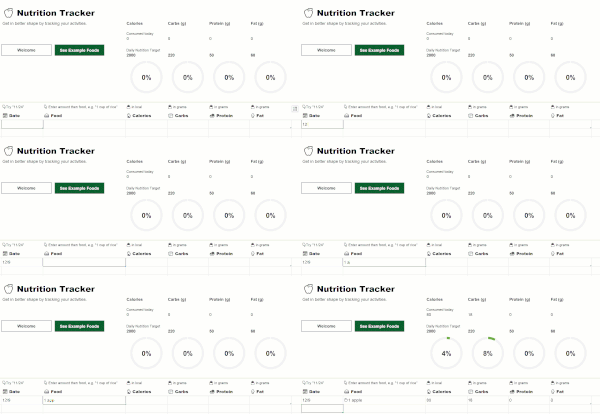
Hello Office Insiders, Over the past year, we've released several new data types and smart templates in Excel and we wanted to revisit some of them. In our latest blog post, we show how data types like Food, Activity, University & city can help you manage your goals & make big life decisions. Read More> We want to hear how you've used these new data types! We’re working on a follow-up post about all the creative ways Insiders have used the data types. Have you tried the data types? Have you made something cool with one? We want to hear from you. Please send us an email describing the project you made, any visuals for it, and include which data type you used. Cheers, Evan Office Insider Community Manager Become an Office Insider and gaining exclusive access to new features and help shape the future of Office. Join Now: Windows | Mac | iOS | Android592Views0likes0CommentsAccess illustrations, icons in Visio
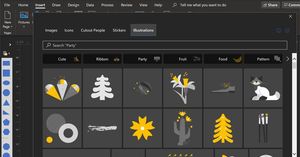
Hello Office Insiders, Aakanksha Raj, a Program Manager at on the Visio team is happy to share the news that you can now access and use an expanded library of illustrations and icons in Visio to better illustrate your ideas visually. In our latest blog post, see how you can easily insert a wide variety and number of icons and illustrations in Visio diagrams. Learn More> Cheers, Evan Office Insider Community Manager Become an Office Insider and gaining exclusive access to new features and help shape the future of Office. Join Now: Windows | Mac | iOS | Android995Views0likes0CommentsEdit workbooks with legacy art objects in Excel for web
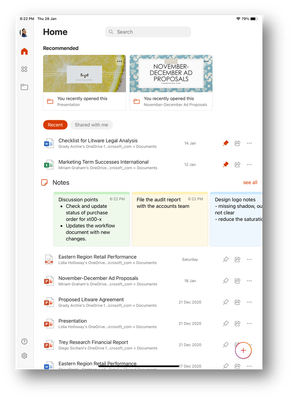
Hello Insiders, Sameer Gupta, a Program Manager on the Office team, is happy to announce the new Microsoft Office app that you love on your iPhone is now available for the iPad. See how we're combining the Word, Excel and PowerPoint apps you know into a single, iPadOS-optimized app. What are you waiting for? Download the app now. Read More> Cheers, Evan Office Insider Community Manager Become an Office Insider and gaining exclusive access to new features and help shape the future of Office. Join Now: Windows | Mac | iOS | Android416Views0likes0CommentsEdit workbooks with legacy art objects in Excel for web
Hello Office Insiders, We've heard your feedback around not being able to edit workbooks that have objects like Active X, Form Control, OLE, and Camera Tools objects in Excel for web. Meenakshi Naren, a Program Manager on the Excel team is excited to share with you that you can now open and edit these files on the web. Read about how it works in our latest blog post. Learn More> Cheers, Evan Office Insider Community Manager Become an Office Insider and gaining exclusive access to new features and help shape the future of Office. Join Now: Windows | Mac | iOS | Android559Views0likes0CommentsTeams Insiders: Preview Features Sync
Hello Office Insiders, Come meet the Teams Preview Program teams on February 1st at 10:00 AM PT. They'll be talking about the features currently flighting in the Public Preview and what features to expect in the future. Agenda: Teams Preview Intro Meet the Teams Preview Program team Features discussion 7 features currently flighting in Public Preview Upcoming Preview features Date: Monday 1st February 2021 Time: 10:00 AM PT Download Calendar Reminder> Cheers, Evan Office Insider Community Manager Become an Office Insider and gaining exclusive access to new features and help shape the future of Office. Join Now: Windows | Mac | iOS | Android1.1KViews0likes1CommentShare emails in Teams chats, channels
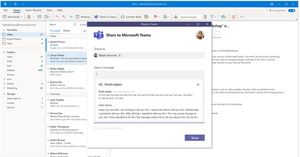
Hello Insiders, We're happy to announce that the ability to share emails from Outlook to Teams is now effortless. Sri, a Program Manager on the Outlook team, shows how you can include a copy of email messages or conversation, including attachments, in Teams chats and channels in our latest blog post. Read More> Cheers, Evan Office Insider Community Manager Become an Office Insider and gaining exclusive access to new features and help shape the future of Office. Join Now: Windows | Mac | iOS | Android1.7KViews0likes5CommentsDictation in Word and Outlook just got better
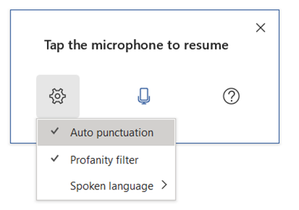
Hello Office Insiders, Last year we covered dictating emails in Outlook and documents in Word in previous posts. Now we want to highlight some updates we've made to the dictation feature. James Spotanski, a Program Manager on the Flexible Input team in Office goes over the newly added Dictation toolbar, voice commands, and auto-punctuation support in our latest blog. Learn more > Cheers, Evan Office Insider Community Manager Become an Office Insider and gaining exclusive access to new features and help shape the future of Office. Join Now: Windows | Mac | iOS | Android655Views0likes0CommentsExplore the cosmos with the Astronomy data types
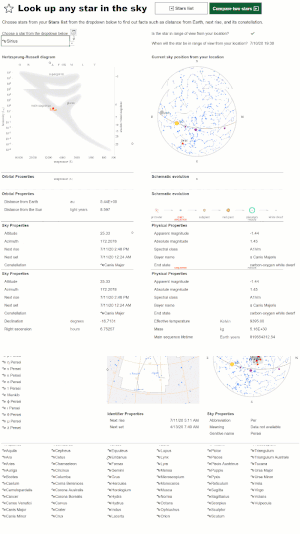
Hello all, We're back with another template for one of the latest data types in Excel. Elisabetta Caldesi, a Program Manager on the Excel team, shares with you a Stars and Constellations template that's powered by the Astronomy data types. See how you can learn new facts about the solar system and more in our latest blog post. Read More> Cheers, Evan Office Insider Community Manager Become an Office Insider and gaining exclusive access to new features and help shape the future of Office. Join Now: Windows | Mac | iOS | Android833Views0likes0CommentsTrack what you eat with the Food data type in Excel
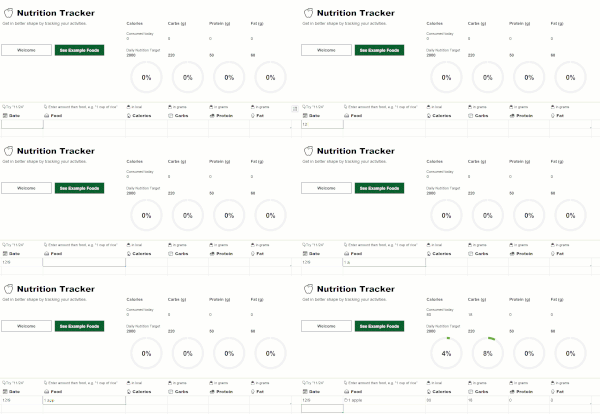
Hello Insiders, Over the last couple of months, we've been highlighting some of the new data types in Excel. Today, David Salaguinto, a Senior Content PM on the Office templates team, highlights what you can do with this new data type and provides links to a couple of templates we created to help you get started, in our latest blog post. Read More > Cheers, Evan Office Insider Community Manager Become an Office Insider and gaining exclusive access to new features and help shape the future of Office. Join Now: Windows | Mac | iOS | Android1.5KViews1like1CommentAnnouncing LAMBDA: Custom functions without code
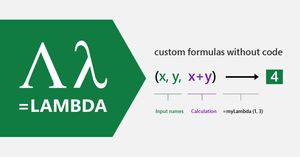
Hello Office Insiders, Chris Gross, a PM on the Excel team, is excited to announce a new function in Excel: LAMBDA. In our latest blog post, he gives you a detailed rundown of this new function and shows how you can take a formula and turn it into your own named custom function. Learn more about the LAMBDA function> Cheers, Evan Office Insider Community Manager Become an Office Insider and gaining exclusive access to new features and help shape the future of Office. Join Now: Windows | Mac | iOS | Android1.8KViews0likes3CommentsTop Office features of 2020
Hello Office Insiders, With 2021 right around the corner, we thought we'd take a look back at some of the top Office features we shipped to Office Insiders this year. Starting next week, we'll be running a tournament on Twitter with 16 of the most popular features & we to know which one was your favorite. Get a sneak peak at the 16 features that'll be in this month's tournament and see the matchups for the first round. https://insider.office.com/blog/top-office-features… Which one do you think will win? If your favorite feature isn't in the tournament, let us know which one it was. Cheers, Evan Office Insider Community Manager Become an Office Insider and gaining exclusive access to new features and help shape the future of Office. Join Now: Windows | Mac | iOS | Android721Views0likes0CommentsCelebrating 5 Years of the Office Insider Program
Hello Insiders, Thank you Office Insider community for helping up shape Office over the last 5 years. We wanted to take a moment to highlight this anniversary and thank you for all the wonderful feedback you’ve provided over the years. Read More> Cheers, Evan Office Insider Community Manager Become an Office Insider and gaining exclusive access to new features and help shape the future of Office. Join Now: Windows | Mac | iOS | Android698Views0likes0CommentsAnnouncing Project and Roadmap apps for Microsoft Teams
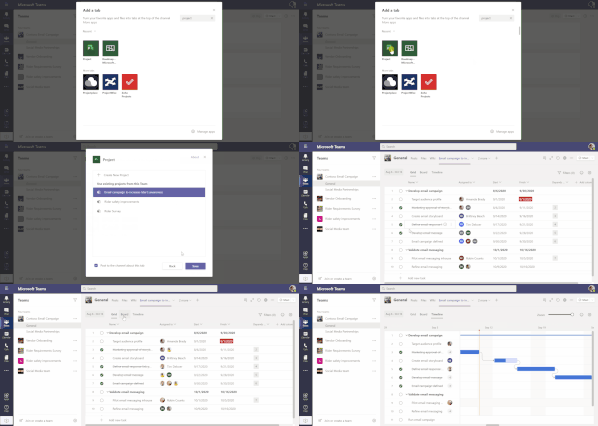
Hello Insiders, Margaret and Madhuri from the Project team are excited to announce the release of the Project and Roadmap apps in Microsoft Teams. We’ve heard from many of you that connecting directly to Project from Teams is essential and we’re thrilled to make it happen. These apps make it easy to manage, track, and collaborate on all aspects of a team’s project in one place. In addition, they bring content and conversation side-by-side in one integrated experience. Team members can create new projects or roadmaps. They can also open existing ones in Microsoft Teams and keep communications and work within Office 365. Learn More> Cheers, Evan Office Insider Community Manager Become an Office Insider and gaining exclusive access to new features and help shape the future of Office. Join Now: Windows | Mac | iOS | Android1.6KViews0likes1CommentReading View available in PowerPoint for Mac
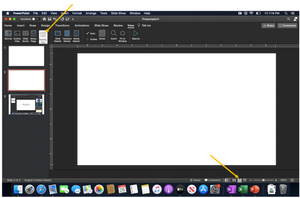
Hello Insiders, Ana Parra, a Program Manager on the PowerPoint team is happy to share that Reading View is now available in PowerPoint for Mac. In our latest blog, she shows how you can use Reading View to present your slideshow in a windowed experience. This allows you to see comments or launch other applications while you're presenting. Learn More> Cheers, Evan Office Insider Community Manager Become an Office Insider and gaining exclusive access to new features and help shape the future of Office. Join Now: Windows | Mac | iOS | Android1.2KViews0likes0CommentsCreate Power Platform dataflows from your queries in Excel
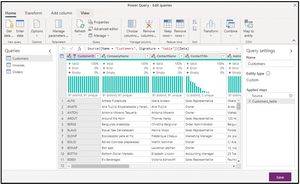
Hello Office Insiders! We heard from you that you want an easy way to use your Excel queries with cloud-powered dataflows. Therefore, avoiding spending resources or time waiting for long running queries to refresh. Jorge Gabuardi, a Program Manager on the Power Query team, has some exciting updates about how you can easily create Power Platform dataflows from your queries in Excel to keep your data refreshed on the cloud in our latest blog post. Read More> Cheers, Evan Office Insider Community Manager Become an Office Insider and gaining exclusive access to new features and help shape the future of Office. Join Now: Windows | Mac | iOS | Android747Views0likes0CommentsUpdate channel name changes: iOS, Mac, Android
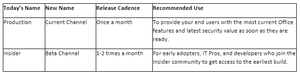
Hello Insiders! In June 2020, we changed the update channel names for Microsoft 365 Apps running on Windows to help customers make better decisions around the servicing strategy for their organization. On November 10, 2020, we are rolling out these changes to iOS, Mac, and Android to bring consistency to update channel names across all the platforms on which Office is available. The following table shows the previous name and the new name for update channels on iOS. The following table shows the previous name and the new name for update channels on Mac. The following table shows the previous name and the new name for update channels on Android. *Beta Channel is only available for individual apps (Word, Excel, and PowerPoint). It is not available for Office Mobile. Read More> Cheers, Evan Office Insider Community Manager Become an Office Insider and gaining exclusive access to new features and help shape the future of Office. Join Now: Windows | Mac | iOS | Android1.1KViews0likes0CommentsWatch Cells and Formulas with the Watch Window
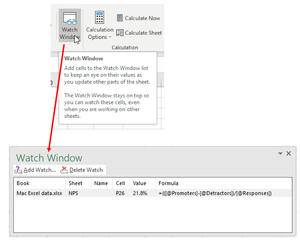
Hello Office Insiders, We're thrilled to announce that Watch Window, a feature you know and love in Excel for Windows, is now available in Excel for Mac. This has been a recurring customer request from in-product feedback, forums, and UserVoice, and we’re delighted to bring it to you! Steve Kraynak, a Program Manager on the Excel team, gives you a run down on this feature and how it works in our latest blog post. Read More> Cheers, Evan Office Insider Community Manager Become an Office Insider and gaining exclusive access to new features and help shape the future of Office. Join Now: Windows | Mac | iOS | Android605Views0likes1Comment
Recent Blog Articles
No content to show