User Profile

aarohbits
MCT
Joined 9 years ago


User Widgets
Recent Discussions
Sharing common files across departments in SharePoint Online
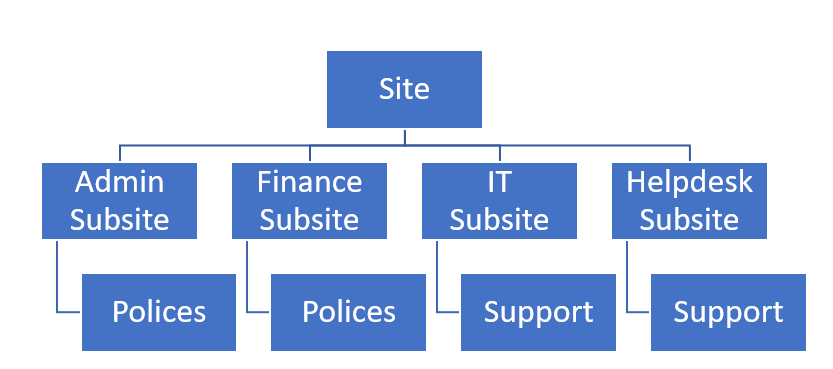
Hi All, I am working a project where want to store files for different departments such as Admin, Finance, IT, HelpDesk etc. Some files are common across by different departments such as Polices are shared by Admin, Finance and Support cases by IT and HelpDesk departments. Each department have different access rights. Used Traditional Site Architecture Tried to created document libraries for each department such as Polices, Support but it creating duplication as polices and support should be placed in one location only and defies the purpose. The departments out-rightly rejected this site structure Created Hub-Site Architecture. Created Hub Sites and joined 4 sites. This is much easier for departments and they liked the modern team sites. How can share common files and document libraries such as Polices and Support as each site has its own and separate Office 365 groups? Any suggestions will be highly appreciated.2.7KViews0likes5CommentsChecking and Promoting for double booking in SharePoint online calendar
Hi all, Looking for a solution where there are rooms to be booked in a custom list called ROOMS where all rooms information is kept. The users can book rooms via out of box SharePoint Online Calendar and book rooms. However, if the same room has been booked by different users, they should be prompted that the room is already booked and preventing double-booking in SharePoint Online Calendar. any suggestions or sample will be highly appreciated. Thanks and Regards. Aroh2.3KViews0likes3CommentsMicrosoft 365 Retention and SharePoint Online Deletion Policy
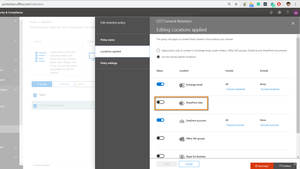
Hi All, We have defined a policy that included Exchange email, SharePoint Sites, and OneDrive sites. We noticed that a few SharePoint sites have to be deleted. We turned off the Retention for SharePoint Online sites as shown: after 15 hours after we turned off Retention for SharePoint Online sites, it's showing "This site has a compliance policy set to block retention" as shown: What should we do so that we are able to delete the SharePoint sites? Any help would be much appreciated.3.1KViews0likes9CommentsMicrosoft Teams with Microsoft 365 learning pathways
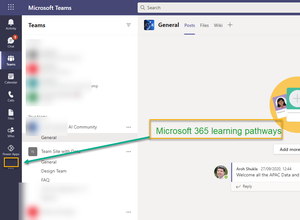
Hi all, We want to integrate Microsoft 365 learning pathways with Microsoft Teams with an custom app / website link to this Microsoft 365 learning like this Which is best way to achieve this so that our end users can get latest custom training from Microsoft? Will using Power Virtual Agents for Teams and using latest information from Microsoft Learning help? TonyRedmond ChristianBergstromSolved1.9KViews1like2CommentsSensitivity labels on file shares
Hi All, One my client has Hybrid environment and using Microsoft 365 services. We are implementing sensitivity labels using EXO, SPO and Teams. They also wanted to sensitivity labels for their on-premises shared file shares. Question: Is it possible to sensitivity labels on file shares? Any pointers would be greatly appreciated. Thanks RGijsbersRademakersSolved5.6KViews0likes4CommentsAssigning custom Teams polices for all users
Hi All, I have set up a couple of custom polices for one the clients. It includes Custom Meeting Polices Custom Live Event Polices Custom Messaging Polices Custom App Polices The Custom policies for internal users (M365 License users) and one policy for externals users (guest access). Question: Which is best way to apply custom polices for 600 internal users (M365 License users) Does assign Teams policies by group use PowerShell as batch process, New-CsBatchPolicyAssignmentOperation Please advice. TonyRedmond ChristianBergstrom jcgonzalezmartinSolved1.6KViews0likes6CommentsRe: Unable to restrict Microsoft 365 Groups In Teams
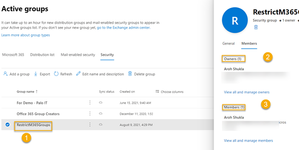
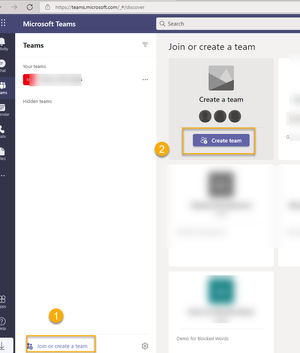
Hi TonyRedmond, adam deltinger and jcgonzalezmartin TonyRedmond I did contact MS Support and issue is resolved. Here is summary what happened: In Microsoft call, they were added a different user (Alex) to the group as a Member and Owner as well as. Removed my account (Aroh) from the RestrictM365Groups After re-running the script $GroupName = "RestrictM365Groups" $AllowGroupCreation = $False Connect-AzureAD $settingsObjectID = (Get-AzureADDirectorySetting | Where-object -Property Displayname -Value "Group.Unified" -EQ).id if(!$settingsObjectID) { $template = Get-AzureADDirectorySettingTemplate | Where-object {$_.displayname -eq "group.unified"} $settingsCopy = $template.CreateDirectorySetting() New-AzureADDirectorySetting -DirectorySetting $settingsCopy $settingsObjectID = (Get-AzureADDirectorySetting | Where-object -Property Displayname -Value "Group.Unified" -EQ).id } $settingsCopy = Get-AzureADDirectorySetting -Id $settingsObjectID $settingsCopy["EnableGroupCreation"] = $AllowGroupCreation if($GroupName) { $settingsCopy["GroupCreationAllowedGroupId"] = (Get-AzureADGroup -SearchString $GroupName).objectid } else { $settingsCopy["GroupCreationAllowedGroupId"] = $GroupName } Set-AzureADDirectorySetting -Id $settingsObjectID -DirectorySetting $settingsCopy (Get-AzureADDirectorySetting -Id $settingsObjectID).Values $Values = Get-AzureADDirectorySetting | ?{$_.DisplayName -eq "Group.Unified"} $GroupId = $Values.Values |?{$_.Name -eq "GroupCreationAllowedGroupId" } | Select -ExpandProperty Value Write-Host ("The name of the group defined by policy to control group creation is {0} and its object identifier is {1}" -f (Get-AzureADGroup -ObjectId $GroupId).DisplayName, $GroupId) Get-AzureADGroupMember -ObjectId $GroupId and waiting a moment, the settings seemed to be working correctly. The issue was, that I was owner of the group but there was no member for the RestrictM365Groups security group. After adding my name in both in Owner and Member I can create teams with my account Other users cannot create Teams The Microsoft 365 Groups settings at Azure portal has to be turned off. Thanks a lot for helping and providing your help!3.8KViews0likes3CommentsRe: Unable to restrict Microsoft 365 Groups In Teams
adam deltinger You are correct. after around 1 hour, I found that normal users, who are not RestrictM365Groups security group, in can create teams looks Groups settings is not impacting this setting Looks I am back to square one. Any advice experts?3.9KViews0likes5CommentsRe: Unable to restrict Microsoft 365 Groups In Teams
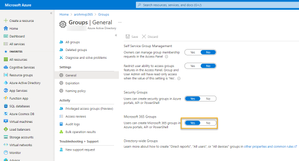
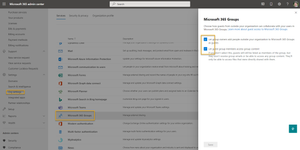
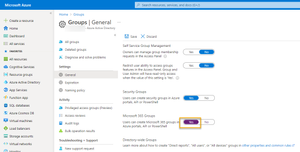
adam deltinger jcgonzalezmartin and TonyRedmond I waited for 1 day. I noticed that Microsoft 365 Groups toggled automatically to turned off. I turned it on and ran the script again. RestrictM365Groups security group has only my account and no one else. Waited for 40 mins. Using Teams App, I can create new teams And other users cannot create new Teams. Yipee!! TonyRedmond We have to turn on both Security Groups and Microsoft 365 Groups to be turned on? Is it?3.9KViews0likes7CommentsRe: Unable to restrict Microsoft 365 Groups In Teams
jcgonzalezmartin adam deltinger TonyRedmond Testing it but I cant create Teams. Steps I followed: 1) M365 groups is Enabled at the M365 Admin Center. At Azure Portal, Microsoft 365 Groups is also turned on. PowerShell has been executed with my account which has AAD P1 license Still with my account which is in RestrictedM365Group security group, I cant create Team Any suggestions please?3.9KViews0likes10CommentsRe: Unable to restrict Microsoft 365 Groups In Teams
Thanks for your reply jcgonzalezmartin Does M365 Group Restriction require AAD P1 license? I guess, its only for Naming, Blocked and Group Expiration, isn't it? TonyRedmond ..could you please advice on that? But my account does has AAD P1 license.4KViews0likes13CommentsRe: Unable to restrict Microsoft 365 Groups In Teams
Thanks adam deltinger and TonyRedmond Just to safe side, I created a new security groups called RestrictM365Groups (no spaces in the name) and added only my name in this group. TonyRedmond : I just checked, in the client’s tenant, Security Groups is turned on but Microsoft 365 Groups is turned off at Azure Portal. Question: As I have disabled Microsoft 365 Groups for entire organization, turning off Microsoft 365 Groups looks good option. Please advise if its correct. When I ran your script, it did display the RestrictM365Groups Logged in and logged out multiple times. But I still can’t create new teams after 40 mins. Any suggestions please.4KViews0likes15Comments
Recent Blog Articles
No content to show