User Profile

OldFatDog
Copper Contributor
Joined 7 years ago


User Widgets
Recent Discussions
Permanent home for a form for ongoing input?
Each time we on-board a new customer, our salespeople have to provide our operations team with the exact same contact information. We on-board 5-6 new customers a week. In the past, we've used a master spreadsheet, and the salespeople enter the required data directly into the sheet. That gets messy, as they ignore some data, or accidentally alter data in other cells on the spreadsheet. But since I discovered MS Forms (yesterday!), I was thinking a good solution might be to create a form for the salespeople to enter this data. That way they never have to access to the spreadsheet, just the form. So my question is -- How do I get them to use the form on their own, without having to ask me for the link to the form every time? The first time, I can share / email / message them the link to the form. But it will be easy for them to lose track of that link -- and then we're back to them asking me to send the link again. Is there any way I can make a "home" for the form in Office 365 or Sharepoint, so they can simply visit a page, click a link, and start filling out the form (without being able to edit the form itself)? If they can bookmark a page to get to the form, they won't have to bug me as much for the link :^) I hope that makes sense. Any suggestions?Solved2.9KViews0likes2CommentsCan you limit the people that someone can / can't contact via MS Teams?
Not a great title for the conversation, but I couldn't quite figure out a pithy way of describing this. Here's our situation. We use Microsoft Teams internally for employee communication. We also have an external network of authorized resellers of our products. We give each reseller an Outlook / Exchange account with a corporate email address. (That way, when they interact with customers, all emails are coming from our master corporate account. For branding.) Our corporate Operations and Technical Service departments would love to communicate with our resellers using Microsoft Teams. We often need to screenshare to explain how to use the internal business apps, or for tech support questions, etc. We trade a lot of emails that would be much better to manage as Teams chats instead. However -- our corporate Finance department absolutely does NOT want to communicate with our resellers through MS Teams. In fact, they don't even want to be visible to the external folks. (There are a number of good reasons for this, but I won't go into the details.) So my question -- is there any way to dictate who an external Teams user can contact via Teams? To block the resellers from contacting the folks in the Finance department, but allow them to contact the rest of the company?Solved5.2KViews0likes2CommentsRe: Doc Library Web Part displays differently at different browser zoom levels - WTF?
Andrew Hodges Just to clarify -- at no zoom (100%) -- the files do NOT display properly. That's when the list stops at 30 files, and the non-functioning scroll bar appears. The only time the files actually display as expected (showing all 39, with no scroll bars) is when the browser is at 90% zoom or lower.2.5KViews0likes2CommentsDoc Library Web Part displays differently at different browser zoom levels - WTF?
I added a Document Library web part to a Sharepoint Communication site page to display files from a sub-directory. The view limit is set to 500. There are 39 files in the sub-dir, but I couldn't get it to display more than 30. It also leaves a non-functioning right-side scroll bar, and a huge white space at the bottom. I was working on it again this morning. I got tired of scrolling so much, so I reduced the zoom on Chrome to 80%. Bang! All 39 files were suddenly visible (without any scrollbars). Zoom back out to 90% or more, and the 9 files disappear again, and the scroll bar / huge white space reappear. Here's a side-by-side screenshot at 80% and 90%: https://1drv.ms/u/s!Agl0xkxBCrv3jnH2tsFaabR_woZw?e=zUxP2K (Getting those additional files to show up is not consistent. Sometimes the screen refreshes itself after zooming out, and shows all 39; sometimes I have to force refresh the page after zooming out.) It's the same for my wife and a coworker, who were nice enough to help me troubleshoot this morning. And it is exactly the same in Microsoft Edge and Chrome. Zoom to 80%, see all files. Zoom out to 90+%, files disappear, scrollbar/white space reappears. Anybody else experience something like this?2.6KViews1like4CommentsAre Exchange (email) accounts "live" upon creation by admin, or only after first login by user?
I create new Exchange accounts (for email only) for certain external vendors. I also set them up with access to a few different internal business systems, all using their new email address as their username. Each of these internal systems sends an automated setup email to the vendor, with a temporary password. So — my (admittedly rookie) question is this.... Is their new Exchange/Outlook email account "live" and able to receive emails as soon as I create their Exchange account? Or is it only "live" after they login for the first time and change their password? I ask, because I'd like create all their internal systems accounts immediately after I create their Exchange account — but I don't want the automatic notification emails to bounce. I was hoping that those emails would be waiting in their Outlook inbox when they login for the first time... Thanks for any help!Solved937Views0likes1CommentCreating new SP communication site from existing SP document library
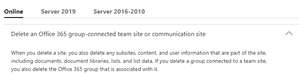
We have an existing Team Site that's built on top of a very important SP document library. The Team Site was created awhile ago on top of a pre-existing document library, and it's not what we need. We want to delete it completely, and start over again with a Communication Site. Can we delete simply delete the original Team Site and then create a new Communication Site on top of the same library — without affecting the original library in anyway? I https://support.office.com/en-us/article/delete-a-sharepoint-site-or-subsite-bc37b743-0cef-475e-9a8c-8fc4d40179fb , which seems to say that associated document libraries will go "poof" if the site is deleted. I don't know if it matters, but again, the document library pre-existed the site. It wasn't created by uploading files into the site, and building a document library that way.958Views0likes2CommentsDelegate sets my appointments but I still want to get notifications
I have a PA who is set up as a delegate on my Outlook 365 calendar. She is able to set meetings and appointments directly on my calendar with no problem. However, when she sets a meeting or appointment, I do not receive email notification or desktop notification. (I'm guessing that's because she is functioning as "me" as far as Outlook is concerned, and I do not get notifications when I set my own appointments...) That being said, however, I do want to receive notifications for appointments she sets. I travel a lot and my calendar can change on an hour-by-hour basis. Without some kind of notification, I find myself missing new appointments/meetings. Thoughts? (I did search the forums for an answer, but didn't find anything addressing this particular issue.) Thanks for any help!24KViews0likes4CommentsRe: How to change directory on Teams Channel - File tab without deleting files
Andrew Hodges That explains it. Thanks for the quick reply! I moved all the folders into the "General" directory, effectively making "General" the root directory. I realized that in this case, we don't really need another Team channel besides the "General" channel, so I deleted the new Teams channel I had created, too. I fell victim to the temptation to create "micro-channels" within a team, which I can already see is not necessarily the best way to do things. Too much fragmentation can be worse than not enough.28KViews0likes1CommentHow to change directory on Teams Channel - File tab without deleting files
I added the wrong SharePoint directory to the Files tab in a Teams channel. I wanted to add the root directory, but accidentally added a sub-directory. Now I can't find any way to change it -- either remove the sub-directory and start all over, or change the settings somehow so it points to the root directory. I don't want to delete the files from SharePoint. I just want to change which files are showing in the Files tab in the Teams channel. I added a screen shot -- hope that explains. Any suggestions? Thank you! I'm new to Teams and still stumbling around.Solved29KViews0likes3CommentsRe: Email notifications sent to myself on every comment
More than a year since the first post and still no solution (that I can find). I finally set up an Outlook rule that auto-trashes all email self-copies of my own replies on a task. Not elegant, but it works. I told the rest of my team and they immediately made the same rule in their own Outlook. I may do the same for ALL task replies. I already get banner notifications of replies, and I'm in Teams a lot anyway, so I don't think I'll be missing anything. Easy to change if needed.43KViews4likes0Comments
Recent Blog Articles
No content to show