User Profile

Philip_Demaree
Former Employee
Joined 7 years ago


User Widgets
Recent Discussions
Re: UP not working through MyQ 3rd party vendor
Naqash32 If this is Windows 11, there is an update from MyQ that addresses an issue where one of the IPP attributes is not returning a valid string. Contact MyQ to get the update. If this doesn't resolve the issue, open a support ticket with Microsoft support and include a Print-Collect and Fiddler trace of the client trying to discover and install the printer. https://learn.microsoft.com/en-us/universal-print/fundamentals/universal-print-troubleshooting-support-howto#use-printcollect-fiddler-and-upprinterinstaller699Views0likes1CommentRe: Universal Print issues with printers installed
Hi - The issue is that the printers are in a partially installed state. Go to Settings -> Bluetooth and Devices -> Devices (not Printers) and you should see the printers listed there. Remove them there and restart the system. You should now be able to re-install the printer. As for why the printers stop working in the first place, please open a Support ticket with Microsoft CSS Universal Print support team, and we can take a look. Phil17KViews0likes6CommentsRe: Can't register printers - Error 500 "Internal Server Error"
bbernicky I contacted the engineer handling your case. Please gather a browser trace of the issue and upload the .har file to the case. We will have the team take a look at why you are getting this error. https://docs.microsoft.com/en-us/universal-print/fundamentals/universal-print-troubleshooting-support-howto#running-a-browser-trace Phil3.3KViews0likes1CommentRe: Printers being mapped are set to 'letter'
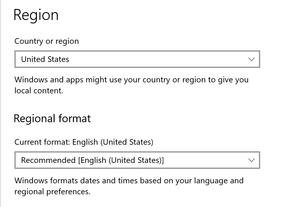
Hi Kurt - Can you try something just to confirm? If you delete the "Microsoft Print to PDF" printer, then log off and back on again, do the printers start using "A4"? that would confirm that you are hitting the issue I think you are hitting, and not something else. If you need to re-install it, use the Add Programs - Turn on Windows Features to re-add the printer.28KViews0likes1CommentRe: Printers being mapped are set to 'letter'
But what you are seeing is that the user always has "Letter" as the default size, and they have to manually change it to A4 to print correctly, correct? Let me know when you have opened a case and I will assist the engineer with the issue. Phil28KViews0likes3CommentsRe: Printers being mapped are set to 'letter'
KurtJc From what you have documented in the PDF, actually that is what I would expect, in that the Spooler runs in the System process, which would only see the System locale. UK and Belgium are both metric countries, so they would show A4 as the default, and the US would show Letter. Phil28KViews0likes4Comments- 28KViews0likes7Comments
Re: Replacing printers.csv with a newer/updated printers.csv via Intune
One more thing is whether a new client that hasn't gotten a printers.csv file is getting the new printers.csv file. If it is, then the issue may be that you are trying to update the existing package which may not be re-deployed to clients that already have it, hence the need to use a new package with the new printers.csv file.4.4KViews1like0CommentsRe: Replacing printers.csv with a newer/updated printers.csv via Intune
mistermike The sample InstallPolicy.cmd should be overwriting the existing file, provided the old package has been disabled. If both packages are still being deployed, then the last one there will win. The other thing to check is that you are using the same designation for User/Device for the target of the package, as the printer.csv file is copied to different locations. However, both versions will be merged and the printers from both will be installed. Lastly, if you set the old package to uninstall, it should remove the old printers.csv file, and then the new package should install the new printers.csv. If you uninstall, does the file get deleted, and if you then wait a few minutes and push out the new package, does the new file get installed? That will confirm that both packages are working as expected, and something else is going on, such as being blocked from overwriting the package for some reason. Phil4.4KViews0likes1CommentRe: Universal Print Connector - You don't have access..
Chris_Gilles_1337 Hi Chris - A few things to check: 1. If you applied the UP license via the Azure portal, make sure that the accounts have a "Usage location" configured. The UP license won't apply to the user account correctly if this is not set. You can also try applying the license via the M365 Admin portal. 2. Go to the Universal Print portal and try to open one of the blades (Printers, Connectors) and see if you get an error. If you do, then the UP license isn't applied to the Administrator account correctly. 3. If you are able to access the blades on the Portal, check that the following endpoints are not being blocked by your firewall on the system you are trying to install the Connector: https://login.microsoftonline.com https://aadcdn.msftauth.net *.print.microsoft.com If you are still having an issue, please open a support case via Azure\Universal Print - Preview support topic and we can assist further. Philip Demaree CSS Universal Print Customer Support Lead13KViews0likes0CommentsRe: Promocode not working
kunjalamin900 If you have an Azure subscription you can open a support ticket in the Azure AD portal by searching on Universal Print - Preview. If you don't have that option, open an Azure Identity support issue and put in the description that you need to be transferred to the Universal Print - Preview team. Phil1.9KViews1like0CommentsRe: Strange issue with Lexmark Universal printers
KurtJc If you don't have an Azure subscription then the Universal Print option will not be shown. In that case open a Azure support case and in the description specify that your case needs to be routed to the Universal Print team. You can private message me your case number and I can find it that way as well. Phil3.5KViews1like0CommentsRe: Sharing Failed
Holger Luebsen Currently, the Universal Print support options only shows up if you have an Azure AD subscription. We are working on resolving this. In the meantime you can open an Azure support case with whatever option you have, and specify that your issue needs to go to the Universal Print team. As for the sharing issue, this is a known issue and we are currently working on getting it resolved as soon as possible. I will post here when the issue is resolved. Phil1.9KViews0likes3CommentsRe: Setup of connector - Service unavailable - error 503
StATS Hi Steven - Check that the account you are using to register the Connector is a Global or Print Admin, and that it has a Universal Print license assigned to it. If you are assigning the license via the AAD portal, make sure the account has a "Usage Location" configured, as that is required for the UP license to be applied to the user. If you are still having an issue, please open a support case via the Azure portal and search for "Universal Print" and we can look at this further. Phil1.9KViews0likes0CommentsRe: Job Owner "System"
DonzaMac Based on my understanding, the issue is that Windows as an operating system still only understands Kerberos (AD) validation, so the Spooler needs to be provided the AD user account associated with the AAD account. Papercut should be able to use the AD account as this is how the legacy Windows Point and Print works. The tricky part is having your AAD/AD Hybrid environment configured correctly so that the association between the AAD account that UP uses and the AD account that Windows uses succeeds. The Dev team is currently working on how to address this moving forward in regard to a server-less environment that would be AAD-only. Part of this is that the printers themselves need to be able to connect to AAD as AAD-joined devices. The Connector is part of the transition to allow legacy printers to communicate with Universal Print. Phil7.5KViews1like6Comments
Recent Blog Articles
No content to show