User Profile

Ashton267
Copper Contributor
Joined 7 years ago


User Widgets
Recent Discussions
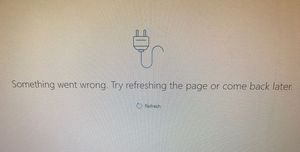
Re: People right pane(contact details), Not Displaying, "Try refreshing the page or come back later".
The Contacts features are once again fully operational. We contacted MS 365 support and the problem was something on their side. The representative stated: "Unfortunately I am unable to tell you what the cause is, if I have to guess is either something with the mailbox or the fact we deleted and re-imported the contacts. Also looking at previous cases with this issue running the diagnostics on our end fixed the problem. In your case is possible that when I completed the diagnostics it took 48 hours for the propagation to be completed. If this happens in the future again you will have to call us so that we can run diagnostics on the mailbox."816Views0likes0CommentsPeople right pane(contact details), Not Displaying, "Try refreshing the page or come back later".
What would suddenly cause this for a MS 365 Business Basic account user of the Outlook web app? We have cleared the Edge browser cache, restarted Edge. Also tested with the Opera browser, same results. Different Win 10 Pro PCs, same results. Its seems to be something to do with the account. They do display using a Outlook 2019 desktop app. The contacts are visible for other 365 account users for our company. This user works from her home and depends on the Outlook web app to fully operate. Any advice greatly appreciated.910Views1like1CommentDeleted folders Reappear in MS 365 Bus Basic Outlook
Simple straightforward features features is all we ask for. If a feature wasn't designed to work or be what it appears to be to users, give users a dialog that warns of the issue or limitation. How can unwanted folders be permanently deleted from Of365's web-based Outlook, and be permanently removed from connected devices using the same account of course?? The deleted folder goes into the Deleted Items folder, and I have even deleted it from the Deleted Items folder, but it reappears. This is crazy.1.3KViews0likes3CommentsRe: Certain domain email accounts accessed outside of Office 365, simplest method?
I will have to research this to a greater degree. These lines in the above link leaves a few unanswered questions. "Now that the domain type has been changed we need a Send Connector to tell Exchange where to send the emails that do not have a local recipient. [PS] C:\>New-SendConnector -Name "Internal Relay" -Custom -AddressSpaces mycompany.local -SmartHosts 10.8.0.25 -SourceTransportServers ex2007.mycompany.local Identity AddressSpaces Enabled -------- ------------- ------- Internal Relay {smtp:mycompany.local;1} True [PS] C:\>New-SendConnector -Name "Internal Relay" -Custom -AddressSpaces mycmpany.local -SmartHosts 10.8.0.25 -SourceTransportServers ex2007.mycompany.local Identity AddressSpaces Enabled -------- ------------- ------- Internal Relay {smtp:mycompany.local;1} True In that example the IP address of the other email system is 10.8.0.25, and the Hub Transport server to use to send the emails is ex2007.mycompany.local."1.2KViews0likes0CommentsRe: Certain domain email accounts accessed outside of Office 365, simplest method?
Thanks Mark HidMov In the two situations I'm working with, the original email is on a mail server provided by a web hosting company. It is not MS Exchange. The DNS servers listed with the Registrar point to the hosting company's DNS servers. In my own case I have moved already to Off 365 Bus Ess, and I would like a few email addresses outside of O365.1.3KViews0likes3CommentsCertain domain email accounts accessed outside of Office 365, simplest method?
Can someone suggest the simplest method of having certain domain email accounts outside of Office 365? So user8@ domain.com for example could get their email without an Office 365 account, while user1 and user2 would be using an Office 365 account with the same domain setup in Office 365. Would this be a pilot scenario which involves forwarding?1.3KViews0likes5Comments
Recent Blog Articles
No content to show