User Profile

Jonathan_Ogden
Copper Contributor
Joined 7 years ago


User Widgets
Recent Discussions
Re: Powershell Script to list ALL videos in your 365 Stream environment by user and change owner
Hi, Om Joshi The listing all Videos with "Creator" user has been scripted, https://techcommunity.microsoft.com/t5/microsoft-stream-forum/powershell-script-to-list-all-videos-in-your-365-stream/m-p/2159049/highlight/false#M6879 However, to change the owner to a different owner, would need to be done one at a time by opening each video. And, then removing the old owner and adding the new owner.Re: Powershell Script to list ALL videos in your 365 Stream environment
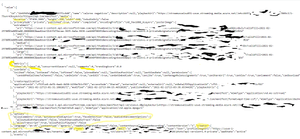
abrarali Here is the URL I use for Western US. different regions have different datacenters, so you need to update the first part of the URL, the uswe-1 https://uswe-1.api.microsoftstream.com/api/videos?NoSignUpCheck=1&$top=100&$orderby=publishedDate%20desc&$expand=creator,events&$filter=published%20and%20(state%20eq%20%27Completed%27%20or%20contentSource%20eq%20%27livestream%27)&adminmode=true&api-version=1.4-private&$skip=0 Sorry for the mess, I just wanted to remove any ID's and user info. Here is the output from the browser. I had to copy and paste this into a txt file, then change the .txt to .jsonRe: Microsoft Stream - Video Content Management
Hi, Digital_MacGyver until MS implements their Stream Roadmap: https://techcommunity.microsoft.com/t5/microsoft-stream-blog/a-new-vision-for-microsoft-stream/ba-p/1686304 We came across many of the same problems in your post. We can "sort, organize, search, filter." the Stream video content. But, it takes some work and effort. I just updated another post with these same issues. We (the techcommunity) now have PowerShell code that can be used to pull all of the videos in Stream with all of the fields and metadata. https://techcommunity.microsoft.com/t5/microsoft-stream-forum/powershell-script-to-list-all-videos-in-your-365-stream/m-p/1752149 We are a global company and with the 2020 lock-down our Stream data has exploded. Just this last weekend I was able to pull a complete list of all our videos with the metadata necessary to start deleting and cleaning up our Stream service. We still have no way to bulk delete videos. We have a ticket with MS looking at this problem. Otherwise, I will need to delete 5000+ videos one-by-one. Good times ahead... Jonathan OgdenRe: Powershell Script to list ALL videos in your 365 Stream environment
First of all HUGE THANK YOU for this script Dorje-McKinnon Running your code that generates the URLs, I found we have 10,400+ videos in Stream. I knew we were over 1.3 TB of space, but I couldn't find a way in the MS Stream Admin pages to understand the size and scope of the problem. We are a global company and with everyone in lock-down for a year, this got out of hand in a hurry. I also wanted to share some of the additional '$datum' I've added and found useful $datum | Add-Member -MemberType NoteProperty -Name VideoDuration -Value $myVideo.media.duration $datum | Add-Member -MemberType NoteProperty -Name VideoHeight -Value $myVideo.media.height $datum | Add-Member -MemberType NoteProperty -Name VideoWidth -Value $myVideo.media.width $datum | Add-Member -MemberType NoteProperty -Name VideoIsAudioOnly -Value $myVideo.media.isAudioOnly $datum | Add-Member -MemberType NoteProperty -Name VideoContentType -Value $myVideo.contentType these return values like the following VideoDuration VideoHeight VideoWidth VideoIsAudioOnly PT28M10.25S 360 640 FALSE PT1H55M13.6S 360 640 FALSE PT56M19.6S 360 640 FALSE PT28M14.144S 1080 1920 FALSE PT1H10M34.56S 1080 1920 FALSE Video Duration is going to be a bit tricky to parse out in Excel. And the VideoIsAudioOnly is returning FALSE on all videos so far, so I will leave that one out. But again GREAT code here Dorje Thank you, Jonathan Ogden
Recent Blog Articles
No content to show