User Profile

RonDamon
Brass Contributor
Joined 7 years ago


User Widgets
Recent Discussions
Re: Dev channel update to 80.0.328.4 is live
josh_bodner josh_bodner wrote: Sometimes the browser will appear to not respond to any user input (clicking or scrolling in webpages doesn’t do anything, hovering over UI doesn’t make it change), but clicking on certain buttons still works (like the … menu). The cause of this is due to an error in the GPU process, and opening the browser task manager (right-click near the window minimize/maximize/close buttons or hit shift+esc on the keyboard) will open a window that will allow you to end the GPU process, which will fix the issue. Thanks for acknowledging this problem. This is happening for me since 4 or 5 builds ago. Before that this never happened.17KViews1like0CommentsRe: Top feedback summary for November 4
David Rubino hardware acceleration is still bugged here. I don't know how to explain it well, but it's like the window "freezes", but only visually, the audio and when you moves your mouse cursor looks like it still fine, but the visual part is stuck. And if I resize the windows, everything turns black. Audio and mouse works as if it was fine, but it's not. My GPU drivers and such are updated and Windows too. This started 3 or 4 builds ago. This stop happening if I turn hardware acceleration off. This doesn't happen with other Chromium-powered browsers. I'm using a 1080 TI and 8700K OC.2.6KViews0likes0CommentsRe: Dev channel update to 79.0.308.1 is live
josh_bodner this is still happening. Edit: same problem from this guy Wundertuete @ -https://techcommunity.microsoft.com/t5/Discussions/Dev-channel-update-to-79-0-301-2-is-live/m-p/916769/highlight/true#M14148 Happening since 79.0.301.2.19KViews1like0CommentsRe: Dev channel update to 79.0.301.2 is live
vctgomes besides the crashing problem, I'm having another related problem: the browser just freezes with the current tab, but I can't acess other tabs and when I move the mouse pointer it's like I'm navigating tabs and the webpage but the actual view of it it's frozen when it stopped. Quite bizarre. Also, if I resize the windows, it turns black. I can still click and see context menus and alt menus but it's black. Edit: an example -2.9KViews0likes3CommentsRe: Dev channel update to 79.0.301.2 is live
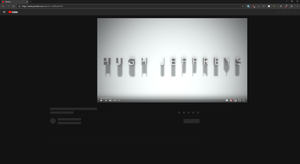
josh_bodner It's just here but Youtube isn't loading properly? Only the video shows and I can't maximize it or see comments or other content of the webpage. Also, not even the title of the video appears in the tab, only "YouTube". I disabled Adblocks and other extensions as well, the problem persists. I'll have to redownload the browser? 😕 Edit: I downloaded another version of the browser, the Beta, and the problem persists. So it's either a Youtube problem or an ISP problem? Edit 2: yeah, it's youtube: https://downdetector.com/status/youtube/ hahahah3.4KViews0likes0CommentsRe: Dev channel update to 76.0.152.0 is live
Spaldo wrote: David Rubino can you consider two things in relation to the quick links on the new tab page. 1) Allow the name to be renamed. Right click? 2) That when you press add, that you allow favorites to be added so you don't have to manually enter the URL. Thanks Another great feature would be making it possible to add more than one line of sites/tiles.11KViews1like0CommentsRe: Dev channel update to 76.0.152.0 is live
David Rubino Nice. I hope we get more customization with the new tab tiles, like change favicons/images and adding more than one line of sites. And what this means? "Downloads, Extensions, Favorites, History, and Settings all have refreshed colors and layout." I don't see any difference.26KViews11likes1Comment
Recent Blog Articles
No content to show