User Profile

DeepakRandhawa
Iron Contributor
Joined 7 years ago


User Widgets
Recent Discussions
Re: Authentication-Results-Original email header
Authentication-Results-Original are from previous mail server. Authentication-Results are results of last receiving servers' email auth checks. You can paste email header into dmarctester.com and find the status of SPF,DKIM and DMARC. MXToolBox Message Analyzer has a known issue where it usually fails DKIM.8KViews0likes0CommentsRe: Difference between Usermailbox vs Office365 mailbox - Exchange Hybrid
You need to create user in local AD, there is no way of syncing a user from O365 to on-premises, it only supports syncing of very few user attributes. Once you have created user in local AD, run Enable-RemoteMailbox SamAccountName -RemoteRoutingAddress User@domain.com This creates a remote mailbox, now after one sync cycle of AAD Connect, assign the license to user in O365. Now you have both, a user mailbox in O365 and a remote mailbox in you local exchange.22KViews0likes0CommentsRe: AADconnect with Exchange server but without Hybrid Config - Managing users
Hey LIT-RS Yes, this need to be run for each mailbox. Yes, this is to see existing O365 mailboxes in on-premises ECP. Not sure what you read about Set-MailUser, I think it is irrelevant in this context. You can follow the same process that you have been following till now to create new mailboxes and then run this command for each new mailbox that you create. Deepak2.3KViews1like1CommentRe: AADconnect with Exchange server but without Hybrid Config - Managing users
Hey LIT-RS, You should be able to use below cmdlet :- Enable-RemoteMailbox samaccountname -Remoteroutingaddress mailto:alias@domain.com This should allow you to see the mailbox in on-prem console as a Remote Mailbox. Hybrid is not required to run this cmdlet. I'd recommend to test this with a test user first. Deepak2.3KViews1like3CommentsRe: Help....TAsk scheduler asking for credentials
Hello vaibhavkaulkar, Here's a step by step process:- - First Open Powershell and use below cmdlet to generate an XML file with credentials:- Get-Credential | Export-Clixml -Path "C:\Users\UserName\Desktop\Data\Cred.xml When you will use this you will be prompted to enter your credentials, just enter your credentials in the pop up box that appears, once you do you will be able to see an XML file at the location provided in the above cmdlet in the -path parameter. If you open the XML you will see that it contains your username in plain text and your password in encrypted text. Please remember to generate the XML file with same User profile on the same Computer where you will be using them as credentials are encrypted using the Windows Data Protection API and can only be used by user who generated them and on the computer on which they were generated. - Second step is to start you SP script with below cmdlets :- Start-Transcript Import-Module Microsoft.Online.SharePoint.Powershell -DisableNameChecking Import-Module ExchangeOnlineManagement $Cred = (Import-Clixml "C:\Users\UserName\Desktop\Data\Cred.xml") $AdminCenterURL = "https://xyz-admin.sharepoint.com/" Connect-SPOService -Url $AdminURL -Credential $Cred Connect-IPPSSession -Credential $Cred #create temp folder if it does not exist $ReportOutput="C:\Temp\pvtSiteColl.csv" #Get All site collections ........ Thanks2.5KViews0likes1CommentRe: Help....TAsk scheduler asking for credentials
Hello vaibhavkaulkar Have you tried storing creds in an xml first, it is generally not a good idea to expose creds in the script. If you want to try this, you can do below:- -First store creds in an xml file Get-Credential | Export-Clixml -Path "C:\Users\UserName\Desktop\Data\Cred.xml" -Then Call them to connect your SP session $Cred = (Import-Clixml "C:\Users\UserName\Desktop\Data\Cred.xml") Connect-SPOService -Url $AdminURL -Credential $Cred Hope this helps !!!2.6KViews0likes3CommentsRe: Foreach Loop not working
Hey Charlie4872, Seems like you are not using $computer variable, so every time it runs the command it runs for your local computer only. Have you tried using Invoke-Command with -scriptblock. In your case it will be something like below:- $computers = get-content "C:\scripts\Bitlocker\computers.txt" foreach ($computer in $computers) { Invoke-Command -ComputerName $computer -ScriptBlock {Enable-Bitlocker -MountPoint c: -UsedSpaceOnly -SkipHardwareTest -RecoveryPasswordProtector } Invoke-Command -ComputerName $computer -ScriptBlock {$RecoveryKeyGUID = (Get-BitLockerVolume -MountPoint $env:SystemDrive).keyprotector | where {$_.Keyprotectortype -eq 'RecoveryPassword'} | Select-Object -ExpandProperty KeyProtectorID |manage-bde.exe -protectors $env:SystemDrive -adbackup -id $RecoveryKeyGUID}} Assuming that you are running 2 different cmdlets. Thanks2.9KViews1like1CommentRe: Migrate Mailbox 2010 to office 365 while coexistence
Hello Ichwanzo, If you haven't already deployed exchange 2016, it is better to set up hybrid with Exchange 2010 and then migrate your mailboxes to O365. Once you are done you can remove hybrid form Exchange 2010 and install Exchange 2016. However if you already have Exchange 2016 in your environment and have already setup Hybrid with 2016, you can try to migrate the mailboxes that exists on 2010 to O365 and if you are unable to migrate then you might need to move them to 2016 first. Thanks1.2KViews0likes0CommentsRe: outlook 2010 and 2013 continually asks for password in hybrid environment
pazzoide76 Try disabling modern authentication in cloud :- Set-OrganizationConfig -OAuth2ClientProfileEnabled $False Give it couple of hours or so, as it is a tenant wide setting it takes time to replicate. Also Consider upgrading outlook clients as MS has it on its agenda to disable basic authentication in office 365.9KViews1like1CommentRe: outlook 2010 and 2013 continually asks for password in hybrid environment
Hello pazzoide76 The registry entry article I shared was specifically for Outlook 2013 and not for Outlook 2010, hope you have tested on a Outlook 2013 machine. Run below command for your tenant and check the status of OAuth :- Get-OrganizationConfig | Format-Table Name,OAuth* -Auto9KViews0likes3CommentsRe: outlook 2010 and 2013 continually asks for password in hybrid environment
Can you try this for Outlook 2013, create below registry key Registry key HKCU\SOFTWARE\Microsoft\Office\15.0\Common\Identity\EnableADAL Type REG_DWORD Value 1 let me know if this works. Ref Article:- https://docs.microsoft.com/en-us/microsoft-365/admin/security-and-compliance/enable-modern-authentication?view=o365-worldwide9.1KViews0likes5CommentsRe: outlook 2010 and 2013 continually asks for password in hybrid environment
Hello pazzoide76, Outlook 2016 has an extra step in Autodiscover process, to look for an O365 mailbox :- https://support.microsoft.com/en-in/help/3211279/outlook-2016-implementation-of-autodiscover Outlook 2010 and 2013 does not have these hardcoded into them. Older versions of Outlook 2010, i believe older than SP2 does not support O365 completely because of the unsupported authentication mechanism. You can check if the migrated mailbox has a valid Remote Routing Address or Target Address. Your Autodiscover configuration is correct for now you do need to point it to your on premises, and attributes like remote routing address should be able to route your AutoD request to O365.9.1KViews0likes9CommentsRe: Exchange 2016 full hybrid and email address policy question
You are correct, for mailboxes where automatically update email addresses based on the email address policy applied to this recipient is not selected, the suffix domain.mail.onmicrosoft.com needs to be added for mailflow and Autodiscover to work correctly. Also while migrating such mailboxes that does not have domain.mail.onmicrosoft.com suffix you will receive errors similar to the ones mentioned in below article:- https://docs.microsoft.com/en-us/exchange/troubleshoot/mailbox-migration/no-smtp-proxy-matching8.3KViews2likes1CommentRe: Exchange 2016 full hybrid and email address policy question
The purpose of adding domain.mail.onmicrosoft.com is that mailboxes after being migrated to O365 are still able to receive emails from on-premises and for Autodiscover. You don't need to add domain.mail.onmicrosoft.com alias to DLs and contacts, because DLs and contatcs will be synced to O365 using AAD Connect and for their mailflow to work, DLs on on-premises will be expanded on on-premises. Since contacts already have an external email address they don't need domain.mail.onmicrosoft.com alias.8.5KViews0likes3CommentsRe: Microsoft 365 ohne Exchange
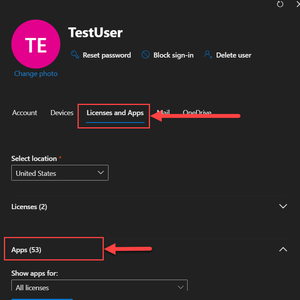
FlorianKurrle Yes you can do that too, however letting AAD Connect sync your users to O365 is the best option. To not assign a mailbox to a user ,when assigning license to them, remember to uncheck the Exchange Online ( Plan 1 or Plan 2 depending upon your license ) under Apps.3.9KViews1like1CommentRe: Microsoft 365 ohne Exchange
If you set up AAD Connect correctly, O365 will not create mailboxes in O365. Please find below URLs for AAD Connect prerequisites and setup process:- https://docs.microsoft.com/en-us/azure/active-directory/hybrid/how-to-connect-install-prerequisites https://docs.microsoft.com/en-us/azure/active-directory/hybrid/how-to-connect-install-express3.9KViews1like3CommentsRe: Office365 subdomains
Once you add and verify test.dom.com, you can add sub.test.dom.com. During the domain add process you will be provided with DNS records that you need for mailflow, you just need to add those to your public DNS. Azure AD can manage your domains correctly as long as you set them up correctly and add the required DNS records correctly.1.8KViews0likes0CommentsRe: Office365 subdomains
You just need to verify domain test.dom.com in O365, once you do you can add multiple subdomains. So if you have already verified test.dom.com in O365 you can add sub.test.dom.com from 'Domains' option under 'Settings' in Admin Portal and no additional verification or TXT record is required to prove ownership of this subdomain. However you still need to add MX and other records for mailflow and autodiscover to work correctly for this subdomain.1.8KViews0likes2Comments
Recent Blog Articles
No content to show