User Profile

visa1901
Copper Contributor
Joined 7 years ago


User Widgets
Recent Discussions
Re: 18362 Upgrade failed due to 17763 Microsoft XPS and PDF drivers?
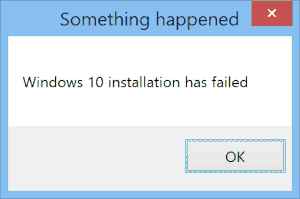
Inari Okami Did you successfully installed 18362 after deleted compatscancache.dat? I removed those printer drivers using Control Panel > Turn Windows features on or off. The log don't have anymore driver block the migration, but still get "Your PC has hardware that isn't ready for this version of Windows 10 ". Before I tried 18362 uupdump converted iso, I tried the official insider ISO aka.ms/WIPISO build 18343, and my PC passed the compatibility check in 18343, installation run to 87% then failed. setuperr.log was pretty mess. I believe is said Error CONX 0xd0000034 Failed to add user mode driver [%SystemRoot%\system32\DRIVERS\UMDF\uicciso.dll]34KViews0likes2Comments18362 Upgrade failed due to 17763 Microsoft XPS and PDF drivers?
My Release Preview Ring 1809 (17763.404) computer can't upgrade using Windows Update directly, every time it run 100% and told me restart to install 19H1, never jumped into install screen, and the 10GB migration \$WINDOWS.~BT\ just disappeared, then the Windows Update just start over again, to break the loop I tried to install it on uupdump ISO. After checking comparability ("Make sure you are ready to install") it says: This PC can't be upgraded to Windows 10. Your PC has hardware that isn't ready for this version of Windows 10. No action is needed. Windows Update will offer this version of Windows 10 automatically once the issue has been resolved. In $WINDOWS.~BT\Sources\Panther\CompatData.xml it says: <DriverPackages> <DriverPackage HasSignedBinaries="True" BlockMigration="False" Inf="oem20.inf"/> <DriverPackage HasSignedBinaries="True" BlockMigration="False" Inf="oem59.inf"/> <DriverPackage HasSignedBinaries="True" BlockMigration="False" Inf="oem71.inf"/> <DriverPackage HasSignedBinaries="True" BlockMigration="False" Inf="oem87.inf"/> <DriverPackage HasSignedBinaries="True" BlockMigration="False" Inf="oem44.inf"/> <DriverPackage HasSignedBinaries="True" BlockMigration="False" Inf="oem42.inf"/> <DriverPackage HasSignedBinaries="True" BlockMigration="False" Inf="oem16.inf"/> <DriverPackage HasSignedBinaries="True" BlockMigration="False" Inf="oem124.inf"/> <DriverPackage HasSignedBinaries="True" BlockMigration="False" Inf="oem24.inf"/> <DriverPackage HasSignedBinaries="True" BlockMigration="False" Inf="oem70.inf"/> <DriverPackage HasSignedBinaries="True" BlockMigration="False" Inf="oem116.inf"/> <DriverPackage HasSignedBinaries="True" BlockMigration="False" Inf="oem19.inf"/> <DriverPackage HasSignedBinaries="True" BlockMigration="False" Inf="oem77.inf"/> <DriverPackage HasSignedBinaries="True" BlockMigration="False" Inf="oem102.inf"/> <DriverPackage HasSignedBinaries="True" BlockMigration="False" Inf="oem64.inf"/> <DriverPackage HasSignedBinaries="True" BlockMigration="False" Inf="oem106.inf"/> <DriverPackage HasSignedBinaries="True" BlockMigration="False" Inf="oem34.inf"/> <DriverPackage HasSignedBinaries="True" BlockMigration="False" Inf="oem6.inf"/> <DriverPackage HasSignedBinaries="False" BlockMigration="True" Inf="oem93.inf"/> <DriverPackage HasSignedBinaries="False" BlockMigration="True" Inf="oem92.inf"/> <DriverPackage HasSignedBinaries="True" BlockMigration="False" Inf="oem39.inf"/> <DriverPackage HasSignedBinaries="True" BlockMigration="False" Inf="oem2.inf"/> So the drivers blocking Upgrade are C:\Windows\INF\oem92.inf and oem93.inf Microsoft Print To PDF C:\Windows\System32\DriverStore\FileRepository\prnms009.inf_amd64_80184dcbef6775bc (ver.20180915) Microsoft XPS Document Writer C:\Windows\System32\DriverStore\FileRepository\prnms001.inf_amd64_f340cb58fcd23202 (ver.20180915) I can't update those printer drivers which Windows Update already got those 18362 new drivers C:\Windows\SoftwareDistribution\Download\3847f82412c0d2e352b774ced8c14c9b\amd64_Microsoft-Windows-Client-Desktop-Required-Package~~amd64~~10.0.18362.1\amd64_microsoft-windows-p..g-xpsdocumentwriter_31bf3856ad364e35_10.0.18362.1_none_f5360ee5e03eb891 (ver.20190301) C:\Windows\SoftwareDistribution\Download\3847f82412c0d2e352b774ced8c14c9b\amd64_Microsoft-Windows-Client-Desktop-Required-Package~~amd64~~10.0.18362.1\amd64_microsoft-windows-printing-printtopdf_31bf3856ad364e35_10.0.18362.1_none_548d6537c3c46736 (ver.20190301) I've tried delete those printers but still can't pass comparability check, since those drivers are still in C:\Windows\ after uninstall printers.Solved35KViews1like10Comments
Recent Blog Articles
No content to show