User Profile

vineydhiman
Iron Contributor
Joined 7 years ago


User Widgets
Recent Discussions
Edge Password Manager is not saving password
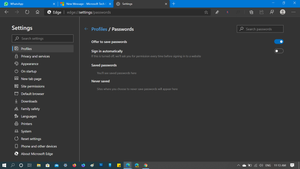
Update 23/10/2020 - After updating to Edge v86 users are reported about the same issue. Microsoft has suggested temporary solution to fix the issue. You need to visit "edge://settings/clearBrowsingDataOnClose" on this page and make sure, Hosted app data option is not turned on. This will make sure that you stay logged in everytime you close the browser. Is weird that from last one week Im saving password for some of the website which I visit frequently and everytime I login my computer and try to access them. Its totally blank. The worst part is that I have lost all the password stored in the password manager. All my earlier password are gone and I have to reset site password to access them. Check Password Manager its totally blank: Reference - https://geekermag.com/microsoft-edge-not-remembering-websites-logins/4.9KViews1like3CommentsRe: How do I change my news feed settings, or turn off my news feed on Android Tablet?
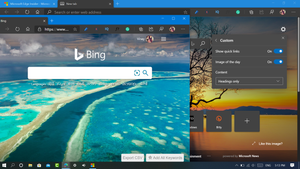
I'm using Microsoft Edge for Android v45.09.4.5078. Unfortunately, I'm only seeing "Select region and language" option in New Tab Page setting. So the option you're refering is outdated. In case, to hide news feed from Microsoft Edge for Android, the ways is to hide Feed from New Tab Page. Intereseted users can acheive this thing by doing this: 1. Launch Microsoft Edge. 2. Tap Customize icon available on the upper right corner. 3. From menu, tab Custom 4. Turn of Show feeds. Doing this will hide Feeds and Personalize section from the New Tab Page and so do that News. Reference: https://geekermag.com/remove-news-feeds-in-edge/159KViews0likes2CommentsRe: Introducing web capture for Microsoft Edge
Quick suggestion, there should option to upload screenshot to cloud or image host service. 1.Take screenshot 2.Upload it online (For example dropbox) 3.Share the link with friend Like imgur Suggestion second, gif creation and screen recording tool so that we dont have to take help of third party programs.271KViews2likes2CommentsRe: Uninstall Button for Edge Chromium is greyed out. Is it intentional?
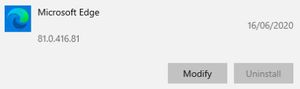
Thanks for sharing the links, but I know about this method and I was first English source to cover this workaround (https://geekermag.com/uninstall-microsoft-edge-if-uninstall-button-is-greyed-out/) after deskmodder shared this workaround originally 🙂15KViews0likes0CommentsRe: Uninstall Button for Edge Chromium is greyed out. Is it intentional?
Thanks for the update, if user receive Edge Chromium via Windows Update it is possible to bring back the Edge Legacy? Because the earlier method which Microsoft provided is not working https://docs.microsoft.com/en-us/deployedge/microsoft-edge-sysupdate-access-old-edge15KViews0likes0Comments
Recent Blog Articles
No content to show