User Profile

VonCrisp
Iron Contributor
Joined 7 years ago


User Widgets
Recent Discussions
Re: PDF scrolling takes long to render new part. They are left blank and then updated.
ZZYSonny Am actually not too certain that this can be fixed by MS. It is just the way the browser renders webpages not as a whole bur rather in bits. EdgeHTML used to render the whole webpage/pdf as a single image. This is a very rudimentary way of explaining it but that was one of the major advantages of the MS approach.2KViews1like0CommentsRe: Edge Chromium Video Acceleration Is Not As Good As EdgeHTML and Internet Explorer 11
Hopefully someone from the dev team is working on getting the rendering /decode on par with EdgeHTML. On “high end” systems these performance issues are hardly noticeable. On low end systems it basically is a night and day difference. The performance benefits would translate well across the board and make the browser more snappy.12KViews0likes2CommentsRe: Edge Chromium Video Acceleration Is Not As Good As EdgeHTML and Internet Explorer 11
382iou Honestly the whole hardware acceleration of Chrome/Chromium has been a bit of a mess for me and like you stated is totally tangled up and generally feels much slower than EdgeHTML. Essentially this is why I always referred back to EdgeHTML on slower hardware. Have there been any updates concerning this acceleration situation? Do you know if MS is looking at this?16KViews0likes1CommentEdgeChromium Video Acceleration not properly utilised compared to EdgeHTML -iGPU Intel HD 3000
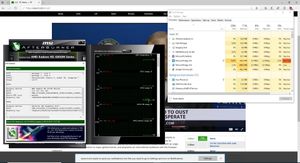
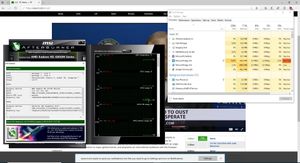
Reposting since last thread was mistakenly swept up by forum filter. Version 76.0.146.0 (Official build) canary (64-bit) Specs: iGPU: Intel HD 3000, dGPU: ATI 6850m Issue: Livestream playback is not as smooth and lags behind EdgeHTML by 4 seconds when compared side by side between EdgeChromium and EdgeHTML. Background: A general issue on Chromium exists concerning accelerated video on switchable graphics devices causing an internal blacklist to be employed for these systems resulting in the blocking of video hardware acceleration for the iGPU and instead utilising software rendering. dGPU is not used at all. This being not optimal itself. Hence for this test the blacklist resulting in software rendering in EdgeChromium was disabled (#ignore-gpu-denylist was set to Enabled under ://flags) to enable Hardware Accelerated Video decode on the iGPU. All other flags relating to acceleration were unaltered. The situation revolves around the iGPU not being utilised as well on EdgeChromium compared to EdgeHTML. It is questionable if video decode is really being utilised at all with the blacklist disabled. A Live Stream was started at the same time and compared side by side. MSI Afterburner/ Sysinternal Process Explorer were used to see the utilisation of the iGPU (noted as GPU2 on afterburner) between EdgeHTML and EdgeChromium. EdgeHTML utilises the iGPU at 14%-20% EdgeChromium hovers around 8-9% (blacklist disabled - supposed hardware video acceleration) EdgeChromium hovers around 8-10% (blacklist enabled/software rendering- default setting) ed Playback on EdgeHTML is smoother/faster at the moment for this older device. Better utilisation of the iGPU in EdgeChromium would be very welcome. Attached are 2 ://gpu reports. One with with #ignore-gpu-denylist set to disabled (default EdgeChromium setting) that shows that Video Decode is Unavailable / Disabled Features: accelerated_video_decode The other html report showing the GPU state with the software rendering blacklist disabled746Views0likes1CommentEdge Chromium Video Acceleration Is Not As Good As EdgeHTML -iGPU switchable graphics
Version 76.0.146.0 (Official build) canary (64-bit) Specs: iGPU: Intel HD 3000, dGPU: ATI 6850m Issue: Livestream playback is not as smooth and lags behind EdgeHTML by 4 seconds when compared side by side between EdgeChromium and EdgeHTML. Background: A general issue on Chromium exists concerning accelerated video on switchable graphics devices causing a blacklist to be employed for these systems resulting in the blocking of video hardware acceleration for the iGPU and instead utilising software rendering. dGPU is not used at all. This being not optimal itself. Hence for this test the blacklist resulting in software rendering in EdgeChromium was disabled (#ignore-gpu-denylist was set to Enabled under ://flags) to enable Hardware Accelerated Video decode on the iGPU. All other flags relating to acceleration were unaltered. The situation revolves around the iGPU not being utilised as well on EdgeChromium compared to EdgeHTML. A Live Stream was started at the same time and compared side by side. MSI Afterburner/ Sysinternal Process Explorer were used to see the utilisation of the iGPU (noted as GPU2 on afterburner) between EdgeHTML and EdgeChromium. EdgeHTML utilises the iGPU at 14%-20% EdgeChromium hovers around 8-9% (blacklist disabled) EdgeChromium hovers around 8-10% (blacklist enabled - default setting) Playback on EdgeHTML is smoother/faster at the moment for this older device. Better utilisation of the iGPU in EdgeChromium would be very welcome. Attached are 2 ://gpu reports. One with with #ignore-gpu-denylist set to disabled (default EdgeChromium setting) that shows that Video Decode is Unavailable / Disabled Features: accelerated_video_decode The other html report showing the GPU state with the software rendering blacklist disabled1.7KViews1like1CommentRe: Edge Chromium Video Acceleration Is Not As Good As EdgeHTML and Internet Explorer 11
382iou Well done on the write up! For me the Video Acceleration performance is also no where near as fluid / not working properly compared to EdgeHTML. The performance difference is quite serious and might not be evident on higher end dev machines so it might be of benefit if a guru at the MS performance team kindly manages to compare EdgeHTML with EdgeChromium on lower tier and switchable laptop devices. For me it even seems like EdgeChromium is falling back to software video decoding. (no matter the flag settings). Chrome behaves the same way for me and I hope MS will be able to get around to improving the acceleration aspects in the future. They did mention working on ANGLE in one of the blog posts. Laptop (iGPU: Intel HD 3000, dGPU: ATI 6xxx m) dGPU doesn't get used at all and iGPU doesn't seem to be accelerating video and the general feel is slow. EdgeChromium also feels rather sluggish on the Surface 5 Pro i5 compared to EdgeHTML.16KViews1like3CommentsRe: Add the epub reader from EdgeUWP to Edge Chromium.
Nothing quicker than the EdgeHTML render for PDF files. Don't think that EdgeChromium will ever match the speed. MS pulled the PDF reader UWP application from the Windows Store prior to integrating PDF view into EdgeHTML. Maybe they can rerelease the previous PDF reader that they had on the Windows Store.14KViews8likes0CommentsRe: Battery and graphic performance
Am curious on what kind of specs you have? For me personally Chrome / EdgeChromium doesn't have working hw accelerated video (Intel HD 3000) and I tend to use EdgeHTML for streaming because it is much more fluid. Haven't tested the browser on a Surface Pro 5 yet but I mainly stick to EdgeHTML for surfing. "In one test that is a multi-layer map, EdgeHTML renders all the layers instantly at once, and with EdgeChromium/Chrome the layers paint in, with transparent images in upper layers requiring an additional redraw each layer beneath it. Then when scrolling the map, EdgeHTML is instant and the map looks like a single image, where in EdgeChromium/Chrome the layers redraw with each shift." "As a colleague referenced, Chromium uses a document/display model, where IE9-EdgeHTML use a compile/execute model, and the feel is very different, with Chromium feeling more like IE8 than the last 10 years of IE. (Sadly)" From what I understand EdgeHTML/Spartan renders pages in a much more efficient manner whilst also having a lighter footprint and better optimised hardware acceleration. This is really noticable on older hardware. Sincerely hope that the Edge dev team manages to make improvements to the hardware acceleration and rendering of sites/pdf docs.4.5KViews3likes1CommentRe: Chromium GPU blacklist prevents accelerated Video
isuru-c-p Thank you for coming back to me and opening a ticket! I have run a few tests, edge://gpu results for: edge___gpu.html - ignore-gpu-denylist disabled edge___gpu.html - ignore-gpu-denylist enabled edgeChromium ignore-gpu-denylist enabled.jpg Causes livestream playback to corrupt. Also doesn't utilise the iGPU or dGPU (via task manager) edgeHTML GPU being utilised.jpg showing EdgeHTML to be utilising the iGPU (via task manager) edge___gpu ANGLE OpenGL crash upon livestream.html ANGLE set to OpenGL out of curiosity for this test. Causes dGPU to show up in GL_RENDERER as opposed to iGPU. Causes Windows to BSOD upon running the livestream. If I can help with more data I would be more than happy! Device: HP Envy 17 2xxx. Intel HD 3000 iGPU and AT 6850m. Windows 1809. Latest WU drivers for both devices.13KViews0likes0CommentsChromium GPU blacklist prevents accelerated Video
EdgeHTML/Spartan utilises the iGPU for video playback. EdgeChromium does not and falls back to software. This causes lag, slower performance, bad video etc. Chromium has a pretty big problem with the lack of utilisation of GPU acceleration for quite a few mobile devices with switchable graphics . i.e. iGPU (Intel HD 3000/4xxx) + dGPU (ATI/AMD 5xxx /6xxx etc). Chromium keeps a "blacklist" of a lot of devices and automatically switches GPU acceleration off. "Enabling the override software rendering list" via edge://flags does not make a difference. Whilst Chromium does indeed see that a switchable graphics solution is being used it however is not able to utilise the dGPU at all and does not stress the iGPU whilst playing videos. via edge://gpu If reports are needed I would be happy to assist.13KViews2likes2CommentsRe: Add pdf editing mode
Elliot_Kirk It has partly got to do with how EdgeHTML/Spartan draws executes pdf/websites in one go vs how EdgeChromium views documents/html. There has also always been a rather large problem with Chromium with the lack of utilisation of GPU acceleration for mobile devices with switchable graphics . i.e. iGPU (Intel HD 3000/4xxx) + dGPU (ATI/AMD 5xxx /6xxx etc). Chromium keeps a "blacklist" of a lot of devices and automatically switches GPU acceleration off. Whilst Chromium does indeed see that a switchable graphics solution is being used it however is not able to utilise the dGPU at all. via edge://gpu If reports are needed I would be happy to assist.3.8KViews1like0Comments
Recent Blog Articles
No content to show