User Profile

planetmaher
 Microsoft
Joined 7 years ago


User Widgets
Recent Discussions
We're moving to Microsoft Q&A!
Come join us at Azure Lab Services - Microsoft Q&A! We will be moving away from this forum for community questions and start to focus our time on the central Microsoft Q & A platform. This forum will be archived in a couple of months, so please update your bookmarks to https://learn.microsoft.com/answers/tags/186/azure-lab-services. See you there! To get the latest updates, subscribe to the Azure Lab Services Blog. To read the documentation, visit the Azure Lab Services documentation. For retirement guidance, visit the Azure Lab Services retirement guide. Thanks, The Azure Lab Services Team464Views0likes0CommentsRe: Getting an error when trying to increase lab capacity?
ammar1987 , This thread was talking about a few things, so I'm not sure what issue you are having. Could you start a new thread will some more details? Are you having issues with increasing the lab capacity? Are you using lab accounts or lab plans? Is there any error in the Activity Log for the lab resource (found in the Azure portal)? I would also suggest, checking out https://learn.microsoft.com/azure/lab-services/troubleshoot-lab-creation. I know the article says "new lab", but many of the TSG suggestions also apply to increasing lab capacity. The most common problems are permission issues (https://learn.microsoft.com/azure/lab-services/concept-lab-services-role-based-access-control) or not enough core capacity (https://learn.microsoft.com/azure/lab-services/capacity-limits.) If none of that helps, please create a support request. (https://learn.microsoft.com/azure/azure-portal/supportability/how-to-create-azure-support-request) Hope that helps, Elizabeth1.8KViews0likes1CommentRe: Integrating Azure Lab Services with MoodleCloud
girithart Lab Services does not support Moodle at this time. If you would like to vote for this feature to be added, please create a feedback item on the Microsoft Azure | Share Your Ideas site. Currently Canvas and Teams integration are both supported. More information is at https://learn.microsoft.com/en-us/azure/lab-services/lab-services-within-canvas-overview and https://learn.microsoft.com/en-us/azure/lab-services/lab-services-within-teams-overview. Thanks, Elizabeth711Views0likes0CommentsRe: Expected VM Operation Interruption
Chris0310 , Please log a support request. (https://learn.microsoft.com/azure/azure-portal/supportability/how-to-create-azure-support-request#create-a-support-request) The support request creation process will help gather initial information needed for the issue to be investigated. Good luck, Elizabeth824Views0likes0CommentsRe: VMs are stuck in starting/stopping state
Generalwax Please log a support request for help (https://learn.microsoft.com/azure/azure-portal/supportability/how-to-create-azure-support-request). Also, please check that you have sufficient capacity (https://learn.microsoft.com/azure/lab-services/capacity-limits).3KViews0likes0CommentsRe: Getting an error when trying to increase lab capacity?
TonyV333, It does look like you are using lab plans. I can't tell from the screen capture what the issue is. At this point, I think you need to log a support request with Azure to get help. They'll be able to look up some logs and figure out what is going on. Regarding enabling the image from your compute gallery, you will need the ability to edit the lab plan. So, something like Lab Services Contributor, Contributor or Owner on the lab plan would allow you to enable/disable images from a compute gallery. A lab creator will not have the necessary privileges.2.8KViews0likes4CommentsRe: Getting an error when trying to increase lab capacity?
TonyV333 , Are you using lab accounts or lab plans? For the lab capacity issue: If you are using lab accounts, try decreasing the lab capacity by 1, then increasing it again. If you are using lab plans, try checking the Quota and Usages blade for Lab Services. You might need to request more core capacity. Here are the instructions for requesting more cores quota: https://learn.microsoft.com/azure/lab-services/how-to-request-capacity-increase. For the export issue, please verify: Image was successfully created in the gallery. Image was successfully replicated to all regions in your geography is using lab accounts. If using lab plans, image must be replicated to same location as the lab plan you are using. If using lab plans, verify region of lab plan is same region as compute gallery. (If not, please log a support ticket, they can help with this issue.) Image is enabled on the lab plan. (I can't remember if new images are enabled by default or not.) Hope that helps, Elizabeth2.8KViews0likes6CommentsRe: Nested virtualization issue in Lab Services
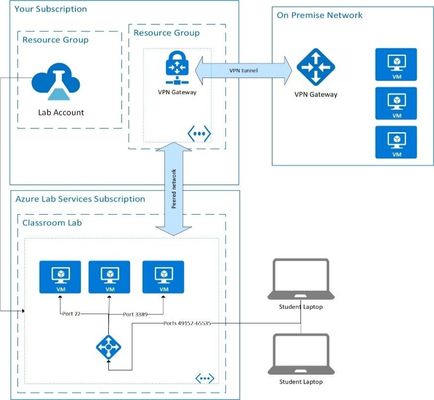
masih-shek, Sorry to hear you are having issues. Like I mentioned before, installing the DHCP role is for convenience only so the Hyper-V client VMs automatically get an ip and access to the internet. If you are trying to teach a class about DHCP you have a couple of options: Use the advanced networking feature when creating a lab. Create a regular compute VM to be the DHCP server and put it on the same vnet as the lab. Create a self-contained environment using nested virtualization. However, instead of assigning the DHCP role to the host VM, assign it to one of the Hyper-V client VMs. Consider using DevTest Lab environments. More information at https://learn.microsoft.com/azure/devtest-labs/devtest-lab-create-environment-from-arm. I hope that answers your question. If it doesn't, could you replay with information about the architecture of what you're trying to setup?1.6KViews0likes1CommentRe: Blocking access to a lab after the course has ended.
masih-shek, You could set the quota for all students to 0 hours and make sure there are no further scheduled time. (https://learn.microsoft.com/azure/lab-services/how-to-configure-student-usage#set-quotas-for-users, https://learn.microsoft.com/azure/lab-services/how-to-configure-student-usage#set-additional-quotas-for-specific-users) This would prevent students from accessing the VM because they will be out of quota/homework/async time to use the VM. *If* later need to access the VM, you can then reset the password and access using the virtual machine pool page. If you want to automate this, there are several SDKs including one for .NET, SDK, or you can call the REST APIs directly. Hope that helps, Elizabeth1.1KViews1like0CommentsRe: Nested virtualization issue in Lab Services
masih-shek, In the article you mention, the DHCP role is installed on the host machine for convenience, so the client/nested VMs will automatically be assigned an IP address when they boot up. However, you don't have to do this. You could manually assign the IP addresses to the client/nested VMs. The *.internal.cloudapp.net is the default FQDN for all Azure VMs. It's not coming from the host machine. The network being setup in the article you reference is a NAT network. This means that will proper configuration, the client/nested VMs can see the internet and each other. However, anything outside of the host VM will not be able to access the client VMs. I would suggest checking out a new advanced networking feature in Azure Lab Services August 2022. It allows you to connect servers and multiple labs to the same virtual network. Please see, https://learn.microsoft.com/en-us/azure/lab-services/how-to-connect-vnet-injection. Did that answer your questions? Hope that helps, Elizabeth1.8KViews0likes3CommentsRe: Problem Azure lab register
U1142836usqeduau, Since there was no error message included in your post, let me give you a few things to check. Verify you are using the same email address that the register link was sent to. Make sure you are using a Microsoft Account or Azure Active Directory account. (See How to access a lab in Azure Lab Services - Azure Lab Services | Microsoft Docs for explanation.) If you are using gmail account, make sure to tie it to Microsoft Account. If you haven't, go to Microsoft account | Sign In or Create Your Account Today – Microsoft to create a new account. Enter your Gmail account email address when prompted for an email address. If neither of the above help, you'll need to contact your lab administrator. They will need to check their lab user list and possible lab restriction settings. They might need the register code sent to you to find the lab you are assigned to.1KViews0likes0CommentsRe: Lab VMS stuck on starting
dtnbb - Please try reducing the lab capacity (number of VMs in the virtual machine pool). Once that is finished, increase the lab capacity again. According to the developer I talked to, this should 'reset' the VM publishing/creation process. cc: PeterHauge Thanks, Elizabeth Maher2.6KViews0likes0CommentsRe: Lab VM's Stuck on Starting and Resetting of VM's Stuck on Creating
PTGRC, Are you using the pre-April 2022 Update version of the service? If so, please reduce the lab capacity by one and then increase it again. This will reset the publishing process in the back end. If that doesn't work, please log a support ticket (https://docs.microsoft.com/azure/azure-portal/supportability/how-to-create-azure-support-request) If you are using the April 2022 Update version of the service, please log a support ticket. Hope that helps, Elizbeth1.2KViews0likes1CommentRe: I getting the message I am not authorized to join
RodAlfred , Let me build off of what Nicole said. I'm not familiar with how your lab admin sets up their labs, so let me give you a few things to check. Verify you are using the same email address that the register link was sent to. Verify you have tied your gmail account to Microsoft Account. (See How to access a lab in Azure Lab Services - Azure Lab Services | Microsoft Docs for explanation.) If you haven't, go to Microsoft account | Sign In or Create Your Account Today – Microsoft to create a new account. Enter your Gmail account email address when prompted for an email address. If neither of the above help, you'll need to contact your lab admin. They will need to check their lab user list and possible lab restriction settings. They might need the register code sent to you to find the lab you are assigned to. Hope this helps, Elizabeth895Views0likes0CommentsRe: Unable to access Azure "My Virtual Labs", via an AEC link
cgorrie04gmailcom, I'm sorry to hear you are running into an issue. I'm not familiar with how AEC sets up their labs, so let me give you a few things to check. Verify you are using the same email address that the register link was sent to. Verify you have tied your gmail account to Microsoft Account. (See How to access a lab in Azure Lab Services - Azure Lab Services | Microsoft Docs for explanation.) If you haven't, go to Microsoft account | Sign In or Create Your Account Today – Microsoft to create a new account. Enter your Gmail account email address when prompted for an email address. If neither of the above help, you'll need to contact AEC. They will need to check their lab user list and possible lab restriction settings. They might need the register code sent to you to find the lab you are assigned to. Hope this helps, Elizabeth1.5KViews0likes1CommentRe: Unable to create labs
dtnbb - Well, I'm glad to hear the lab finally provisioned. If you're willing, it would be interesting to get your repo steps. (You can send me a message directly if you don't want to reply to this thread.) I know the team is looking to fix user experience issues like this-- I'm just not sure how you got in this situation. Thanks, Elizabeth Maher, MSFT1.8KViews0likes1CommentRe: Recovering student's Lab machine
Masih17, My apologies for the delayed response. After a student VM is reset, they should be able to connect using the 'connect' button. (The connect button uses the public IP address.) If this is not the case, then this is a product issue I should log with the team. There are two ways to get the private IP address of a student VM if you want. The Azure Lab Services virtual machine pool page shows private IP addresses for student VMs. (Export list of VMs in Azure Lab Services | Microsoft Docs) The other option is to use the PowerShell module you referred to. The cmdlet that will show rdp info and private IP address is 'Get-AzLabStudentVM'. Get-AzLabAccount -ResourceGroupName MyResourceGroup -LabAccountName MyLabAccount | Get-AzLab -LabName MyLab | Get-AzLabStudentVm Does that help? Please let me know if you are still having issues. Thanks, Elizabeth1.6KViews0likes2Comments
Recent Blog Articles
Power BI Reports - Part 3: Cost Management Data and Lab Services Data Together
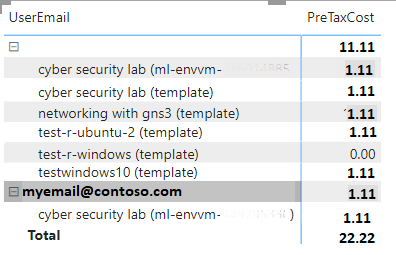
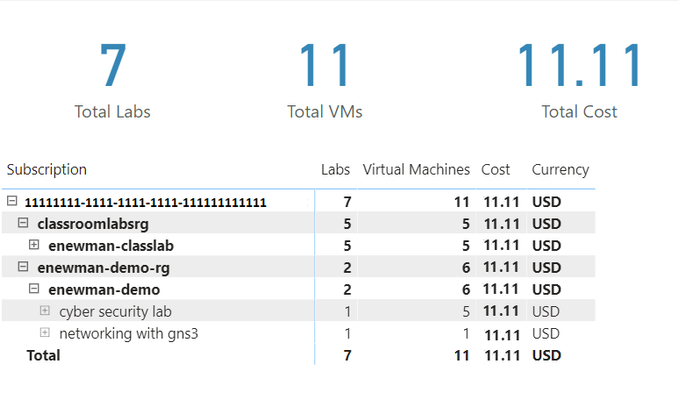
In the first part of this series, we used PowerBI to visual data from Cost Management for your labs. In the second, we recorded and displayed information about the labs themselves. Now, it’s time t...8.2KViews0likes0CommentsPower BI Reports for Azure Lab Services - Part 2: Visualizing Lab Information
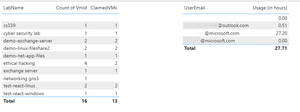
In the last blog post, we used Power BI to visualize data from Cost Management for your labs. This blog post will focus on how to gather information about your labs and visualize that data. We’ll c...6.5KViews0likes0CommentsPower BI Reports for Azure Lab Services - Part 1: Visualizing Cost Management Data
Azure Lab Services costs are integrated with Cost Management on the lab account level. We can also create a custom report using the line-item data from cost management. In this blog post, we will u...8KViews0likes0Comments