User Profile

mjudi
Copper Contributor
Joined 3 years ago


User Widgets
Recent Discussions
Re: The "Reference a file" feature not working as documented
kinnoda I like the feature to browse for files in the online version of Word but this is also not working for me 😩 if someone can help me figure out what's wrong. I agree, this feature is also needed in the desktop version.33KViews0likes0CommentsRe: The "Reference a file" feature not working as documented
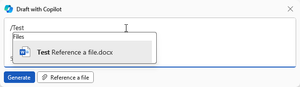
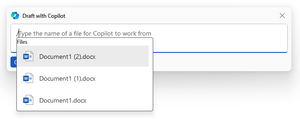
Andre_Caron Working with referenced files is not the most straightforward feature in Copilot. It took me a lot of time and experimentation to get it right. To get a file in your OneDrive, type / and start to type the file name. It will prompt you to select that file. I also found that copying and pasting the file name doesn't work all the time. The file does not have to be in the root of your personal OneDrive. You can find a file inside a folder too. To reference a document (Word and PPT only) in SharePoint, you need to Sync the documents to your OneDrive in order to reference them. The shortcut doesn't work even if you make it offline. These are my observations. I hope they are helpful.33KViews1like0CommentsThe "Reference a file" feature not working as documented
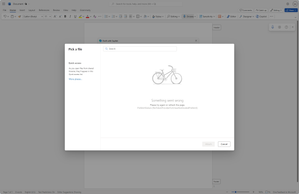
In Word, and based on the help documentation, I'm supposed to see the "Your computer" and "Online" tabs but I don't see them when I choose "Reference a file". I also see this in Outlook. I see only three Excel files and nothing else. These seem to be the last three Excel worksheets I accessed since the installation of Copilot. I tried to save an online Word document in OneDrive but wasn't able to see this file when I clicked on "Reference a file". What might be the issue?Solved42KViews3likes43Comments
Recent Blog Articles
No content to show