User Profile

ShawnMay
Copper Contributor
Joined 8 years ago


User Widgets
Recent Discussions
Issue with Identity Governance Access Package Failing in Restricted Admin Unit
Good evening and happy New Year! We are experiencing difficulties integrating a restricted management administrative unit (AU) with an existing Microsoft Entra Identity Governance Access Package. Specifically, Access Package administrative assignments fail when a security group is added to the restricted management AU. Context and Configuration: Purpose of the Setup: We are configuring an Entra ID Administrative Unit (AU) as a Restricted Management Administrative Unit. The purpose of this AU is to: o Provide a specific Cloud Operator ("Cloud Operator (May, Shawn)") with Groups Administrator access to manage a specific security group: "Cloud Operators for Role - Group Administrator." o Restrict changes to the group membership of "Cloud Operators for Role - Group Administrator" to only the Access Package. I have an Identity Governance Access Package that allows help desk personnel to administratively assign people to this group via the Entra ID Access Package web interface. This Access Package works perfectly (admin-assignment of the group) when not integrated with the restricted management AU. Administrative Unit Configuration: Name: Cloud Operators for Role - Groups Administrator Type: Restricted Management Administrative Unit Scope: Cloud Operators for Role - Groups Administrator Role: Groups Administrator Administrative Unit Role Assignments: Eligible Assignments: Role: Groups Administrator o Principal: Cloud Operator (May, Shawn) o Scope: Cloud Operators for Role - Group Administrator Active Assignments: Role: Groups Administrator o Principal: Service Principal ("Azure AD Identity Governance - User Management") o Scope: Cloud Operators for Role - Group Administrator Directory Role Assignments: Active Assignments: Role: Global Reader o Principal: Service Principal ("Azure AD Identity Governance - User Management") o Scope: Directory Problem Description: When the security group "Cloud Operators for Role - Groups Administrator" is added to the restricted management AU, Access Package administrative assignments fail. Upon removing the group from the restricted management AU, the service principal is again able to successfully assign users to the Access Package. Access Package Error Message: { "error": { "code": "GroupOperationNotAllowed", "message": "Insufficient privileges to complete the operation. Target object is a member of a restricted management administrative unit and can only be modified by administrators scoped to that administrative unit. Check that you are assigned a role that has permission to perform the operation for this restricted management administrative unit. Learn more: https://go.microsoft.com/fwlink/?linkid=2197831", "details": [] } } This issue seems to stem from the documented limitation that groups within a restricted management AU cannot be managed using Microsoft Entra Identity Governance features. This is detailed in the Microsoft documentation: Admin units with restricted management Desired Outcome: I need guidance on how to: Allow the Access Package service principal to manage the group "Cloud Operators for Role - Group Administrator" while retaining the restricted management AU. Confirm if there are any workarounds or configurations to bypass this limitation. The issue affects a critical administrative process. Any assistance in resolving this limitation or providing alternative approaches would be greatly appreciated.344Views0likes1CommentIdentity Governance > Opt-in Preview Features appears to be malfunctioning
Identity Governance > Opt-in Preview Features appears to be malfunctioning We have two distinctly separate goals: Prevent administrative assignments of DISABLED access package policy(ies). By default, appropriate Entra Role, including built-in catalog roles, are able to administratively assign users to disabled access package policies. Limit administrative assignment of access packages to catalog roles only - basically, prevent Entra roles from bypassing catalog roles. (e.g., prevent GA or Identity Governance Administrator). We have an access package policy that is used only by administrators to assign users to one resource (security) group: Users who can request access: None (administrator direct assignments only). Regardless of whether we use elevated to GA, IG Admin, etc., hold an appropriate catalog RBAC role, or any combination thereof, enabling (checking) the following Opt-In Preview Feature disables EVERYONE from administratively being able to assign user(s) to an enabled/disabled access package. No required approval is configured. If unchecked (the following opt-in option), we're once again able to administratively assign users from any level and any policy regardless if that policy is enabled or disabled. Error: You don't meet policy requirements to request this entitlement. (Note: I'm unable to locate the log that has the associated Correlation ID) Lastly, I've tested the following in multiple tenants and the behavior is 100% the same. I feel like we're missing something. I've also posted this issue to the MS tech community to see if we can flush out anything. Identity Governance > Entitlement Management > Settings > Opt-in Features Enforce policy scope setting for admin direct assignments Enabling this feature will prevent global administrators from adding users to a package that are outside the scope of the selected policy. For example, an attempt to add an external user through a policy that is only configured for internal users will be blocked when this setting is enabled. Identify any workflows in which users require access to a package, but there is no policy that includes them within its scope. Create policies that will include these users.573Views1like0CommentsEntra ID Dynamic User security group - Syntax rule
Attempting to create a Dynamic user group for Microsoft consumer accounts in my B2B tenant. This should be very simple. Background data: Collection or array object - User.identities (Collection or array) - User.identities.issuer (Collection or array only when B2B guest/member) - User.identities.issuer (string when internal member) - User.identities.IssuerassignedID (Collection or array only when B2B guest/member) - User.identities.IssuerassignedID (string when internal member) - User.identities.SignInType (Collection or array only when B2B guest/member) - User.identities.SignInType (String when internal member) There seems to be ongoing issuers querying or filtering for user.identities.issuer, along with use of various filter combinations. Again, this should be very simple. I've tried multiple combinations of the below syntax rule. Does anyone have something that has worked for you? (user.identities -any (objectIdentity.issuer -eq "MicrosoftAccount")) -and (user.identities -any (objectIdentity.issuerAssignedId -eq null)) (user.identities -any (objectIdentity.issuer -any (_ -eq "MicrosoftAccount")) -and (user.identities -any (objectIdentity.issuerAssignedId (_ -eq null))) (user.identities -any (issuer -any (_ -eq "MicrosoftAccount")) -and (user.identities -any (issuerAssignedId (_ -eq null)))1.9KViews0likes4CommentsRe: Microsoft Graph - Filtering on identities
I am also VERY interested. Has this been solved? In a B2B tenant, querying identities>issuer on "MicrosoftAccount" or "ExternalAzureAD" and IssuerAssignedID fails. In Entra ID, attempts to also create a dynamic distribution group (for CA policy filtering) based on similar criteria is not allowed. Kindly advise.3.2KViews0likes1CommentRe: MCAS - Log Collector - Configuration Not Sending to MCAS
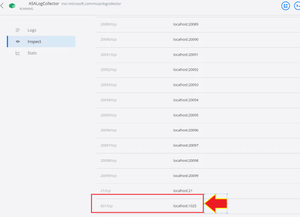
tgreed99 Here is the configuration I used to get around this mess. 1025 corresponds to the internal docker port, and 601/tcp is the host's ports. docker run --name ACMEASALogCollector -p 1025:601/tcp <---- -p 21:21 -p 20000-20099:20000-200994.2KViews0likes1CommentMCAS - Log Collector - Configuration Not Sending to MCAS
I'm fairly new to MCAS. Am attempting to get an onPrem log collector (docker) to transmit ASA logs to the log collector in MCAS. However, something is not working. This docker instance is running within a hyper-v 2016 guest (Guest: Windows Server 2019). The source is an ASA 5508 sending syslog (level 6) to the docker instance on TCP 20000. Host firewall inbound rule allows TCP 20000 from the ASA. Within Azure MCAS, it shows the log collector is "Connected" - Warning: No data was received since log collection deployment. Make sure you complete on-premises configuration of your network appliances. From a review of a NetMon network trace, run from the host, we are receiving traffic from the ASA on TCP 20000. Netstat does show the server is listening on TCP 20000. Below is docker run command. Have opened a case with MS, but they claim to be new as MCAS and docker. Any ideas why I'm not getting data? docker run --name ASALogCollector -p 20000:20000/tcp -p 21:21 -p 20001-20099:20001-20099 -e "PUBLICIP='internalhost.acme.com'" -e "PROXY=" -e "SYSLOG=true" -e "CONSOLE=xxxxx.us3.portal.cloudappsecurity.com" -e "COLLECTOR=ASALogCollector" --security-opt apparmor:unconfined --cap-add=SYS_ADMIN --restart unless-stopped -a stdin -i microsoft/caslogcollector starter
Recent Blog Articles
No content to show