User Profile

Tony_Williams2335
Former Employee
Joined 3 years ago


User Widgets
Recent Discussions
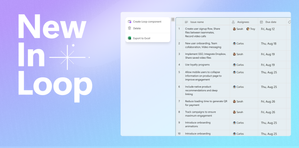
Export Loop tables to Excel in Loop
Great news, Insiders! When you’re collaborating as a team on a project, you can now to add Loop tables to Excel for gathering data and performing calculations. Read to learn more. Best, Tony Microsoft 365 Insider Social Community Manager Become a Microsoft 365 Insider and gain exclusive access to new features while helping to shape the future of Microsoft 365. Join Now: Windows | Mac | iOS | Android963Views0likes0CommentsIntroducing the Ink to Text Pen tool in Word, OneNote, and PowerPoint for Windows
Hello, Insiders! Did you hear the news? Thanks to your feedback, we made it possible to your convert your handwriting to text as you write. Read to learn more about the new Ink to Text Pen tool on the Draw tab in Microsoft Word, PowerPoint, and OneNote for Windows here. Best, Tony Microsoft 365 Insider Social Community Manager Become a Microsoft 365 Insider and gain exclusive access to new features while helping to shape the future of Microsoft 365. Join Now: Windows | Mac | iOS | Android2.9KViews0likes0CommentsAccess Ink Help on the Draw tab
Check it out! Insiders can now find Ink Help on the Draw tab in OneNote, Word, PowerPoint, and Excel on Windows. You can search and find information about all our ink features available in the Microsoft 365 application you have open. Learn more about it here. Note: This feature is available to Beta channel customers using OneNote, Word, PowerPoint, or Excel for Windows and running Version 2309 (Build 16811.20000). Best, Tony Microsoft 365 Insider Social Community Manager Become a Microsoft 365 Insider and gain exclusive access to new features while helping to shape the future of Microsoft 365. Join Now: Windows | Mac | iOS | AndroidElevate your brand identity with AI-powered Microsoft Designer
Attention Microsoft Insiders! I am so excited to share a new and improved, AI-powered feature within Designer that helps create complete brand kits that you can apply to any design, just by typing a short description. Get details, here! Special Note: The preview of the Microsoft Designer app is available for free. A paid subscription will be required to continue using some of these features at a later date. Best, Tony Microsoft 365 Insider Social Community Manager Become a Microsoft 365 Insider and gain exclusive access to new features while helping to shape the future of Microsoft 365. Join Now: Windows | Mac | iOS | Android1.3KViews0likes0CommentsMicrosoft Loop: Transforming the way we work together
Hello Insider community! Are you using Microsoft Loop the co-creation app which enables you and your team to bring everything you need for your project together in one place? If not, then learn all about it in the following introduction to the app which you can read here. Special Note: The Microsoft Loop app and the features mentioned in this post are generally available to customers with Business Standard, Business Premium, E3, and E5 work accounts on web and mobile. And don’t forget to download the mobile app on iOS or Android! IMPORTANT: Copilot requires an additional monthly subscription and is not part of your Microsoft 365 subscription. Enterprise customers can call their Microsoft account representative to purchase Microsoft 365 Copilot. Customers who already have Microsoft 365 E3 and E5 (or Business Standard / Premium) can start using Bing Chat Enterprise today. And every organization can start taking steps to learn how Copilot works, understand licensing and technical requirements, get familiar with new capabilities, and get their organization ready. Best, Tony Microsoft 365 Insider Social Community Manager Become a Microsoft 365 Insider and gain exclusive access to new features while helping to shape the future of Microsoft 365. Join Now: Windows | Mac | iOS | Android1.6KViews0likes0CommentsReduce support costs with Business Assist - Forecast service Office Add-in
Hey Insiders! Are you a customer service leaders, managers, or agents? If you are, did you know you can now reliably predict service-call volumes to manage staffing levels. Help reduce your organization’s help desk costs and provide great customer experience, with the help of Microsoft Support. Be confident in your data! Learn about Business Assist – Forecast service Office Add-in, here. Special note: This add-in is available to all customers using any of the following: Excel for the web Excel 2013 for Windows Excel 2016 for Windows Excel for Windows (Microsoft 365 subscription) Excel 2015 for Mac Excel for Mac (Microsoft 365 subscription) Best, Tony Microsoft 365 Insider Social Community Manager Become a Microsoft 365 Insider and gain exclusive access to new features while helping to shape the future of Microsoft 365. Join Now: Windows | Mac | iOS | Android352Views0likes0CommentsMicrosoft Word turns 40!
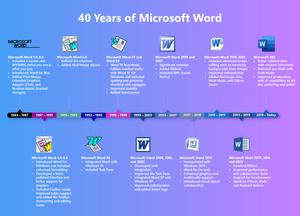
Celebrate with me Insiders! Why? Word has gone on to become one of the most popular office tools in the world, and pretty much everyone is familiar with it in one way or another. So, to celebrate its 40th year in existence, we decided to take a look at how we got here and also share where we’re going. Read all about it here. Best, Tony Microsoft 365 Insider Social Community Manager Become a Microsoft 365 Insider and gain exclusive access to new features while helping to shape the future of Microsoft 365. Join Now: Windows | Mac | iOS | Android495Views0likes0CommentsSpeed up data entry and validation with AutoComplete for dropdown lists
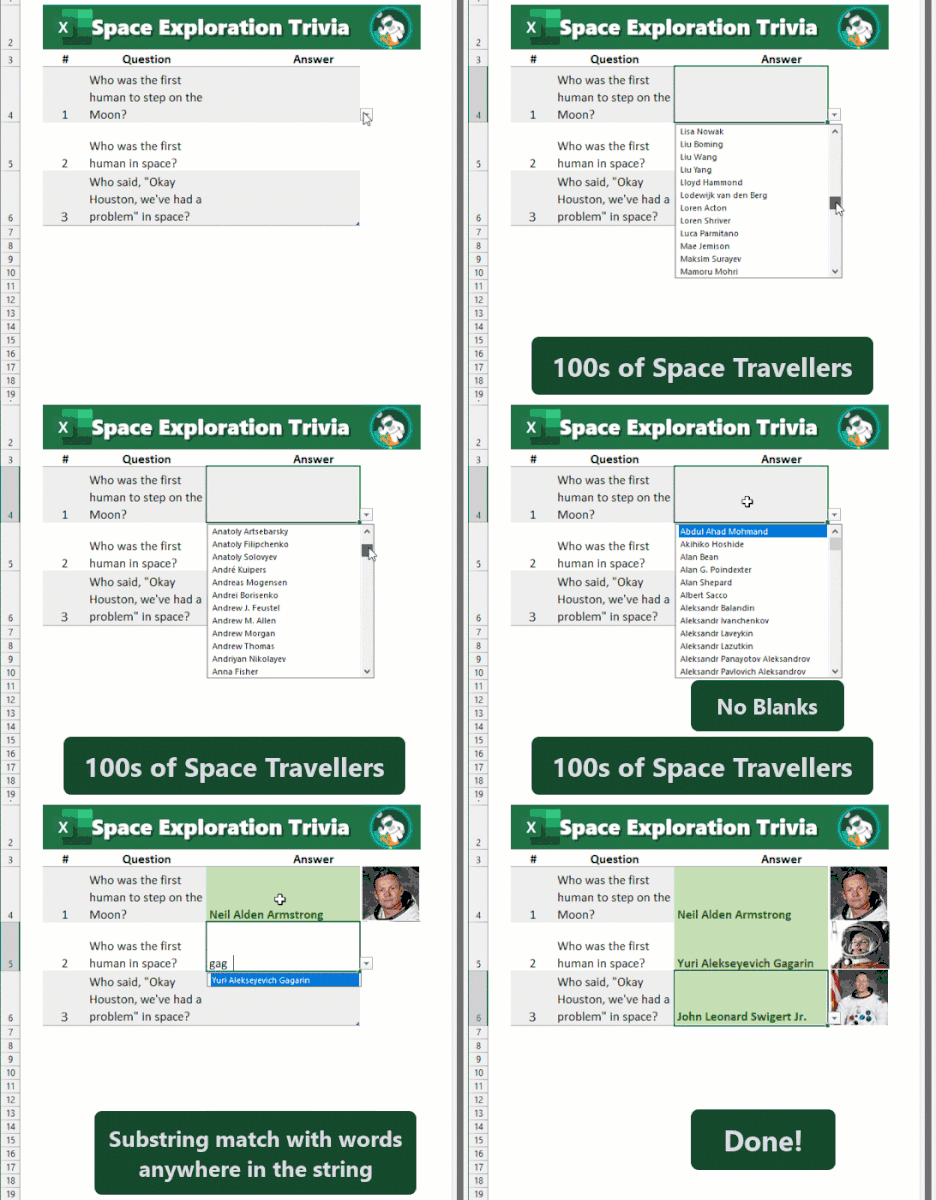
Why hello there! I have some pretty sweet news to share. Microsoft Insiders have the ability to use AutoComplete for dropdown lists in Excel for Android, iOS, and Mac! Its now easier than ever to fill forms and other types of content faster and more efficiently. Check out the following blog post to learn more about this feature. https://insider.microsoft365.com/en-us/blog/speed-up-data-entry-and-validation-with-autocomplete-for-dropdown-lists?ocid=usoc_TWITTER_M365_spl100004651498133?ocid=TC The AutoComplete for dropdown lists feature is rolling out to Microsoft 365 Insiders running: Android: Build 16.0.16816.10000 or later iOS: Version 2.77 (Build 23090704) or later Mac: Version 16.77 (Build 23091003) or later Best, Tony Microsoft 365 Insider Social Community Manager Become a Microsoft 365 Insider and gain exclusive access to new features while helping to shape the future of Microsoft 365. Join Now: Windows | Mac | iOS | Android732Views1like2CommentsReview engagement information following your Teams meetings
Attention all Microsoft 365 Insiders! Exciting news! Meeting organizers can now collect and view meeting engagement data such as total reactions, raised hands, cameras turned on, and more when you use the Attendance tab after a meeting or webinar. Read how here. Please note: This feature is available to Teams Public Preview members and Microsoft 365 Targeted Release users who meet the requirements outlined above. Best, Tony Microsoft 365 Insider Social Community Manager Become a Microsoft 365 Insider and gain exclusive access to new features while helping to shape the future of Microsoft 365. Join Now: Windows | Mac | iOS | Android532Views0likes1CommentControl data conversions in Excel for Windows and Mac
Hey Insiders, we’ve improved the Automatic Data Conversion settings we made available last year, and are now making them broadly available in both Excel for Windows and Excel for Mac. Users now have the ability to change Excel’s default behavior and disable specific types of automatic data conversions as needed. Learn more here. To do so, select File > Options > Data > Automatic Data Conversion, and then choose the conversion(s) that you’d like to disable. Please note: This feature is available to all users running: Windows: Version 2309 (Build 16808.10000) or later Mac: Version 16.77 (Build 23091003) or later Best, Tony Microsoft 365 Insider Social Community Manager Become a Microsoft 365 Insider and gain exclusive access to new features while helping to shape the future of Microsoft 365. Join Now: Windows | Mac | iOS | Android5.8KViews0likes7CommentsCameo in PowerPoint for iOS and web
Here's another good one for you, Microsoft 365 Insiders! Cameo in PowerPoint just got better! Why? Because it's now available for iOS and web! With cameo in PowerPoint for iOS and web, you can: Add a camera or live video feed within your presentation Preview your camera in Slide Show view Format cameo Add effects in your slide Present with an integrated camera source Learn more here. Cameo is available to all PowerPoint for the web users and Beta Channel users running PowerPoint for iOS Version 2.77 (Build 23090704) or later. Best, Tony Microsoft 365 Insider Social Community Manager Become a Microsoft 365 Insider and gain exclusive access to new features while helping to shape the future of Microsoft 365. Join Now: Windows | Mac | iOS | AndroidKeep your Planners inside the Loop for the web
If you’re actively using tasks.office.com (Planner), you can now bring all your existing Planner board views into your Loop workspaces. Read the blog here to see how you can copy and paste Planner links into your emails, whiteboards, Teams channels and chats. This feature is available to all Insiders on the web who are part of the Microsoft Loop Technology Adoption Program with an active Microsoft 365 subscription. Planner (tasks.office.com) is available to all users with an active Microsoft 365 subscription. Best, Tony Microsoft 365 Insider Social Community Manager Become a Microsoft 365 Insider and gain exclusive access to new features while helping to shape the future of Microsoft 365. Join Now: Windows | Mac | iOS | Android390Views1like0CommentsMaking Microsoft 365 apps accessible with Senior Technical Program Manager Doug Geoffray
October is National Disability Employment Month and in the following blog we introduce you to Microsoft's Doug Geoffray, developer of Small-Talk, the first portable computer for blind individuals and mentor for a new generation of accessibility experts. Read about his journey and why colleagues across Microsoft rely on him to help them with their hardest problems, here. Become a Microsoft 365 Insider and gain exclusive access to new features while helping to shape the future of Microsoft 365. Join Now: Windows | Mac | iOS | Android327Views1like0CommentsImproved real-time feedback gathering experience with Microsoft Forms
Hey, Microsoft 365 Insiders! Have you had a chance to read the overview of recent improvements made to the live presentation experience? If you haven't, users can seamlessly create, share, and analyze real-time data you collect during your presentations using forms and quizzes. Learn more about it here. These features are available to all Business and Education subscribers. Best, Tony Microsoft 365 Insider Social Community Manager Become a Microsoft 365 Insider and gain exclusive access to new features while helping to shape the future of Microsoft 365. Join Now: Windows | Mac | iOS | Android441Views2likes0CommentsReactions and Blue Dots for Comments available in PowerPoint for Mac, Windows, and web
Hello Microsoft 365 Insiders! Comment your way to great collaboration. We’ve added two new enhancements to comments in PowerPoint for Mac, Windows, and web: Reactions and Blue Dots! With reactions, you don’t have to type a reply – you can quickly acknowledge a comment if you agree with it. Just click the 👍 button. Then with Blue Dots for Comments, you can now visually scan the Comments window and quickly identify comments or replies that have been added since you last viewed the presentation. Reactions and Blue Dots in PowerPoint are available on the web and to Current Channel (Preview) users running: Windows: Version 2305 (Build 16529.20226) or later Mac: Version 16.76 (Build 23081101) or later Read the blog to for more details. Best, Tony Microsoft 365 Insider Social Community Manager Become a Microsoft 365 Insider and gain exclusive access to new features while helping to shape the future of Microsoft 365. Join Now: Windows | Mac | iOS | AndroidLive translated transcript for Teams Premium users
Attention Tech Community! Teams Premium users now have the option to translate the meeting transcript into another language than what was originally spoken in the meeting. With more than 30 languages available the world is now your oyster. To use this feature, users need to be members of the Teams Public Preview or Microsoft 365 Targeted Release, have a Teams Premium license, and use the Windows, macOS or web (Edge, Chrome) Teams client. Other meeting participants aren’t required to be members of the Teams Public Preview. Interested? Learn more in our blog post! Best, Tony Microsoft 365 Insider Social Community Manager Become a Microsoft 365 Insider and gain exclusive access to new features while helping to shape the future of Microsoft 365. Join Now: Windows | Mac | iOS | Android2.3KViews2likes3Comments













Recent Blog Articles
No content to show