User Profile

KatakKatak
Copper Contributor
Joined 3 years ago


User Widgets
Recent Discussions
Re: Azure AD Connect - sync computer(device) extensionAttributes to Azure AD
Spindle8551 If you search for a computer in the metaverse search with the attribute 'DisplayName' is equal to <computerdisplaynamevalue> the result will show you which connector (or AD domain) it's come from. Does it make your job harder? Yes! But the info is there. Yes, correct. The info is here. But the info is not in Azure AD, only in the connector. I will also try to write my own PowerShell function to utilise the Microsoft.Graph.Identity.DirectoryManagement module. Jut like you did. Thanks for help.8.9KViews0likes0CommentsRe: Azure AD Connect - sync computer(device) extensionAttributes to Azure AD
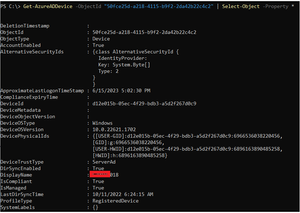
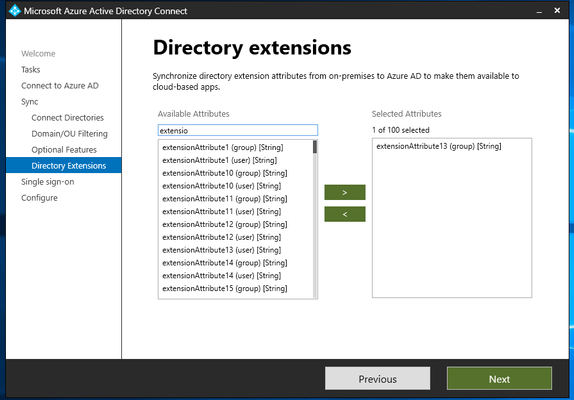
Thanks Spindle8551, I believe your solution works. Unfortunately this is an "Azure only" solution. I sync from onprem AD via Azure AD Connect to Azure thousands of computers from different AD domains. I have 12 Azure AD Connect connectors to 12 onprem AD's. Not all IT admins follow the computer naming convention and I have a problem in Azure to recognize which onprem AD computers are syncing from which AD. The idea was that I set computer extensionAttribute1 in onprem AD (e.g. Italy-site, Germany-site, Korea-site....) and then I can create dynamic groups in Azure accordingly, set Conditional Access and so on. Unfortunately as I can see, it is not possible to synchronize computer/device ExtensionAttributes to Azure. Very briefly - I am not able to find out in Azure from which onprem AD the computer syncs to Azure.10KViews0likes3Comments
Recent Blog Articles
No content to show