User Profile

robinwilson16
Brass Contributor
Joined 10 years ago


User Widgets
Recent Discussions
Re: Windows Server on ARM64 (Insider Previews)
I just wanted to say that I would also like to be able to officially evaluate Windows Server 2025 (24H2) which is available on ARM but only from 3rd party locations whereas Windows client 24H2 on ARM is available. They could keep the preview label if it helped avoid people expecting to roll out a AD domain on ARM and expect full support but enable developers to provide feedback whilst using it. Any ARM-related announcements seem to be being kept fairly quiet when it should really be big news.858Views0likes0CommentsRe: Snapdragon X Elite (Arm) Build of Windows Server 2025
Ok I have found the builds elsewhere but it would be good if people could officially evaluate them via Microsoft and provide feedback, especially given this platform is probably the one that could do with testing the most and with the fact that client ARM builds are provided via evaluation for 24H2.938Views0likes1CommentSnapdragon X Elite (Arm) Build of Windows Server 2025
Hello I can't seem to find where to download the evaluation build for Windows Server (ideally the more regularly updated Azure Edition) but all I seem to be able to find is x64. There seem to have been builds out there for months from screenshots but I'm not sure where people are getting them from. It seems build 26100.1742 would be the best one at least to start with before I switch to being overly canarified.1.1KViews0likes2CommentsRe: Outlook View in Browser Ignores Default Browser and Opens IE When Office 365 Doesn't Even Support IE
It is a bit bad considering there is no solution and the current version of Microsoft Office tries to use another Microsoft tool that is no longer supported. Sure they are having lots of meetings about how to fix it, hmm.39KViews1like3CommentsRe: Outlook View in Browser Ignores Default Browser and Opens IE When Office 365 Doesn't Even Support IE
Malcolmx I wonder if the reason modern browsers don't support this format is because it is so outdated and followed web design principles from about 20 years ago when you had to hard-code styling and use HTML tables and fixed widths. Web technology has moved on but Outlook HTML rendering remains in the past even on the most recent Office 365 versions. Everytime I have to create an HTML email such as for password resets it reminds me how old-fashioned it is. Perhaps IE is the only browser that still understands this as that too is from the past and should have been replaced years ago. The best solution would be for Microsoft to switch to a newer rendering format so HTML emails could use responsive layouts and modern standards.45KViews0likes0CommentsRe: Outlook View in Browser Ignores Default Browser and Opens IE When Office 365 Doesn't Even Support IE
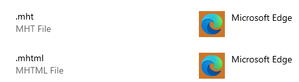
VasilMichev Thanks I have tried this as didn't realise it was linked to those file types. Whilst it does switch the browser, it opens them in plain text indicating Edge does not understand this format: Results in: Is there a way to get Edge to understand emails or is support coming in the future? Thanks Robin46KViews0likes1CommentOutlook View in Browser Ignores Default Browser and Opens IE When Office 365 Doesn't Even Support IE
With the new Edge I was hoping to finally see the back of Internet Explorer and whilst Microsoft have dropped support in some areas there seem to be key places where it is still the one that is selected and it is still installed in the latest versions of Windows 10 when even Edge legacy is not anymore. If you are in Outlook and you click the bar at the top of the email that says: "If there are problems with how this message is displayed, click here to view it in a web browser". You would expect this to open your default browser but it always opens IE no matter what is set. This still happens in the most recent version of Office 365 and no matter whether you set as the default via either group policy or the user. A software restriction policy doesn't work either as just leads to an error. So what happens then is the email doesn't display properly, the link at the top of the email opens IE at which point it may display ok but then clicking a link in the email takes the user to the website in that browser which then doesn't work correctly as doesn't support IE. According to Microsoft, Office 365 doesn't even support IE yet it still picks it as the browser to use in this instance. This leads to about one support call every 2 weeks. Other Microsoft software does too such as when debugging in Visual Studio but at least there is an option to change this. I don't know why everything can't just use the default browser as presumably this is the one the user wants to use if set as such.49KViews3likes21CommentsRe: Teams Performance
Brad Adler, I think it could help your device to be less annoying but if it becomes bad enough then it might be worth showing Microsoft how bad it is. They connected remotely to my machine and when they saw how bad it was they agreed it should be replaced. I think the choice is either to have the device partially throttled all of the time consistently or to have no throttling for a little while then severe throttling that renders your device unusable. So you can either have predictably disappointing performance or ok performance and then sudden drops whilst the device limits performance to avoid overheating. A useful tool to try is ThrottleStop which you can initially just use to monitor why your device is throttling where the one that causes the debilitating throttling is BD PROCHOT which basically means the case is dangerously hot. Pointing a fan at the device would stop the external casing from reaching such a high temperature and should reduce throttling somewhat. The issues seem worst with the high end Core i7 Surface Pro 7 models as these CPUs run the hottest. My replaced Surface is mostly running around the 1.2GHz at present and Teams is barely usable if trying to navigate to a folder during a meeting. The last one went as low as 0.4GHz or even read 0GHz the odd time. The issue seems to become worse as the devices get older (not sure if this is thermal paste drying up or vents getting clogged inside with dust but whatever, this runs nothing like a 10th gen Core i7).9KViews0likes0CommentsRe: Teams Performance
Hello Brad Adler The only thing that helped was to disable hardware acceleration in Outlook as at least I could still type emails whilst Teams was open without having to wait for the text I typed to appear although if throttling becomes too bad then everything can still grind to a halt. My Surface Device was also overheating badly and it was replaced but the replacement device seems to be going the same way. It's not really satisfactory.9.4KViews0likes4CommentsRe: Teams Performance
Brad Adler This does seem to be a combination of Surface Pro overheating and throttling severely at high loads and Teams being a resource hog using Electron. With my last Surface Pro 7 device, just 5 mins on a video call caused the device to drop to 0.4Ghz whilst it cooled down making it basically unusable and I was able to demo this to Microsoft Support where even typing a message in Notepad wasn't possible. It would then cycle between 0.4Ghz and mild to medium throttling every few mins. The replacement device is not quite as bad (yet) but throttling still occurs daily making it slow and frustrating to use, especially when on a Teams call. This is not great when it costs so much. Outlook is another resource hog so doesn't help that I must use both applications all day (like most other people at the moment probably!).9.3KViews0likes0CommentsRe: Teams Performance
regismorin I found it so bad with a Surface Pro 4 Core i7 with 16GB ram that I invested in a Surface Pro 7 Core i7 (10th gen) also with 16GB of ram and it's only marginally better if that as with Teams open, basic tasks such as just replying to an email are so slow (where I have to constantly wait for the text to catch up) and by the time you have Outlook, Visual Studio, a few browser tabs and Explorer windows it just grinds to a halt. OneDrive sync also contributes to the issue so between that and Teams my top end Microsoft device cannot easily handle both these common Microsoft applications running at once. I do find that after a Teams call, especially where I share my screen it helps to reboot afterwards to try and regain a bit of performance. Teams should not be built on Electron and should use something more efficient. Really wish something would be done. Robin14KViews1like0CommentsRe: Teams Performance
dhymeri Teams makes my Surface Pro 4 Core i7 16GB device almost unusable sometimes. The fan goes like crazy all the time and typing in any program can be delayed and things stop responding and the Surface is red hot. It is always much worse when in a call too. Trying to access files on Teams whilst in the call barely works it takes that long. They really need to re-develop in a more performant framework that doesn't need to run its own webserver.24KViews1like9CommentsRe: Deleted Bookmarks Reappear After Deletion Still on Latest Edge Canary Version
HotCakeX regarding OneDrive, for me it works for all non-Microsoft documents but when it comes to working on Word/Excel/PowerPoint etc. it seems to be the way it handles these files as if I access from my PC it seems to open the cloud version instead and then try to merge them constantly but then gets confused and ends up conflicting with itself. I've tried it on different PCs and with Microsoft accounts and Office 365 accounts but maybe I'm just unlucky! Anyway Happy New Year and lets hope Microsoft fixes the bookmark syncing but until then might switch back to Chrome as don't like having messed up bookmarks!10KViews0likes1CommentRe: Deleted Bookmarks Reappear After Deletion Still on Latest Edge Canary Version
HotCakeX Thanks, glad it is not just me. I did find you could drag your bookmark folders and links from the Edge bookmarks bar across to Chrome so luckily I did that last time I sorted them out as a way to back them up how I wanted them. Hopefully they will get the syncing working right soon although their other syncing tools like OneDrive have never worked well for me as always ends up with conflicting versions of the same files and I have to manually select which one to keep or deleted files that come back again - very annoying!10KViews0likes3CommentsRe: Bookmarks reappear after deletion
HotCakeX The announcement is no longer there yet any bookmarks I delete just return the next time the browser is opened and if I move bookmarks then they show up in both places. I've logged a new issue here and linked this one: https://techcommunity.microsoft.com/t5/discussions/deleted-bookmarks-reappear-after-deletion-still-on-latest-edge/m-p/1084704#M202674.4KViews0likes1CommentDeleted Bookmarks Reappear After Deletion Still on Latest Edge Canary Version
According to the current known issues I believe the issue affecting bookmarks is supposed to be fixed but for me every time I delete a bookmark, next time I open the browser it is back again. I spent a while sorting everything out and it all reverted to how it was before, or where I have moved something from one folder to another it is now in both locations so my bookmarks are in more of a mess than when I started and I can't seem to do anything to sort them out as once I add a bookmark I seem to be stuck with it. Is there a way to get this working as it is no longer on the known issues list even though it doesn't seem to be fixed: https://techcommunity.microsoft.com/t5/discussions/bookmarks-reappear-after-deletion/m-p/1039890 It never used to work properly with legacy Edge either but with that one it used to mostly lose them all. Robin11KViews0likes16Comments
Recent Blog Articles
No content to show