User Profile

DaniMartMS
 Microsoft
Joined 10 years ago


User Widgets
Recent Discussions
An Introduction to Blockchain with Mark Russinovich
Awesome video Seth Juarez posted at Channel9 with Mark Russinovich talking more about Blockchain, what it is and why it does matter. From Seth Juarez: "Blockchain is an interesting technology that I wish I understood better. I reached out to Mark in order to get a better handle on the technology and why it might be useful in a business setting. In this video Mark explains the basic building blocks of blockchain. The discussion included transactions, blocks, and hashes and how these fundamentals could be used to create a distributed ledger. Would love your thoughts!"2.8KViews1like0CommentsHacker hunting and built-in protections with Microsoft Azure
Microsoft Azure provides a secure foundation for customers to host their infrastructure and applications that spans across physical, infrastructure, and operational security. Part of our operational security includes over 3,500 cybersecurity experts across different teams that are dedicated to security research and development. The Microsoft Threat Intelligence Center is just one of the teams at Microsoft that encounters and mitigates against threats across the security landscape. On today’s episode of Microsoft Mechanics, you’ll see how the work of the Microsoft Threat Intelligence Center is helping to secure Azure and the global security landscape. This team works to identify issues such as peer to peer networking software, standard botnet and ransomware attacks, and adversary-based threats from hackers or nation state sponsored groups. In addition to seeing how the Microsoft Threat Intelligence Center mitigates attacks targeting the Azure platform, you’ll learn how that intelligence is fed back into our services and how you can strengthen your organizational security using these tools. Read more about it in the Azure blog.Hacker hunting and built-in protections with Microsoft Azure
Microsoft Azure provides a secure foundation for customers to host their infrastructure and applications that spans across physical, infrastructure, and operational security. Part of our operational security includes over 3,500 cybersecurity experts across different teams that are dedicated to security research and development. The Microsoft Threat Intelligence Center is just one of the teams at Microsoft that encounters and mitigates against threats across the security landscape. On today’s episode of Microsoft Mechanics, you’ll see how the work of the Microsoft Threat Intelligence Center is helping to secure Azure and the global security landscape. This team works to identify issues such as peer to peer networking software, standard botnet and ransomware attacks, and adversary-based threats from hackers or nation state sponsored groups. In addition to seeing how the Microsoft Threat Intelligence Center mitigates attacks targeting the Azure platform, you’ll learn how that intelligence is fed back into our services and how you can strengthen your organizational security using these tools. Read more about it in the Azure blog.1.5KViews0likes0CommentsMarch Member Madness Contest!
Think you can provide some fantastic content this month, or be the most active community member? We have some extra incentive for you in our March Member Madness contest, where you can win one of 15 pairs of Bose Noise Cancelling Headphones! The winners will be the top 5 members in the community in three categories: Most Posts, Most Likes Given, and Most Likes Received. I’m excited to see the contributions from the Azure Active Directory community, and hope to spark insightful dialogue around Identity and Microsoft Cloud. For more information, check out the post on Community Announcements872Views3likes0CommentsMicrosoft Learn
Microsoft Learn is an interactive, quick, and fun way to learn Azure! With Microsoft Learn, you can master new Azure skills with step-by-step interactive tutorials including videos and hands-on learning. Learning on your time: Tutorials and modules aligned to role-based certifications to fit your schedule. Learn by doing: Interactive, in-browser coding environments provide hands-on experience. Get recognized with achievements: Complete modules, test your knowledge, and earn and share achievements to recognize your Azure skills. Learn the way you want: Choose from free self-paced tutorials and hands-on learning, free structured online courses from Pluralsight, and instructor-led classes from learning partners. The new learning content is aligned to the new role-based certifications. Let us know on the comments below what you think and what courses you`re taking, and visit Microsoft Learn.Solved3KViews24likes16CommentsIntegrating your Apps with Azure
In the latest episode of the Azure Essentials training series you`ll learn how you can use Azure as an integration platform, leveraging core services like Service Bus, Event Grid and Logic Apps as well as API Management. In this video Matt McSpirit will also show you how Azure can be used be to connect back to your local business apps in your datacenter using virtual networks or the On-premises Data Gateway. Let us know how you`re integrating your Apps with Azure in the comments bellow 1.5KViews3likes0Comments
Protecting privacy in Microsoft Azure: GDPR, Azure Policy Updates
Today more than ever, privacy is of critical importance in the technology industry. Microsoft has an enduring commitment to protect data privacy, not as an afterthought, but built into Microsoft Azure from the ground up. Microsoft designed Azure with industry-leading security controls, compliance tools, and privacy policies to safeguard your data in the cloud, including the categories of personal data identified by the GDPR. These also help you comply with other important global and regional privacy standards such as ISO/IEC 27018, EU-U.S. Privacy Shield, EU Model Clauses, HIPAA/HITECH, and HITRUST. When you build on Azure’s secure foundation, you accelerate your move to the cloud by achieving compliance more readily, allowing you to enable privacy-sensitive cloud scenarios, such as financial and health service, with confidence. In this episode, we describe key tools in Azure to help you achieve your privacy goals. Read more about it in the Azure blog. 1.8KViews1like0Comments
Integrating Azure with your on-premises infrastructure
Opting for a cloud integrated, or hybrid, approach brings more advantages than if you were to uniquely host your infrastructure and services on-premises. Join Matt McSpirit, Technical Solutions Professional at Microsoft, as he shows you ways you can integrate your on-premises networking, identity, compute, and data resources with Azure. See how the development tools and practices that you're currently using can bridge between Azure and your locally hosted resources.1.1KViews1like0CommentsRe: How to save on spendings?
Kelly Anderson, it seems to me that Sven has a good setup with his recovery services to ensure data security, correct? I think your Microsoft Mechanics show explains well the benefits of using disaster recovery, but feel free to elaborate further :) 813Views0likes0Comments
Re: Azure Essentials - Free Training
Thank you all for the great interest and feedback on Azure Essentials. The response to the program has been overwhelming, and to help you learn more we`ve just upgraded Azure Essentials by adding new topics, implementing a progress tracker, and making the content available before you have to log in :) You can see my post on the program news or simply go to Azure.com/Essentials and enjoy the new topics.16KViews0likes0CommentsAzure Essentials just got an upgrade - Free learning resources
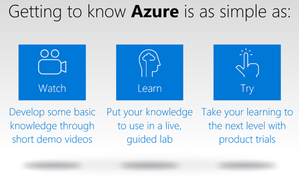
Forget Moore’s Law. It seems like the pace of migration to the cloud is doubling every month now. We see the shift to the cloud and love to hear about how it’s helping your organization and your career. Azure Essentials is meeting your need to expand your skills and is the single best resource to learn Azure, get training and have access to practical and free learning resources. Now we’ve made it even easier for you get exactly what you need with these upgrades: New Azure Essentials topics have been added. Watch the short video, do the Hands-on Labs and practice what you learned in a live environment with these new topics: Managing VM’s and Resources Data Visualization and Modeling Data Analytics The new Progress Tracker (requires log in) gives you a quick view of what you’ve already completed and allows you to add items to your queue for later. You will also see what is new since your last visit. No more need to log in to access most of the learning resources so accessing the content is even easier. Whether you’re picking up where you left off or starting your Azure education from scratch, Azure Essentials is more capable and accessible than ever. Take a look. Whether you’re picking up where you left off or starting your Azure education from scratch, Azure Essentials is more capable and accessible than ever. Take a look.7.9KViews19likes13CommentsRe: Welcome to the Co-management with Microsoft Intune and System Center Configuration Manager AMA
Indeed, Mike. Also, just in case, be sure you refresh to see the questions of the whole System Center AMA Space, not only this thread (this is only one post within the space). You can also ask any questions you may have by clicking on Start a New Conversation on the System Center AMA Space :)6.5KViews1like0Comments

Recent Blog Articles
No content to show