User Profile

bala_bron
Copper Contributor
Joined 4 years ago


User Widgets
Recent Discussions
Sharepoint sharing Audits are not proper. missing columns
https://learn.microsoft.com/en-us/office/office-365-management-api/office-365-management-activity-api-schema#sharepoint-file-operations . Referred the above link and checked the audit logs for sharing operation. Unable to find any data in columns "UserSharedWith " and "SharingType" . Unable to see proper event of to whom the item is shared and sharing level. Data available are like "Limited Access System Group For List" and added members to this group which is confusing to read the data.428Views0likes1CommentSign in Activity not working for China tenants.
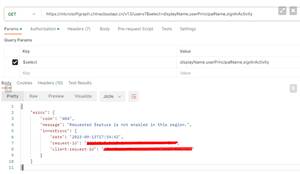
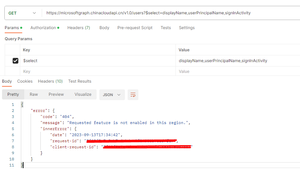
Used the sign-in activity in users API https://learn.microsoft.com/en-us/graph/api/user-list?view=graph-rest-1.0&tabs=http#example-11-get-users-including-their-last-sign-in-time . for china tenant but the response is " Requested feature is not enabled in this region." .633Views0likes2CommentsSign in Activity not working for China tenants
Used the sign-in activity in users API https://learn.microsoft.com/en-us/graph/api/user-list?view=graph-rest-1.0&tabs=http#example-11-get-users-including-their-last-sign-in-time . for china tenant but the response is " Requested feature is not enabled in this region." .how to add timezone in Exchange Audit cmdlets ?
Need to add a custom time with utc timezone in StartDate and Enddate parameters. I have tried the below . are these fine to use ? Search-UnifiedAuditLog -StartDate ([DateTime]'01/24/2023 17:35:18 PM Z') -EndDate ([DateTime]'01/24/2023 18:35:18 PM Z') Search-UnifiedAuditLog -StartDate ([DateTime]'01/24/2023 17:35:18 Z') -EndDate ([DateTime]'01/24/2023 18:35:18 Z')912Views0likes2CommentsDate Time values differs for exchange v3 and v2 modules. UTC conversion occurs
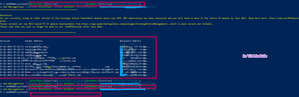
In Exchange online v2 module start Date and End date time period is given as 7:00 to 8:00 we got values for the given date. and no data was found for time period 12:30 to 13:30 In V3 module : when time period is 7:00 to 8:00 , no data is obtained . but when 12:30 to 13:30 is given got values for 7:00 to 8:00 ( 12:30 IST is 7:00 UTC ). due to this UTC conversion it affects existing behaviour . is there any way to resolve this ?598Views0likes0CommentsSuppress Credential popup while exchage cmdlet execution.
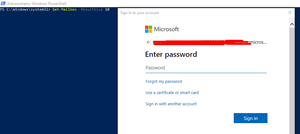
I use $cred = get-credential (enters credentials) connect-exchangeonline -Credential $cred after this powershell asks me login in pop up when the account is improper or has MFA. is there a way to block the credential popup and just show the error message. and this also occurs if we execute a cmdlet for an active session in which the user's account's credential has been changed in between. Also the error message is not in the error stream. actual error is displayed like info.790Views0likes2CommentsEdit the send as delegates of a distribution group in exchange online using Powershell.
edit the send as delegates of a distribution group in exchange online using Powershell. as of now I can see only send on behalf edit options can't find for send as. Refer : https://learn.microsoft.com/en-us/powershell/module/exchange/set-distributiongroup?view=exchange-ps#:~:text=%2D-,GrantSendOnBehalfTo,-The%20GrantSendOnBehalfTo%20parameterSolved1.5KViews0likes1Comment
Recent Blog Articles
No content to show