User Profile

Devin_Jones
Former Employee
Joined 4 years ago


User Widgets
Recent Discussions
Enhanced note taking experience in Quick Note
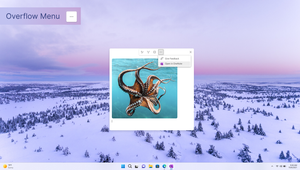
We have heard from many of you that you were looking for a more efficient and faster way to capture your thoughts, reminders, and notes. In response, we have: Incorporated a sleek new toolbar with useful text formatting options and inking capabilities. Given you faster access to screen clipping. Made it easier to transition to OneNote on Windows through the overflow menu. As a reminder, here are all the available ways to access the Quick Note experience: Press Windows key + Alt + N. Click the OneNote icon in the system tray. Click the back of your pen. In OneNote on Windows, select View > New Quick Note. Head over to the blog post to get a quick tutorial and learn more! Best, Devin Microsoft 365 Insider Social Community Manager Become a Microsoft 365 Insider and gain exclusive access to new features while helping to shape the future of Microsoft 365. Join Now: Windows | Mac | iOS | Android857Views0likes0CommentsStarting to support third-party accounts in New Outlook for Windows Preview
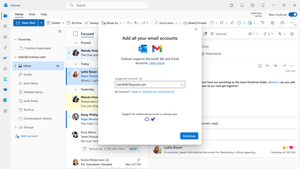
Hello Tech Community! We’ve heard your requests, and our team has been hard at work actioning your feedback about the New Outlook for Windows experience. We're thrilled to share with you a look at the new and upcoming features that have been designed in response to your feedback, including: Third party account support Improvements to the calendar, including support for Google calendar and inclusion of multiple time zones. Convenient tracking for flights and packages These and other features will be rolling out over the next few weeks to all Outlook for Windows users with access to the following: an internet connection, a Microsoft account, and a minimum OS version Windows 10 Version 1809 (Build 17763) or later. Head over to the blog post to learn more and see other updates coming out soon! Best, Devin Microsoft 365 Insider Social Community Manager Become a Microsoft 365 Insider and gain exclusive access to new features while helping to shape the future of Microsoft 365. Join Now: Windows | Mac | iOS | Android2.1KViews1like2CommentsFind recently used files in the Microsoft 365 app for Android
Hi, Insiders! My name is Sudheender Srinivasan and I’m a Product Manager on the Microsoft 365 mobile app team. I’m excited to share with you an improvement will help you find files that you’ve previously opened in the Microsoft 365 mobile app for Android and use them again. Find recently used files We heard from many of you that you wanted to be able to easily access files that you previously opened with the Microsoft 365 app. We’re happy to share that you now can! Word, Excel, PowerPoint, and PDF files opened from Microsoft apps and third-party apps such as WhatsApp, Gmail, Outlook and more, are now accessible through the Recent tab. This improvement helps you quickly locate previously opened files without having to browse or launch the source app. Interested? Learn more in our blog post! Best, Devin Microsoft 365 Insider Social Community Manager Become a Microsoft 365 Insider and gain exclusive access to new features while helping to shape the future of Microsoft 365. Join Now: Windows | Mac | iOS | Android734Views1like0CommentsPower BI and PowerPoint: Better Together
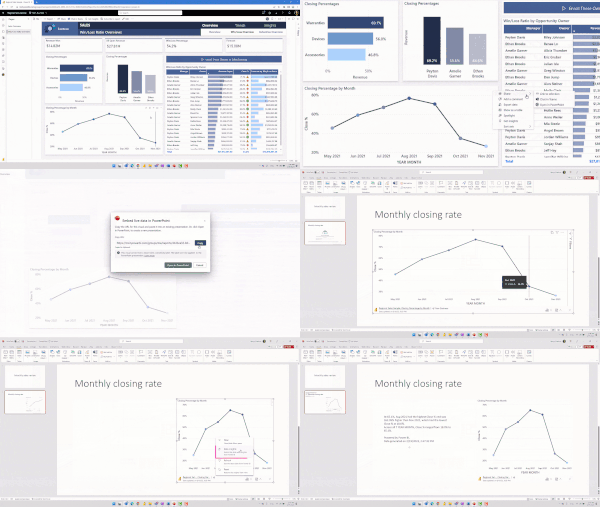
We're thrilled to announce the general availability of Power BI integration with PowerPoint, which has been available to you, Insiders, since last May and allows you to easily add interactive Power BI visuals to your PowerPoint presentations. Power BI and PowerPoint: Better Together The value of this integration is clear: it enables you to create dynamic, data-driven presentations that are more engaging and informative. The broad availability of the Power BI integration with PowerPoint means that it is also now available in national clouds. Since access to the Office add-ins store is unavailable from these clouds, we allow Power BI admins to get the add-in from the Power BI website and distribute it within their organization using centralized deployment tools available in the Microsoft 365 Admin Center. Learn More. Interested? Learn more in our blog post! Best, Devin Microsoft 365 Insider Social Community Manager Become a Microsoft 365 Insider and gain exclusive access to new features while helping to shape the future of Microsoft 365. Join Now: Windows | Mac | iOS | Android801Views0likes0CommentsAutomatic lowering of Raised Hand after speaking in Teams meetings
The Teams Public Preview team wants to help you ensure smoother meeting facilitation, that's why they're excited to share a new feature that automatically detects and lowers a user’s Raised Hand after they’ve finished contributing to the discussion. This will be available for Teams Public Preview users who use Windows or macOS. Interested? Learn more in our blog post! Best, Devin Microsoft 365 Insider Social Community Manager Become a Microsoft 365 Insider and gain exclusive access to new features while helping to shape the future of Microsoft 365. Join Now: Windows | Mac | iOS | Android6.5KViews4likes7CommentsBlock untrusted XLL add-ins by default in Excel
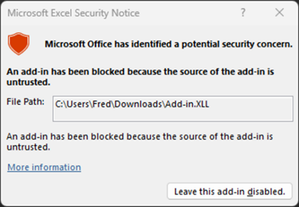
The Excel team is pleased to inform you of a default setting change to Excel for Windows that will help defend your workbooks against potential threats from XLL add-ins. With this update, you will no longer be able to enable XLL add-ins in files obtained from the internet. This feature is available to users who are running Version 2302 (Build 16130.20128) or later. Head over to the blog post to learn more! Best, Devin Microsoft 365 Insider Social Community Manager Become a Microsoft 365 Insider and gain exclusive access to new features while helping to shape the future of Microsoft 365. Join Now: Windows | Mac | iOS | Android1.3KViews0likes0CommentsAutomatic recalculation optimization in Excel makes your active workbook more performant
The introduction of the single document interface (SDI) in Excel 2013 made it possible for users to open and run multiple, unrelated workbooks in a single instance of Excel. Additionally, when using the Automatic Calculation mode, any of these workbooks has the potential to trigger a recalculation of all open workbooks, which increases the risk of slowing down the performance of the active workbook. Minimize the risk of slowness and increase performance by limiting the recalculation process to the active workbook and any of its interdependent workbooks. NOTE: Workbooks with real-time streaming functionality (such as Realtime Data), as well as recalculation initiated either programmatically or manually by pressing the F9 key or selecting Formulas > Calculate Now are exceptions to this optimization. Head over to the blog post to learn more and check if it's available for your current build! Best, Devin Microsoft 365 Insider Social Community Manager Become a Microsoft 365 Insider and gain exclusive access to new features while helping to shape the future of Microsoft 365. Join Now: Windows | Mac | iOS | Android859Views0likes0CommentsImport data from SQL Server databases into Excel for Mac using Power Query
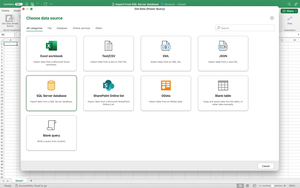
Power Query is a powerful and time saving set of tools that help you gather and analyze data quickly and easily. We received many requests to add the ability to import data from SQL Server databases. We are happy to let you know that we have added this ability to Excel for Mac. Head over to the blog post to learn more and check if it's available for your current build! Best, Devin Microsoft 365 Insider Social Community Manager Become a Microsoft 365 Insider and gain exclusive access to new features while helping to shape the future of Microsoft 365. Join Now: Windows | Mac | iOS | Android712Views0likes0CommentsSmart Save reminders for documents on your local drive
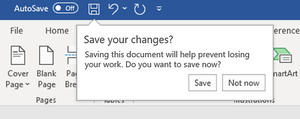
Did you know word uses machine learning to assess whether you are likely to save your progress on a file stored on your local drive? Using various attributes, such as how much time you’ve spent working on the file or how much content you’ve added, Smart Save reminders may show up to suggest you save your changes. You may have already seen Smart Save reminders since they’re currently available in new unsaved documents. These reminders help reduce the risk of accidentally losing your work. Head over to the blog post to learn more and check if it's available for your current build! Best, Devin Microsoft 365 Insider Social Community Manager Become a Microsoft 365 Insider and gain exclusive access to new features while helping to shape the future of Microsoft 365. Join Now: Windows | Mac | iOS | Android1.3KViews2likes1CommentClosed Captions for embedded audio within your PowerPoint Presentations
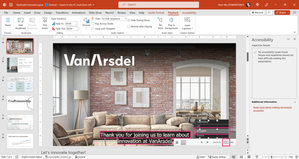
Have you recorded a PowerPoint presentation with your camera off? Or added music clips to your presentation? When you do, you add audio objects on your slides. Audio is a great way to engage with your audience! It complements the visuals on your slides without adding any unwanted clutter (when using the Hide During Show setting). But what if some people can’t hear the audio? If they are Deaf/deaf or Hard of Hearing, or are in a noisy room, or need to turn their volume down to be quiet, they may not be able to hear the audio. You can now add closed captions to audio objects in PowerPoint for Windows and PowerPoint for Mac. When closed captions are included, viewers have the option to show the words on the screen while the audio plays, so they can understand your message even if they can’t hear the audio. You can even add closed captions tracks in multiple languages and let viewers choose which one to see. PowerPoint for Windows and PowerPoint for Mac already support adding closed captions for embedded video, and now you can add closed captions for embedded audio in the same way. Head over to the blog post to get started creating accessible presentations! Best, Devin Microsoft 365 Insider Social Community Manager Become a Microsoft 365 Insider and gain exclusive access to new features while helping to shape the future of Microsoft 365. Join Now: Windows | Mac | iOS | AndroidExport slides as an animated GIF in PowerPoint for iPad
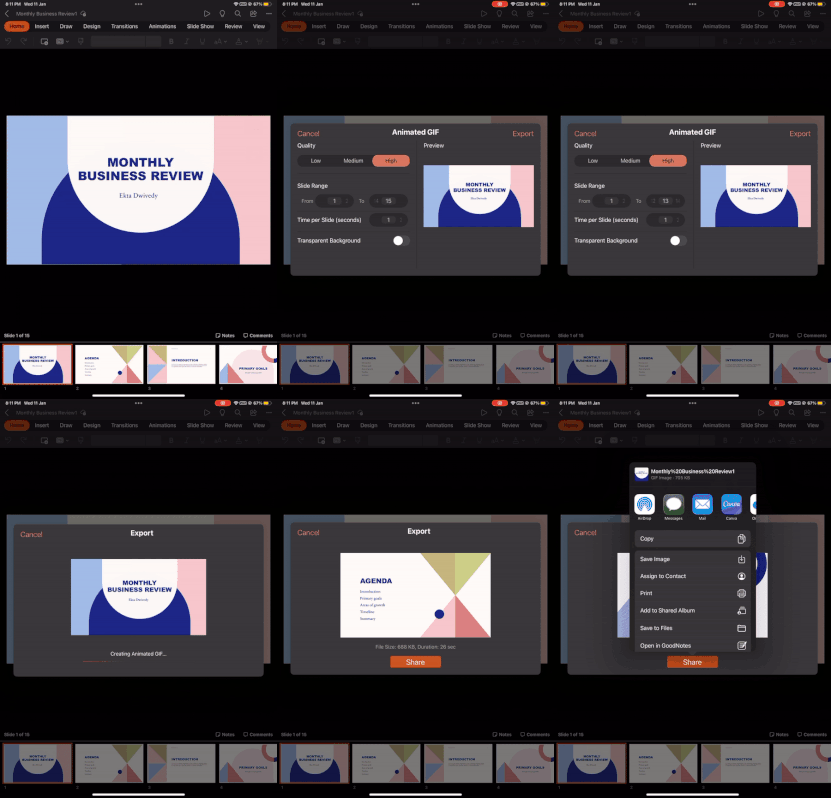
Hi, Microsoft 365 Insiders! Ekta Dwivedy a Product Manager on the PowerPoint team is excited to share that you can now convert PowerPoint slides or even an entire presentation into an animated GIF! Head over to the blog post to get a quick tutorial and read more! Best, Devin Microsoft 365 Insider Social Community Manager Become a Microsoft 365 Insider and gain exclusive access to new features while helping to shape the future of Microsoft 365. Join Now: Windows | Mac | iOS | AndroidFormat Painter is coming to PowerPoint and Word for iPad
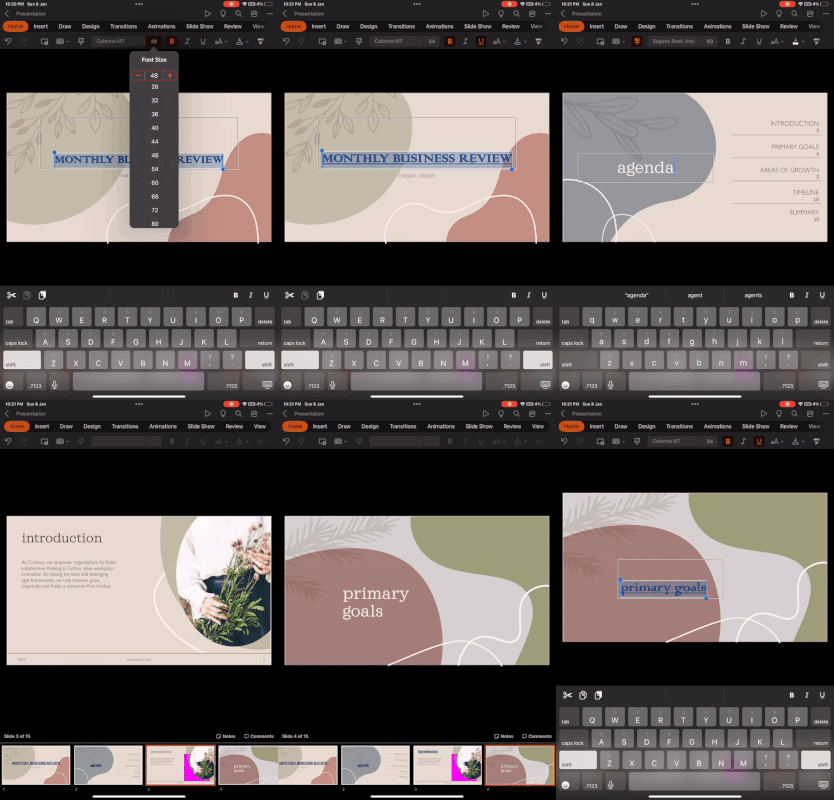
Hi, Microsoft 365 Insiders! Ekta Dwivedy and Saloni Bansal, product managers on the PowerPoint and Word teams (respectively) are thrilled to share with you that Format Painter is coming to PowerPoint and Word for iPad! Head over to the blog post to get a quick tutorial and read more! Best, Devin Microsoft 365 Insider Social Community Manager Become a Microsoft 365 Insider and gain exclusive access to new features while helping to shape the future of Microsoft 365. Join Now: Windows | Mac | iOS | AndroidCheck your formula with value preview tooltips in Excel
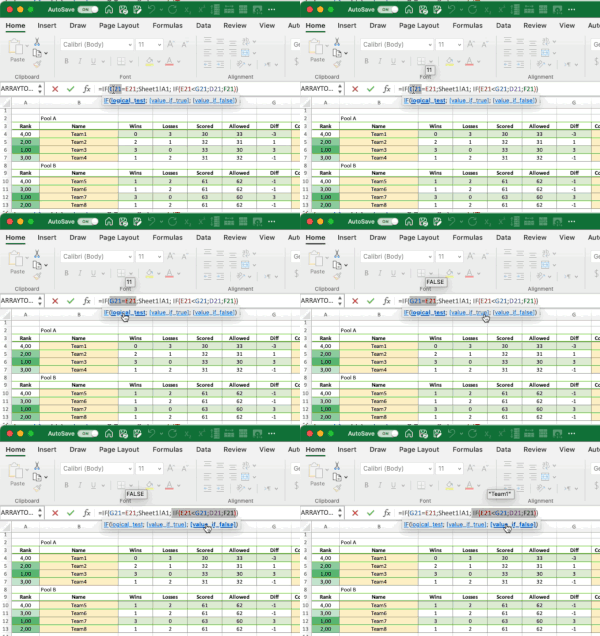
Hi, Microsoft 365 Insiders! Steve Kraynak, a Product Manager on the Excel team is excited to share that they've added a value preview to tooltips to help you check your formulas directly in the formula bar or in the cell you’re editing. Simply select part of the formula, and Excel display's a tooltip that contains the current value of the part you highlighted. Head over to the blog post to get some tips and tricks! Best, Devin Microsoft 365 Insider Social Community Manager Become a Microsoft 365 Insider and gain exclusive access to new features while helping to shape the future of Microsoft 365. Join Now: Windows | Mac | iOS | Android3.5KViews1like3CommentsTranscribe comes to Word for Windows
Hi, Microsoft 365 Insiders! Abhinav Santoshi a Product Manager on the Office Voice team, is excited to share with you the availability of the Transcribe feature you love in Word for Windows! Transcribe in Word for Windows Tired of manually transcribing audio recordings from meetings, interviews, and lectures? Look no further! The highly anticipated Transcribe feature is now available in Word for Windows. It allows you to convert speech to a text transcript, with each speaker individually separated. Imagine being able to focus on delivering a speech, conducting an interview, recording a lecture, taking class notes, or attending a presentation, all while knowing you can listen back and read the transcript afterwards. The Transcribe feature also allows you to play back timestamped audio and edit the transcript to make corrections. Plus, you can save the full transcript as a Word document or insert snippets of it into existing documents. How it works You can transcribe speech in two ways: Record directly in Word Upload an audio file Head over to the blog post to learn how to record in Word and get a quick tutorial on the feature! Best, Devin Microsoft 365 Insider Social Community Manager Become a Microsoft 365 Insider and gain exclusive access to new features while helping to shape the future of Microsoft 365. Join Now: Windows | Mac | iOS | Android739Views0likes0CommentsVideo filters in Teams meetings
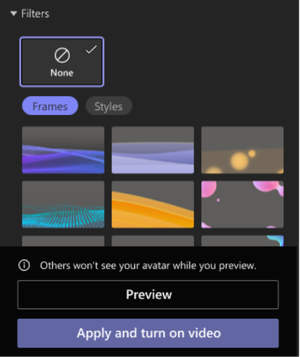
Ready to add a little pizzaz to your Teams meeting presence? The Teams Public Preview team is excited to bring you video filters, a new feature that will allow participants to augment their video stream with visual effects, such as frames and styles. Express your personality in meetings, lighten the mood, and reduce stress! Head over to the blog post to get started using this feature in your next Teams meeting! Best, Devin Microsoft 365 Insider Social Community Manager Become a Microsoft 365 Insider and gain exclusive access to new features while helping to shape the future of Microsoft 365. Join Now: Windows | Mac | iOS | Android701Views1like0CommentsRe: Office Insider Web Site
Got it, for Office for Mac you can find those here: https://learn.microsoft.com/en-us/officeupdates/release-notes-office-for-mac Beta Channel here: https://learn.microsoft.com/en-us/officeupdates/beta-channel Current Channel here: https://learn.microsoft.com/en-us/officeupdates/current-channel-preview1.7KViews1like2Comments



Recent Blog Articles
No content to show