User Profile

Maria_Iva
Copper Contributor
Joined 4 years ago


User Widgets
Recent Discussions
Re: Signatures with multiple images
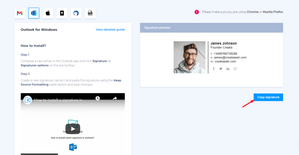
AMrobinson to avoid any email signature issues that can happen, I recommend you to use professional email signature generators that have integrations with the email client. There are dozens of nuances you don't know and have to deal with (like multiple images), but if you use professional tools, you can avoid this job. For example, https://newoldstamp.com/outlook-email-signatures/ has excellent integration and automation with Microsoft 365.1.2KViews0likes0CommentsRe: Problems in Logos in Email Signatures? Platform, Mobile, Spam
pd2021 Hi there, An image in the signature may become a source of spam or virus, so some services automatically reject it or send it as an attachment. So, to avoid any email signature issues that can happen, I recommend you to use professional email signature generators that have integrations with the email client. There are dozens of nuances you don't know and have to deal with (like images in attachment), but if you use professional tools, you can avoid this job. For example, https://newoldstamp.com/outlook-email-signatures/ has excellent integration and automation with Microsoft 365.3KViews0likes0CommentsRe: Outlook signature on android mobile web browser
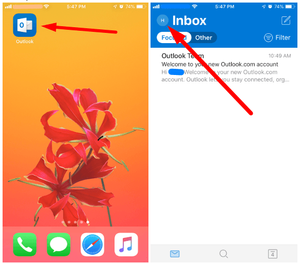
rainbowguy1810 Making an email signature in Outlook on mobile devices If you want to add an Outlook email signature using mobile app on iOS, firstly open it and press on the icon of your account. Then click on the gear icon to enter settings. You will find a ‘Signature’ section there. Now you can add any text you want to your signature. However, as you might have noticed, there are no editing options. Note that Android application does not support HTML email signatures. More read in this https://newoldstamp.com/blog/add-signature-to-emails-in-outlook-2016/7.8KViews1like0CommentsRe: Signature management?
Robert Gøransson big companies use a professional email signature management tool. The main condition must be Microsoft 365 integration. Then you just create a "Master" signature and, with a few clicks, integrate employees' contact information to get ready standardized email signatures. A fantastic https://newoldstamp.com/microsoft-365-email-signatures/ you can find in Newoldstamp.5.6KViews0likes0CommentsRe: 🖋️How to create a professional email signature
When it comes to email signatures, Outlook is one of the most flexible apps you can get. If you want to know how to add signature in Outlook and use it as a marketing channel or just to make your emails look better, let’s learn how to do that. https://newoldstamp.com/blog/add-signature-to-emails-in-outlook-2016/1.9KViews0likes0CommentsRe: Email signature outlook problem?
Hi polilita, It's almost impossible to create a company email signature by yourself that will work and display correctly on different devices. If you want your signature to work well, use a professional email signature generator with Outlook integration. For example, https://newoldstamp.com/outlook-email-signatures/ has the one, and you can automatically create signatures for all employees without the IT and design departments.1.2KViews0likes0CommentsRe: O365 email signature with link to logo on onedrive
Mike Jansen an email signature has many nuances to work correctly in this email client. So if you want to have a branded email signature in your footer, try to use a professional https://newoldstamp.com/outlook-email-signatures/. It considers all issues, and you just get a signature that will work with no problem.4.7KViews0likes0CommentsRe: Email Signatures Not Syncing
tattythomas Hi, My advice to avoid any issue that can happen with email signatures is to use professional email signature generators. If it has https://newoldstamp.com/outlook-email-signatures/ all this trouble won't happen, cause all nuances are thought out by professionals.73KViews0likes0Comments
Recent Blog Articles
No content to show